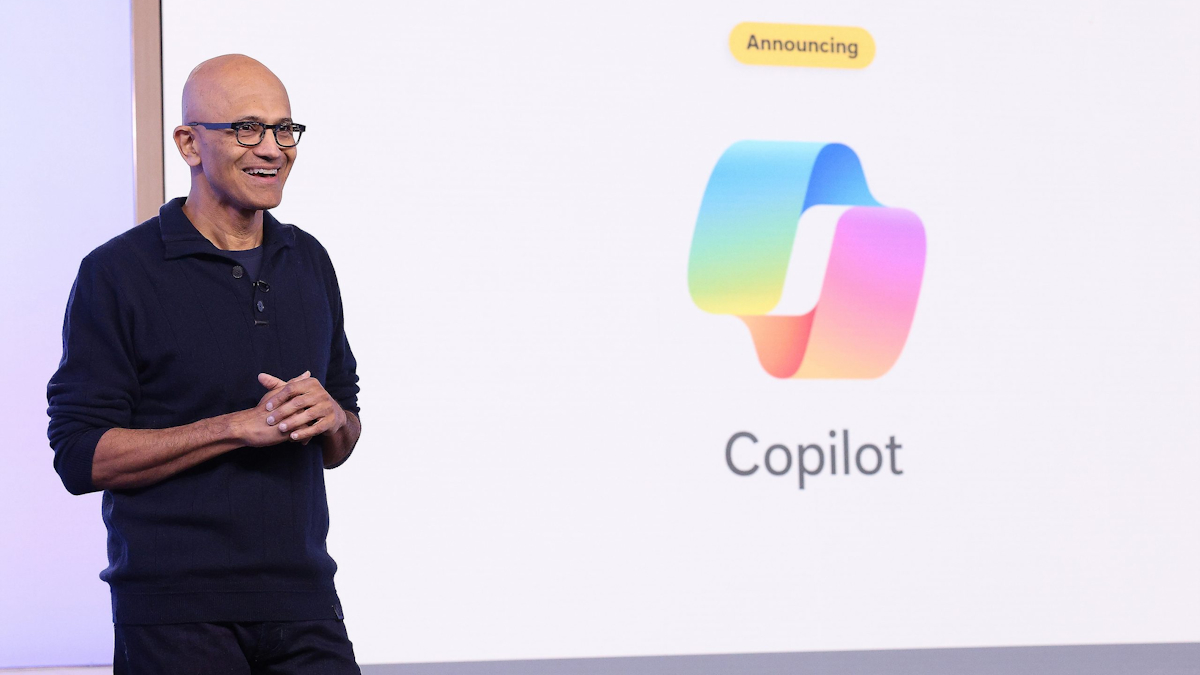
Microsoft has officially overhauled its Copilot platform, shifting it from a standard sidebar chatbot into an autonomous workspace hub.
Previously, Copilot acted mostly as a passive virtual assistant that waited for you to type prompts and generated static drafts inside individual Office apps.
The new version unifies these fragmented capabilities into a single app capable of running multi step tasks, creating custom software, and operating independently in the cloud even when you are logged off.
Home unifies Chat and Cowork with deep Office integration
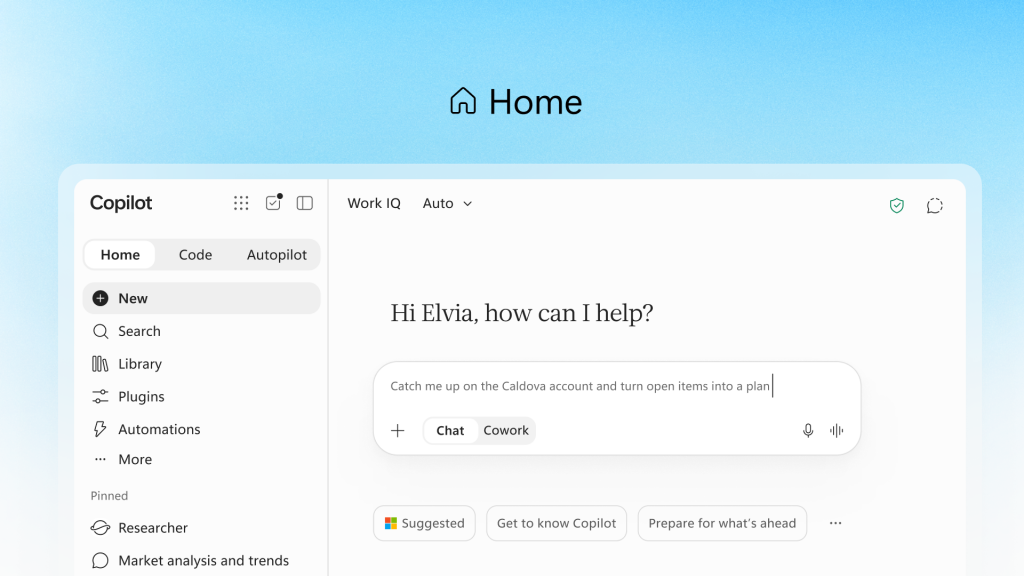
At the centre of this redesign is Home, a unified landing screen that divides tasks into Chat for quick lookups and Cowork for delegating entire project workflows.
Rather than simply suggesting text, Cowork can generate complete financial reports, tender documents, or launch kits end to end. Microsoft is also embedding Word, Excel, and PowerPoint directly into Copilot.
From the Home screen, asking for a budget model or presentation deck creates a real, live document synchronised across your entire team.
Excel tracks collaborative edits visually while suggesting charts, and PowerPoint automatically enforces company brand guidelines.
While this promises to end version conflicts and broken formatting, businesses will need to see whether the system truly handles complex document structures without requiring manual cleanup.
Code lets non-developers build software using plain English
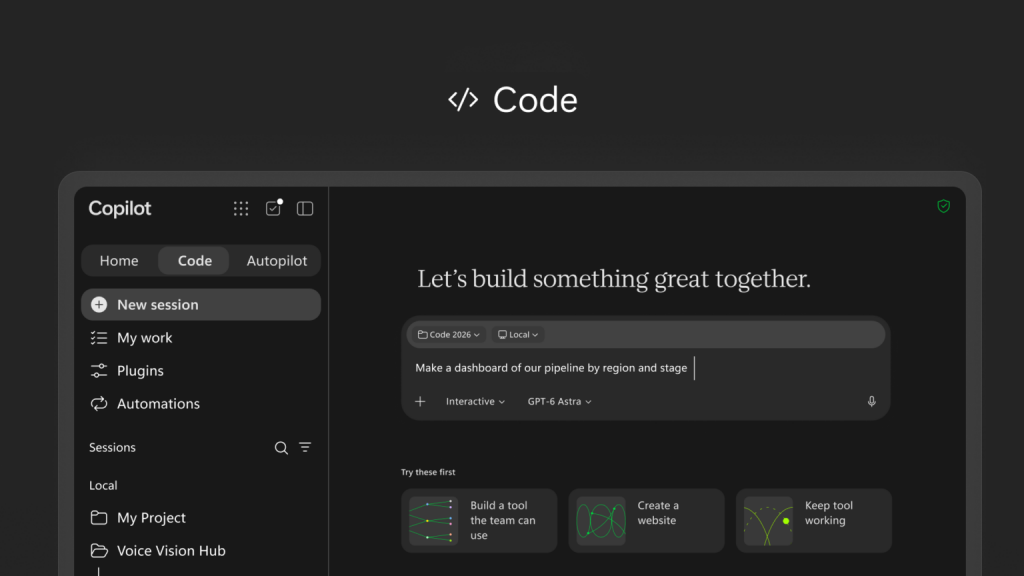
Another major shift is Code, which brings app creation to everyday employees.
Powered by the same underlying engine behind GitHub Copilot, Code allows non technical staff to build interactive dashboards, desktop widgets, or cloud hosted internal applications using simple natural language prompts.
These apps run securely inside a sandboxed environment called Microsoft Copilot Managed Runtime.
Microsoft frames this as an essential new skill equivalent to writing a memo, but it remains to be seen whether turning every employee into a casual software builder will create a governance headache for IT departments trying to manage unvetted internal software.
Autopilot introduces digital teammates that work while you sleep
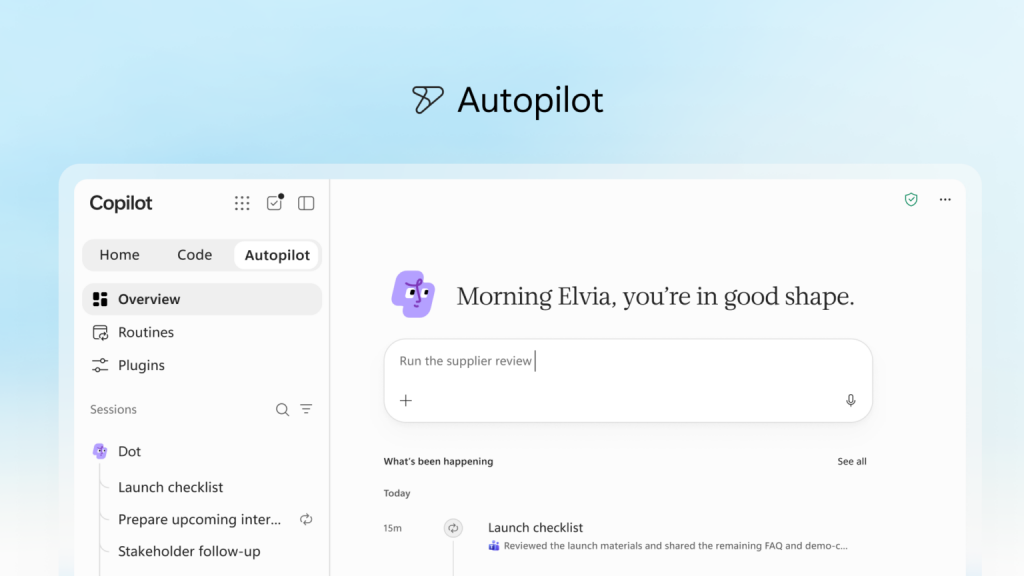
The biggest departure from the previous Copilot is Autopilot, an evolution of the agent previously known as Scout.
Instead of waiting for manual commands, Autopilot operates as an autonomous digital colleague with its own cloud computer instance, workspace, memory, and identity inside your organisation.
You can give it a name, role, and objective, allowing it to manage supplier reviews, run recurring meetings, and follow up with colleagues across Microsoft Teams and Outlook without supervision.
Microsoft insists that IT administrators retain full auditing control, but handing over multi-step workflows to an autonomous AI agent running in the background will undoubtedly make cautious enterprise security teams nervous.
Deep data grounding and a switch to pay as you go pricing
To feed these autonomous tools with accurate information, Copilot now connects directly to Microsoft IQ, bringing in live business context from Power BI, Dynamics 365, and Power Platform.
However, this level of capability comes with a significant shift in how Microsoft charges for AI.
While everyday Chat and document summaries remain covered under the fixed price User Subscription Licence, heavy agentic tools like Cowork, Code, and Autopilot are moving to Usage Based Billing.
That means companies will pay based on actual computing power consumed rather than a predictable monthly fee per head.
Microsoft is introducing FinOps for AI to help administrators monitor spending, but uncapped usage pricing could lead to unexpected bills if autonomous agents are left running unchecked.
What is coming next for Microsoft Copilot
Microsoft is also previewing additional features set to arrive soon, including Today in Home, a command centre that highlights overdue tasks, calendar shifts, and urgent emails while preparing actionable draft responses.
Additionally, a new capability called @Copilot in Teams allows entire channel chats to tag Copilot to explain past project decisions or map out cross functional timelines.
While Microsoft is pitching this update as the future of workplace productivity, the combination of usage based costs and autonomous AI agents means companies will likely evaluate these tools with a healthy dose of caution before handing over the keys to their daily operations.