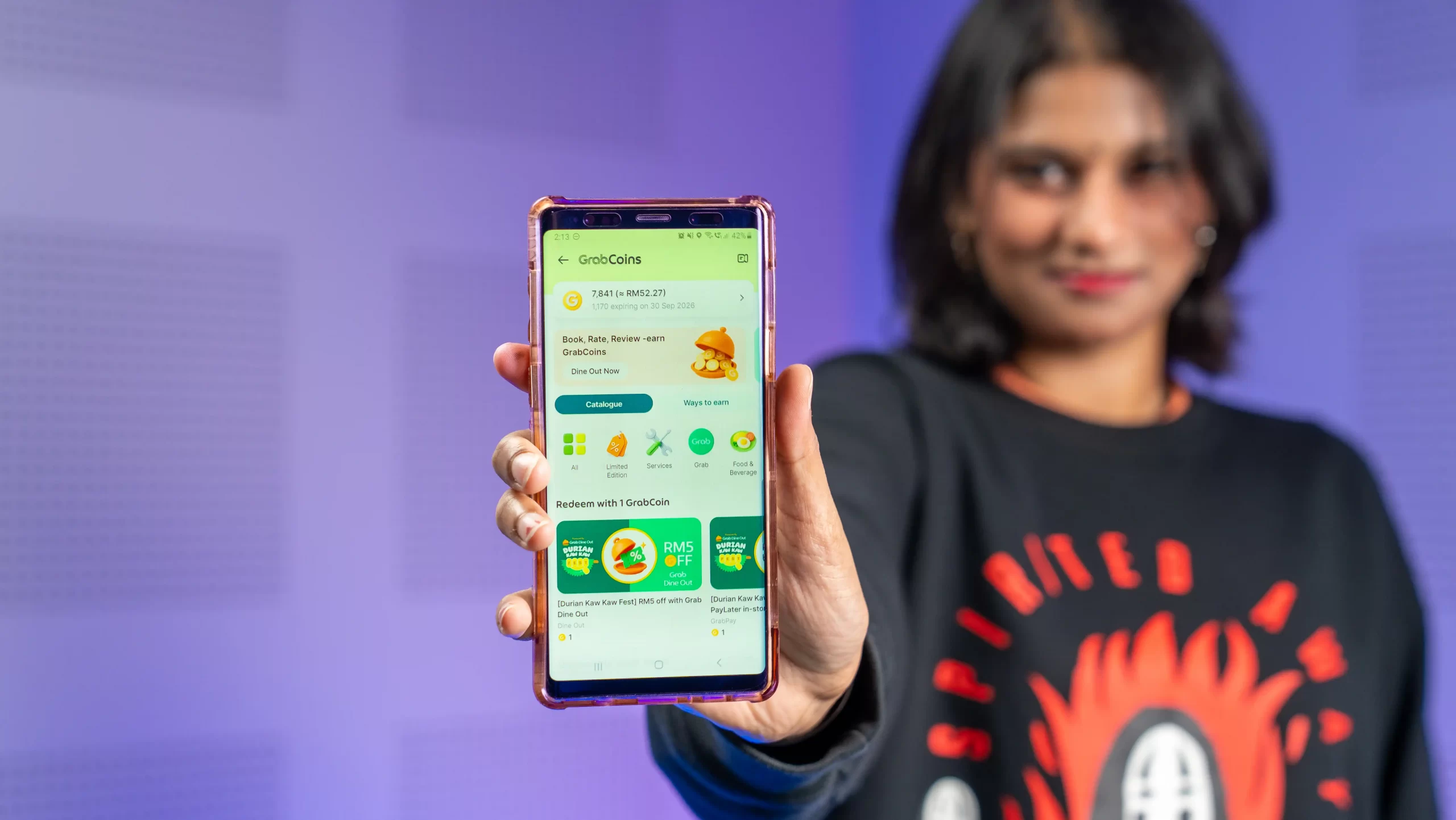
This post is brought to you by Grab.
If you use Grab regularly to order food, book rides, or pay for groceries, chances are you are sitting on a secret stash of GrabCoins without even realising it. Every time you order a quick lunch, hail a ride during rush hour, or make a payment, those GrabCoins keep piling up in the background.
The problem? Most of us leave our GrabCoins untouched because we aren’t quite sure what they are worth or how to use them.
Instead of letting them sit there doing nothing, your GrabCoins can actually give you immediate savings today. This isn’t about saving tiny fractions of a cent on distant rewards; it is about turning your everyday app usage into actual discounts you can use right now. You can use them for GrabCar, Grab PayLater, GrabFood, Grab Dine Out, and even premium Jaya Grocer vouchers.
Here is how you can stop missing out and start using your GrabCoins straight away.
What are GrabCoins, and how do you check your balance?
Think of GrabCoins as discounts built right into your Grab app. Instead of waiting forever to save up for big items, GrabCoins are designed to give you quick, practical savings on the things you already pay for every day.
Checking your GrabCoins balance only takes a few seconds:
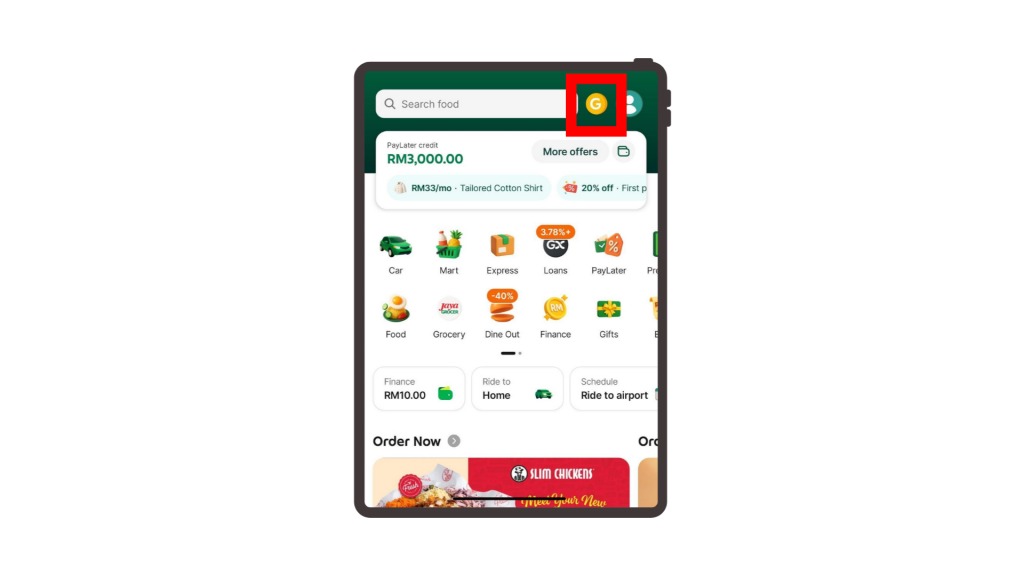
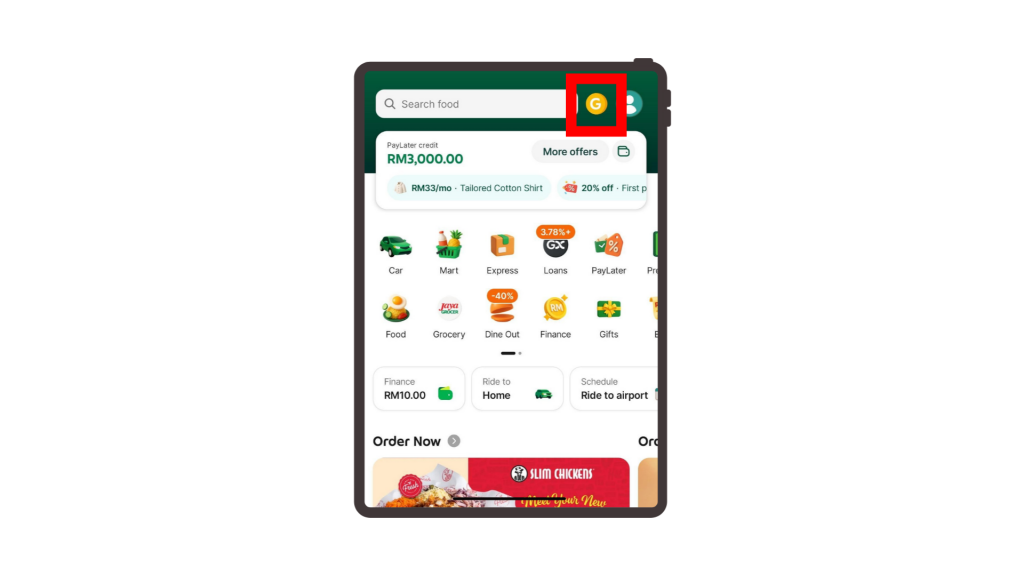
Step 1: Open your Grab app and tap the gold GrabCoins “G” icon right next to the search bar on the home screen.
Step 2: This opens your catalogue page, where you can redeem available vouchers, ride discounts, PayLater offers and many more. Don’t miss out on new flash sale vouchers every month!
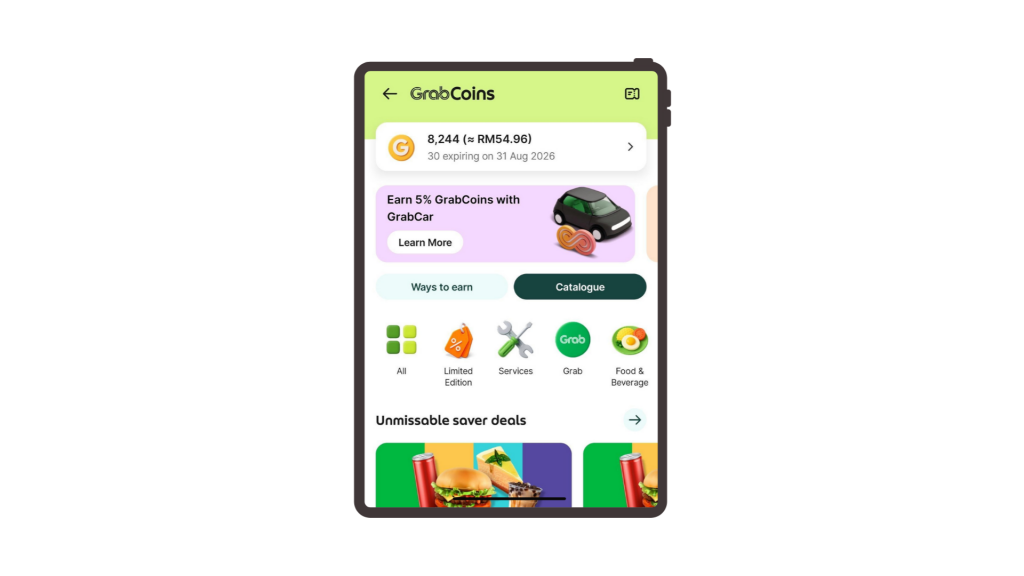
Step 3: Tap “Ways to earn” to see quick ways to collect more coins through ride bookings, food orders, or GrabUnlimited subscriptions.
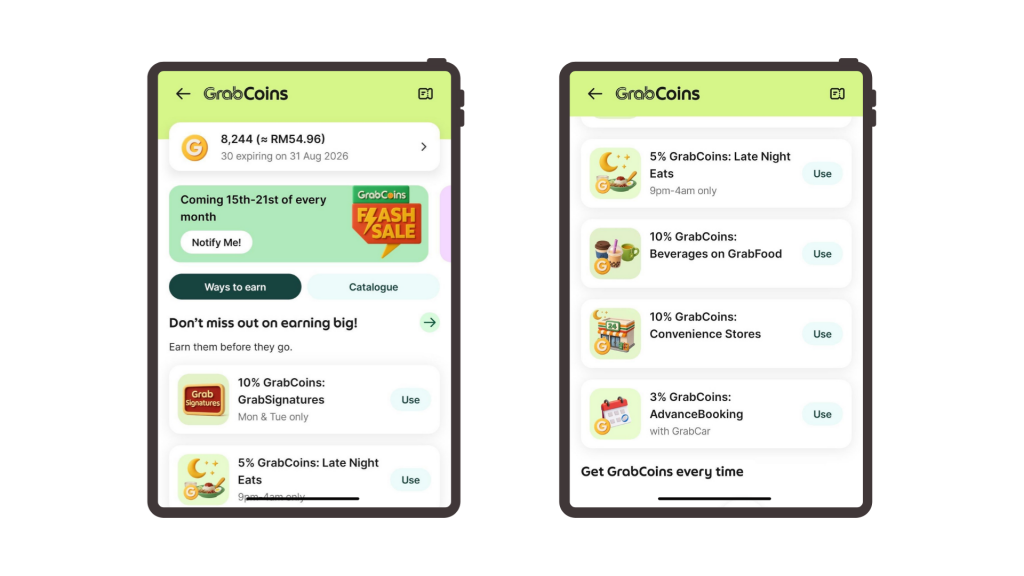
The deals you see in your app are automatically matched to your current GrabCoins balance. That means whatever pops up in your catalogue is ready for you to redeem straight away.
What can you actually use GrabCoins for?
You can use your GrabCoins balance to get discounted vouchers, unlock special merchant deals, or directly knock off a few ringgit from your total bill when booking rides and ordering food.
Here is a quick step-by-step guide on how to use your GrabCoins across different Grab services.
How to redeem offers with GrabCar
Every time you book a GrabCar to beat the morning rush or head home late, you’ve quietly been sitting on a growing stash of GrabCoins without even realising it. You can turn those passive perks into instant ride discounts right from the booking screen before you even hit Book.
Here’s how you can do that:
Step 1: On the main menu of your Grab app, tap on Car.
Step 2: Key in where you want to go and confirm your pickup spot.
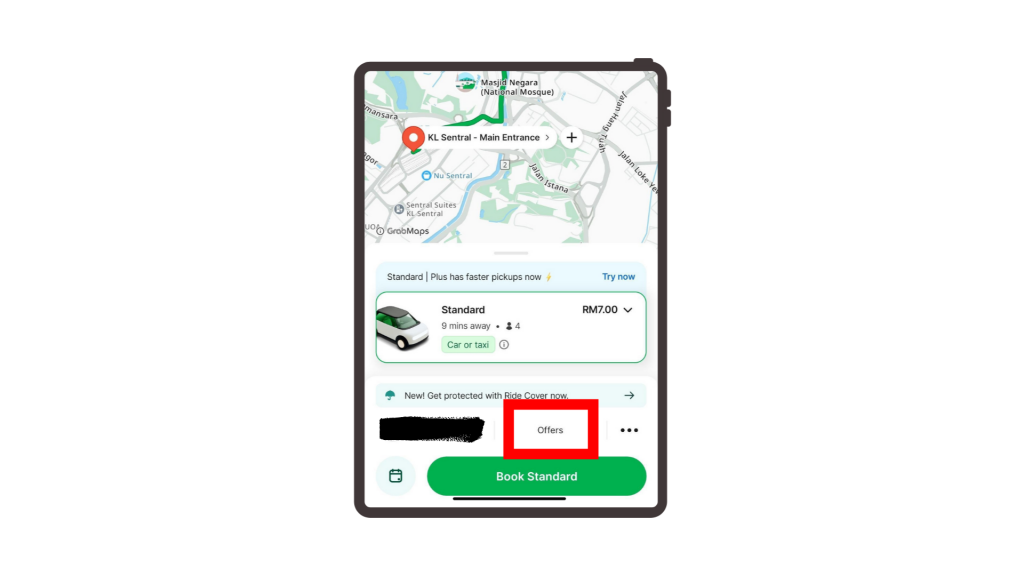
Step 3: On the booking page, tap on Offers.
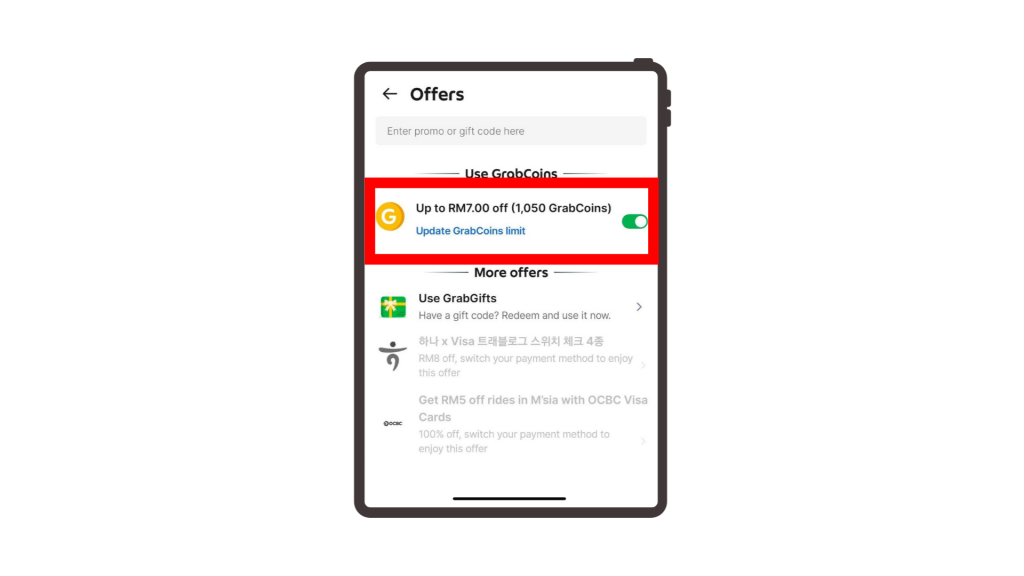
Step 4: Look for “Use GrabCoins” and toggle the switch to turn it on.
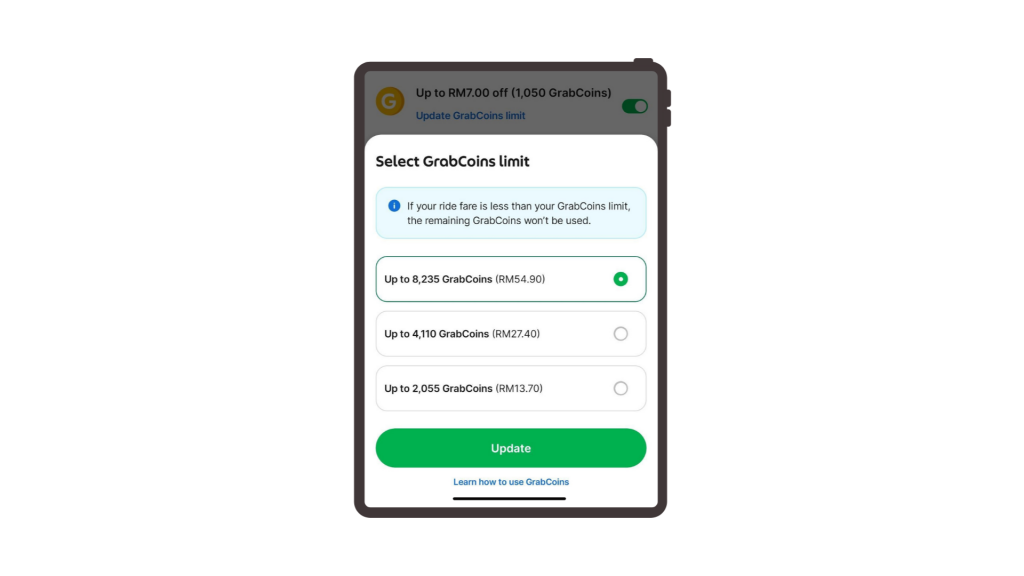
Want to change how many coins you use? Tap Update GrabCoins limit to pick your preferred amount before booking.
How to redeem offers with Grab PayLater
Whether you’re splitting a wishlist splurge into four equal installments or deferring purchases into a single monthly bill, Grab PayLater has secretly been piling up GrabCoins for you in the background.
You can double-dip by stacking those forgotten coins as instant shopping vouchers onto your total before you split the payment.
You can apply eligible GrabCoins vouchers when checking out with Grab PayLater, subject to the offer terms shown in the app.
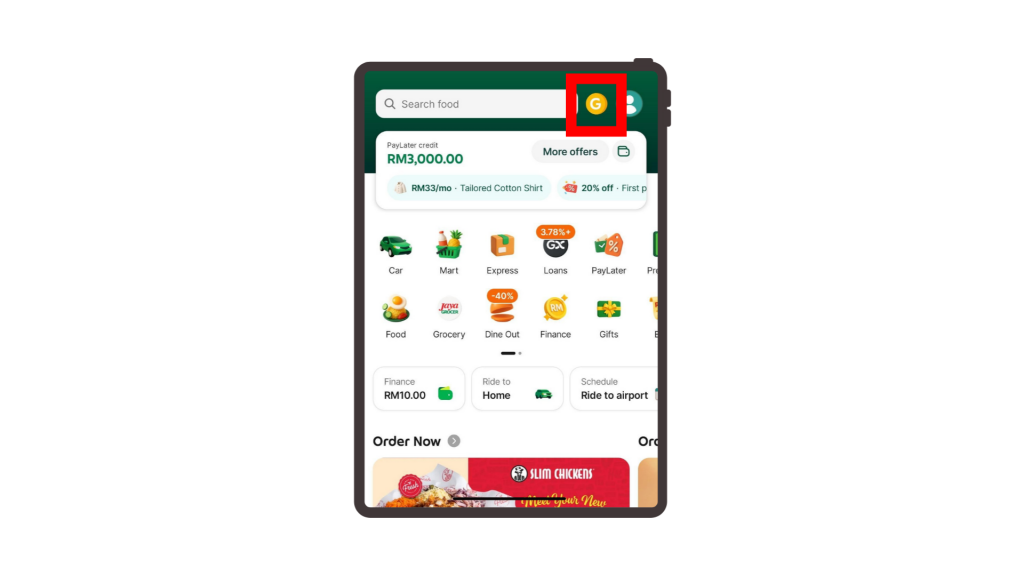
Step 1: On the main menu, tap the GrabCoins icon at the top right.
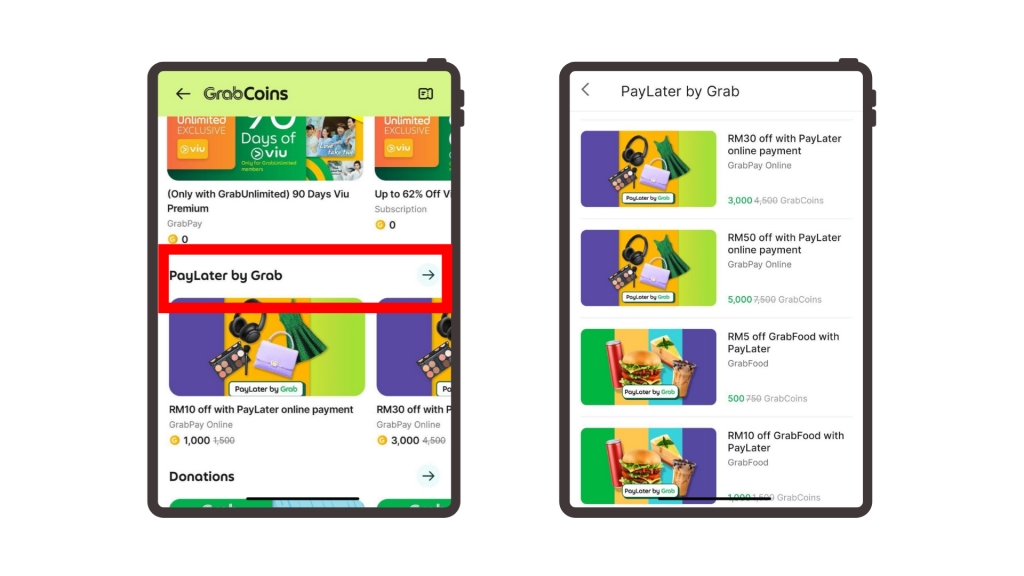
Step 2: Scroll through the deals and pick the PayLater discounted voucher you want.
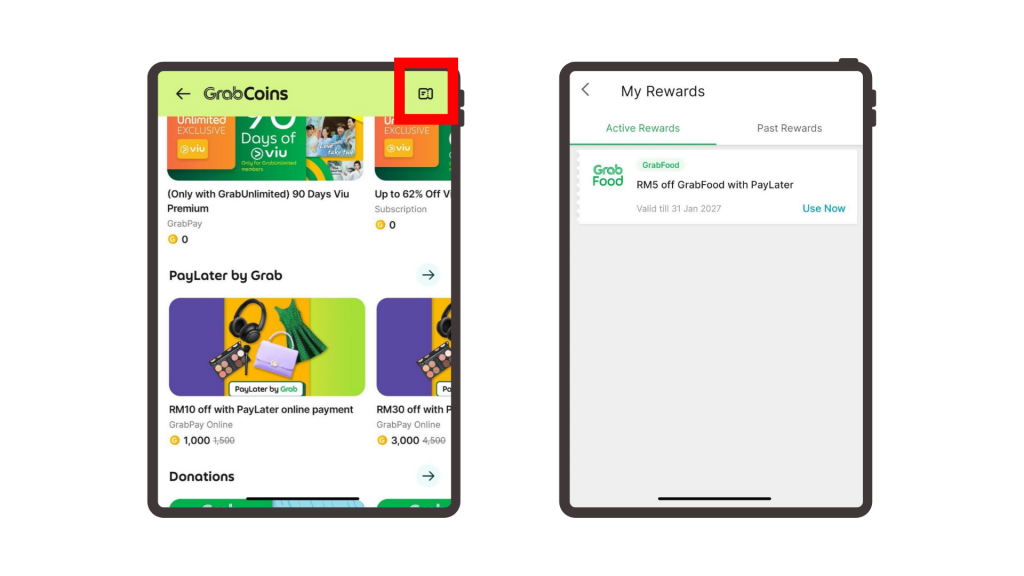
Step 3: Tap to redeem the voucher, and it will be saved automatically in your “My Rewards” tab.
Step 4: When checking out online or in-store, choose PayLater by Grab as your payment method.
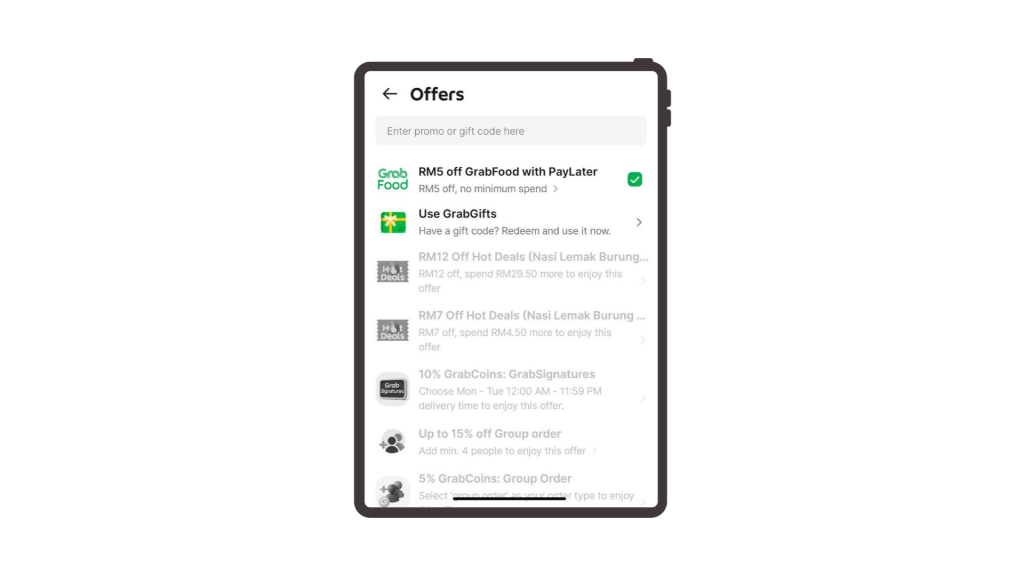
Step 5: Apply your saved voucher at checkout to lower your bill before confirming your payment.
How to redeem offers on GrabFood
All those rainy-day dinner deliveries, boba runs, and quick office lunches on GrabFood do more than just satisfy your stomach; they silently stack up GrabCoins under the radar. You can convert that sleeper GrabCoins balance into immediate food vouchers right at checkout to shave off a chunk of your next meal bill.
Step 1: On the main menu, tap the Food icon.
Step 2: Choose your favourite restaurant, add your food to the cart, and head to checkout.
Step 3: Tap on GrabCoins.
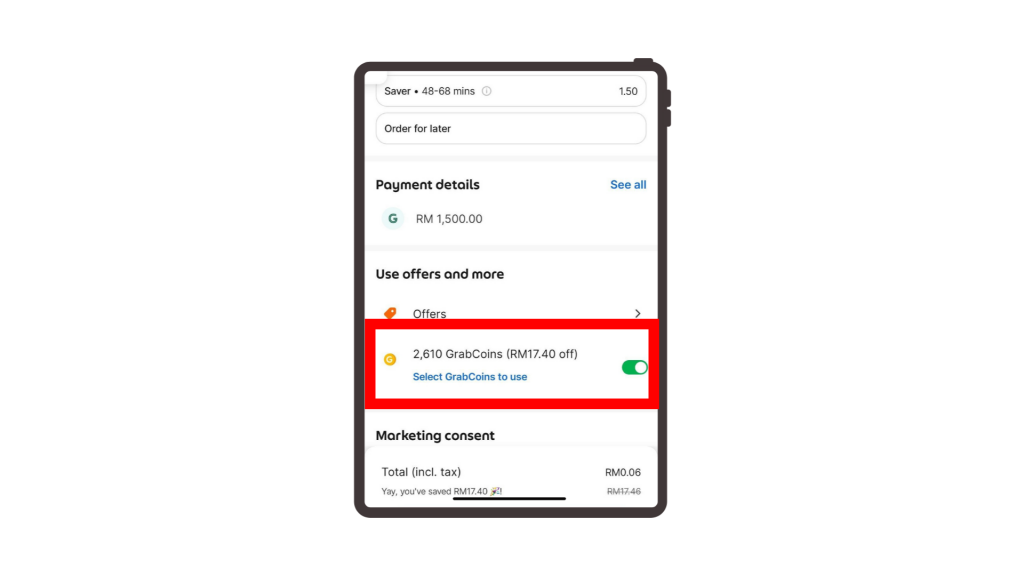
Step 4: Toggle the switch beside it to apply your coins.
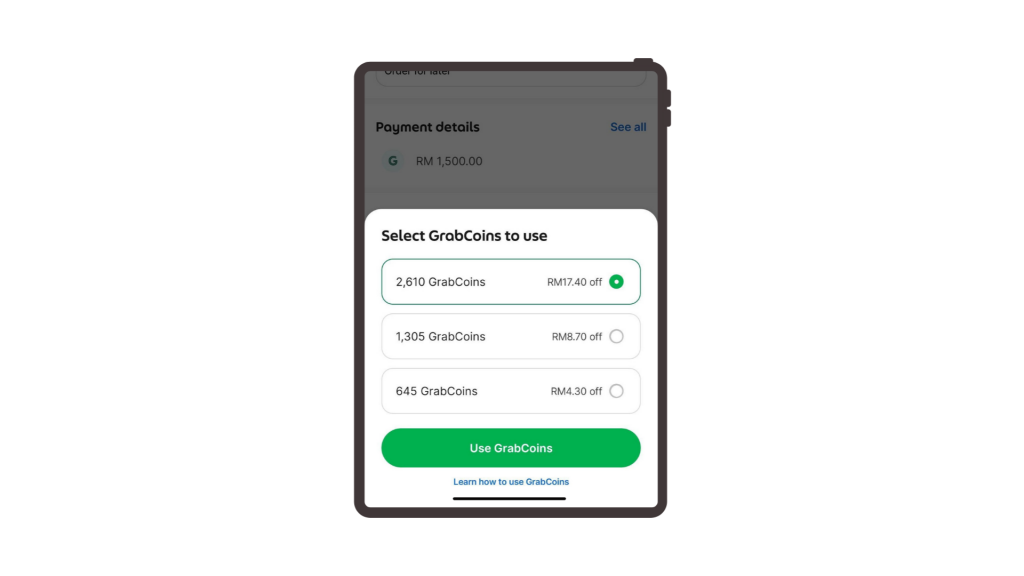
To change the amount of coins used for your meal, tap “Update GrabCoins limit” and select how much you want to use.
How to redeem Premium Jaya Grocer Vouchers
All that everyday spending across your rides and food deliveries means you’ve probably raked in a serious pile of GrabCoins without paying attention. You can put those idle GrabCoins to work by swapping them into premium Jaya Grocer vouchers, slashing your total on fresh produce and imported treats whether you shop in-store or through the app.
Shopping In-Store (At Physical Cashiers)
Method A: Using your Jaya Grocer Loyalty e-Card
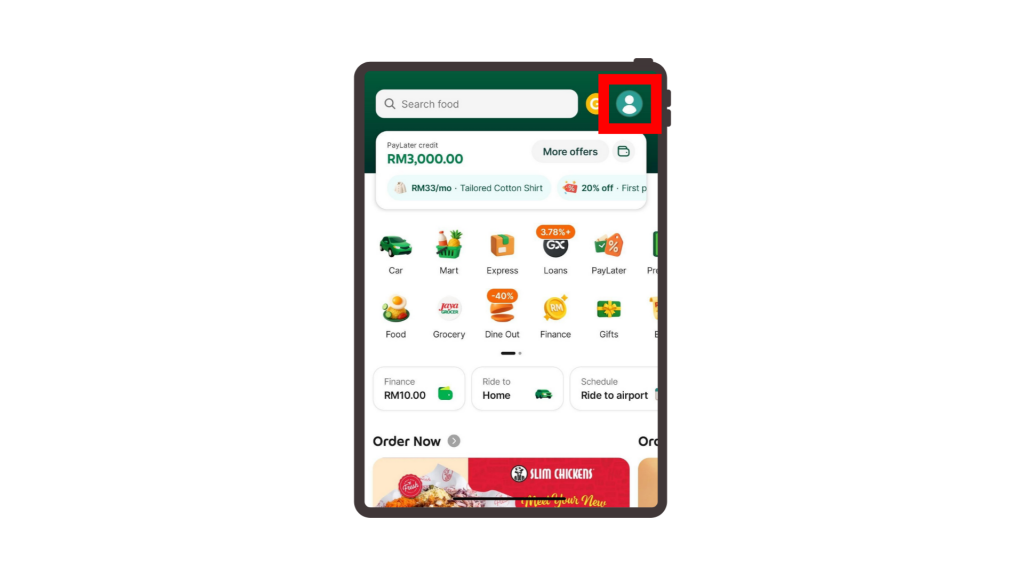
Step 1: Open the Grab app and tap Account at the top right corner.
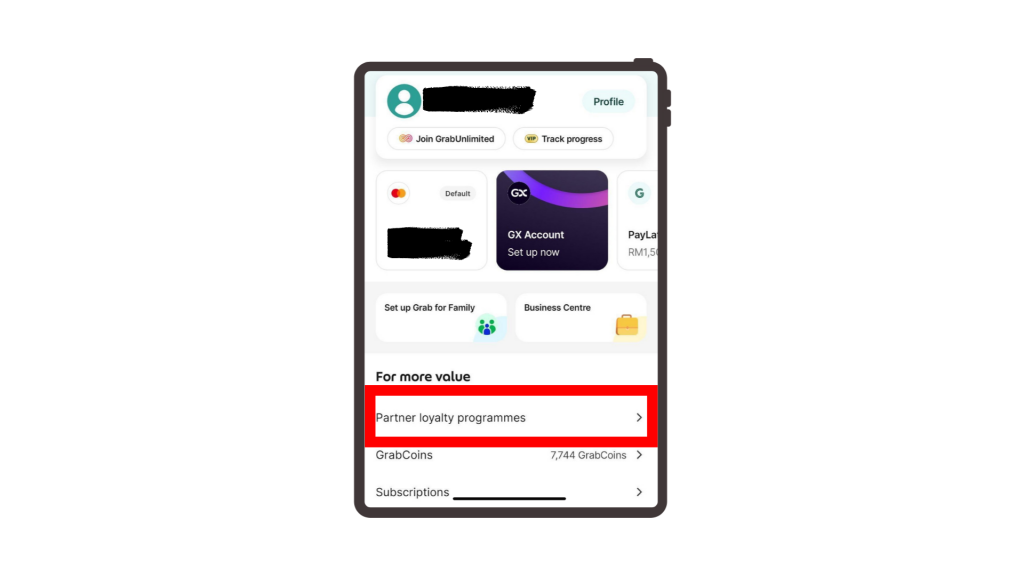
Step 2: Tap Partner loyalty programmes.
Step 3: Present the membership barcode on your screen to the cashier before paying.
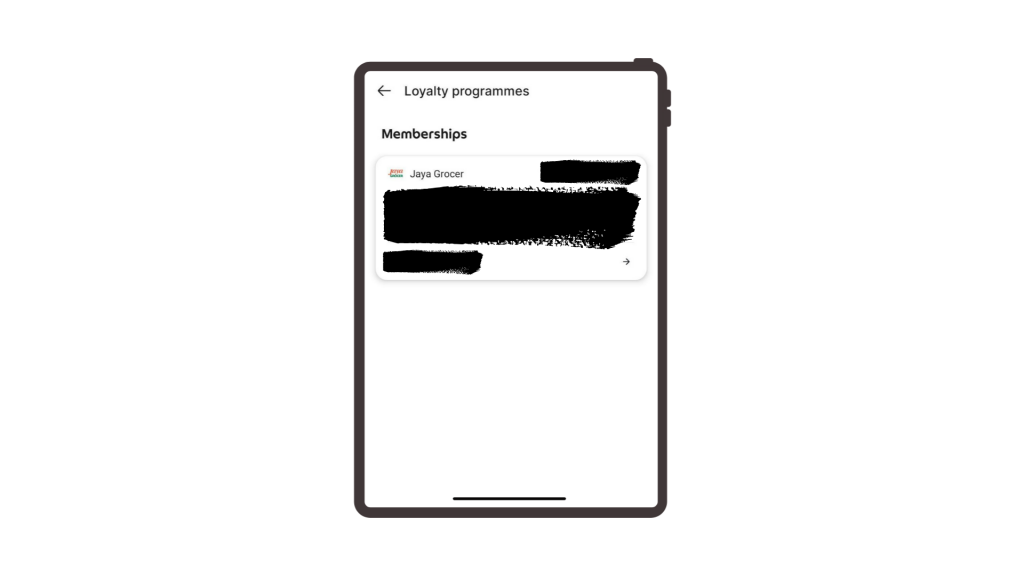
Step 4: Tell the cashier you would like to redeem your GrabCoins or e-voucher to discount your purchase, and they will apply the savings straight to your bill.
Method B: Redeeming via the GrabCoins Catalogue
Step 1: Search for “GrabMart” in the rewards catalogue.
Step 2: Redeem your preferred voucher (such as RM5, RM10, or RM50 off) using your GrabCoins.
Step 3: Choose your nearest Jaya Grocer and fill up your grocery cart.
Step 4: Head to the checkout screen and tap Offer / Promo Code.
Step 5: Select an available GrabMart voucher from your list of offers or type in an active promo code.
Step 6: Confirm the discount is applied to your order total, then slide to pay.
Ready to turn your unused balance into instant savings?
Explore the GrabCoins catalogue to redeem discount vouchers on GrabCar, GrabFood, Grab Dine Out, and more interesting partner offers. Plus, enjoy extra savings when you redeem during the GrabCoins Flash Sale from the 15th to the 21st of every month!