• 中文版
  • BM
  • News
  • Deals
  • Reviews
    • First Impressions
    • Hands-on
    • Comparisons
  • Tech
    • Mobile
    • Computers
    • Cameras
    • Wearables
    • Audio
    • Drones
  • Telco
    • Celcom
    • Digi
    • Maxis
    • Time
    • Tune Talk
    • U Mobile
    • Unifi
    • Yes
  • Cars
  • Contribute
  • Jobs
Menu
  • 中文版
  • BM
  • News
  • Deals
  • Reviews
    • First Impressions
    • Hands-on
    • Comparisons
  • Tech
    • Mobile
    • Computers
    • Cameras
    • Wearables
    • Audio
    • Drones
  • Telco
    • Celcom
    • Digi
    • Maxis
    • Time
    • Tune Talk
    • U Mobile
    • Unifi
    • Yes
  • Cars
  • Contribute
  • Jobs
Search
  • Tech
    • News
    • Mobile
    • Computers
    • Cameras
    • Wearables
    • Audio
    • Drones
  • Telco
    • Celcom
    • Digi
    • Maxis
    • Time
    • U Mobile
    • Unifi
    • Yes
  • Reviews
    • First Impressions
    • Hands-on
    • Comparisons
  • Buyer’s Guide
  • Opinions
  • Digital Life
  • Video
  • Deals
  • How-To
  • Cars
  • Bahasa Melayu
  • EV
  • Contribute
  • Advertise
Menu
  • Tech
    • News
    • Mobile
    • Computers
    • Cameras
    • Wearables
    • Audio
    • Drones
  • Telco
    • Celcom
    • Digi
    • Maxis
    • Time
    • U Mobile
    • Unifi
    • Yes
  • Reviews
    • First Impressions
    • Hands-on
    • Comparisons
  • Buyer’s Guide
  • Opinions
  • Digital Life
  • Video
  • Deals
  • How-To
  • Cars
  • Bahasa Melayu
  • EV
  • Contribute
  • Advertise
Search
Close
Home Digital Life Social Media

WhatsApp Voice Message Transcripts converts voice into text

  • BY Alexander Wong
  • 22 November 2024
  • 8:59 am
  • Comment
Share on FacebookShare on Twitter

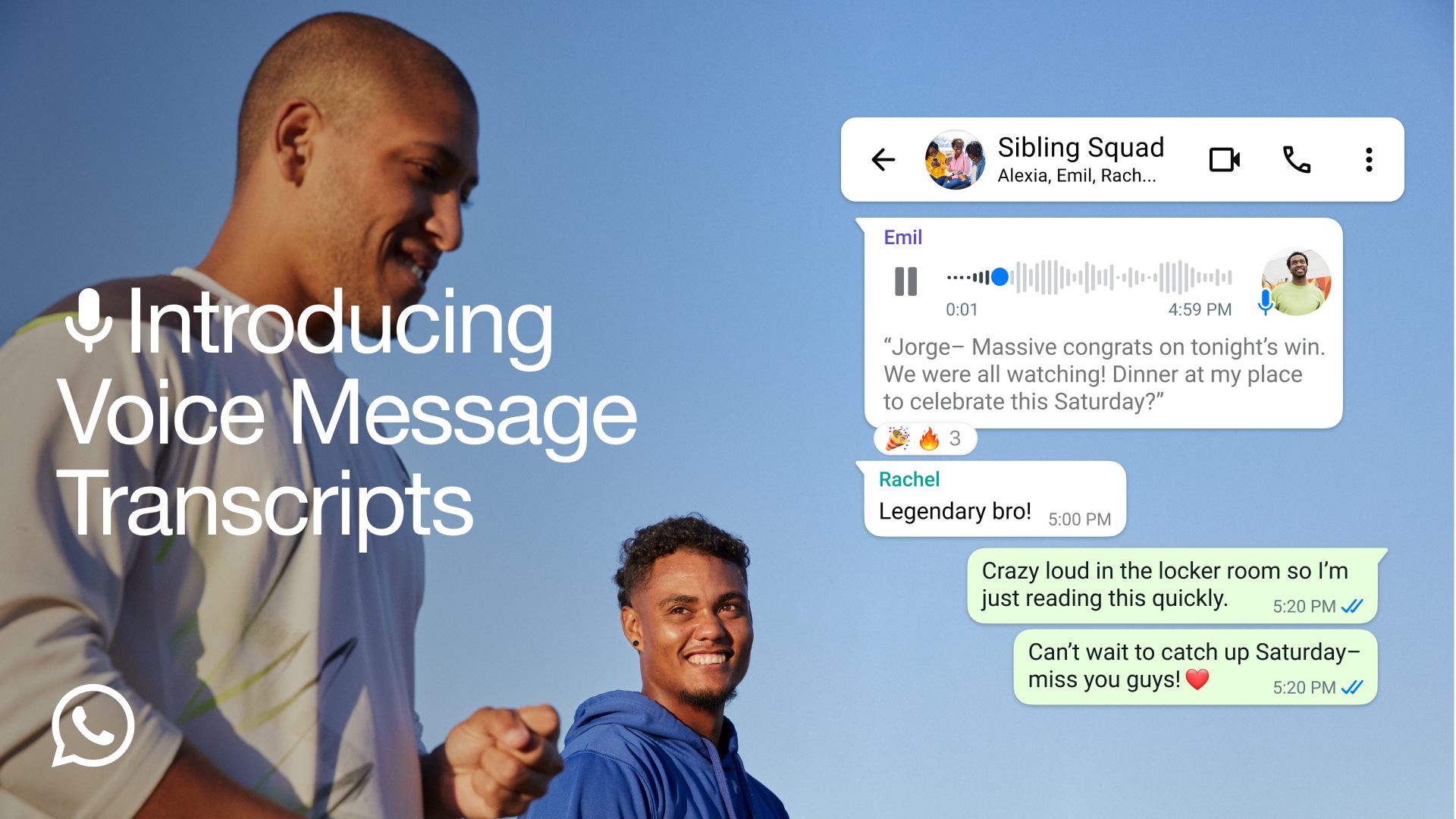
WhatsApp has introduced a new Voice Message Transcripts feature which allows users to easily convert voice messages into text. This makes it easier for you to keep up with your voice messages if you’re unable to playback audio messages.

At the moment, it supports a limited number of languages which also include English, Malay and Chinese on select platforms.

Convert WhatsApp Voice messages to text
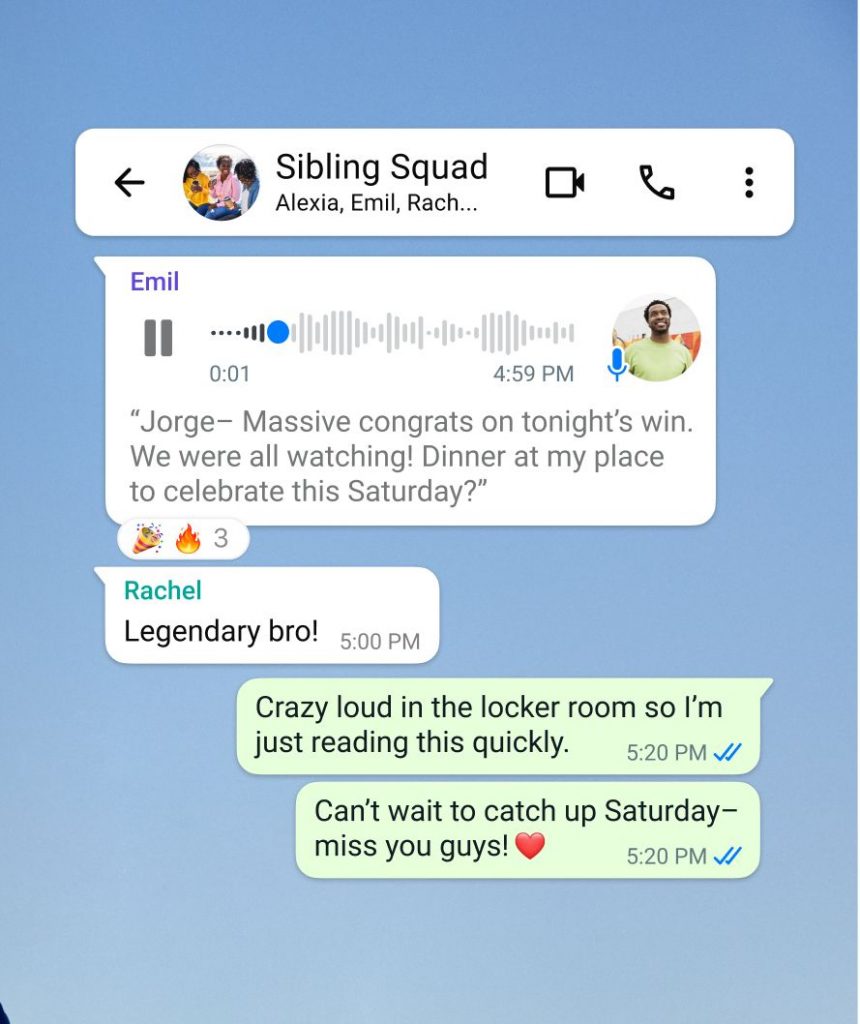
WhatsApp says sending a voice message makes connecting with friends and family even more personal. Sometimes when you’re on the move and in a loud place, it may not be convenient to stop and listen if you received a long voice message.

For moments like these, Voice Message Transcripts allows you to keep up with conversations by transcribing audio messages into text. WhatsApp says these transcripts are generated on-device with end-to-end encryption to ensure that nobody, not even WhatsApp, can hear or read your personal messages.

How to activate WhatsApp Voice Message Transcripts

According to WhatsApp, the Transcripts feature is currently being rolled out globally over the coming weeks. Besides ensuring that you’re running on the latest WhatsApp version, you’ll have to activate the feature manually. Just go to Settings > Chats > Voice message transcripts to turn the feature on or off, and select your transcript language.

Once enabled, you can transcribe a voice message by long pressing on the message, and then tap on transcribe.

Supported Languages for WhatsApp Voice Message Transcripts

WhatsApp says they will be rolling out with a few select languages to start with and they plan to add more over in the coming months. At the time of writing, iOS users will be able to chose from a wider variety of language options for WhatsApp Voice Message Transcripts.

Here’s the full list of supported languages based on platform:

Android

  • English
  • Portuguese
  • Spanish
  • Russian

iOS 16+

  • English
  • Spanish
  • French
  • German
  • Italian
  • Japanese
  • Korean
  • Portuguese
  • Russian
  • Turkish
  • Chinese
  • Arabic

iOS 17+

  • Danish
  • Finish
  • Hebrew
  • Malay
  • Norwegian
  • Dutch
  • Swedish
  • Thai

For more info, you can check out the official FAQ on WhatsApp.

Tags: MetaTranscribeTranscriptWhatsappWhatsApp Voice to TextWhatsApp Voice Transcripts
Alexander Wong

Alexander Wong

POPULAR

WhatsApp Voice Message Transcripts converts voice into text

November 22, 2024

Genting Highlands Road Charges begin 28 May, here are the official rates

May 26, 2026

Ryt Bank introduces Ryt Invest with RM1 entry and 0% sales charge

May 28, 2026

Xiaomi 17T and 17T Pro launched in Malaysia: Leica 5x telephoto camera and up to 7,000mAh battery

May 28, 2026

Small Steps, Daily Rewards: Exploring the Maybank Tabung Daily Bonus Campaign

May 28, 2026

Xiaomi 17T series with 5x optical zoom launching in Malaysia on 28 May

May 24, 2026

Copyright © 2025 · SoyaCincau.com
Mind Blow Sdn Bhd (1076827-P)

  • ADVERTISE
  • DISCLAIMER

Copyright © 2026 · SoyaCincau.com – Mind Blow Sdn Bhd (1076827-P)

  • ADVERTISE
  • DISCLAIMER