• 中文版
  • BM
  • News
  • Deals
  • Reviews
    • First Impressions
    • Hands-on
    • Comparisons
  • Tech
    • Mobile
    • Computers
    • Cameras
    • Wearables
    • Audio
    • Drones
  • Telco
    • Celcom
    • Digi
    • Maxis
    • Time
    • Tune Talk
    • U Mobile
    • Unifi
    • Yes
  • Cars
  • Contribute
  • Jobs
Menu
  • 中文版
  • BM
  • News
  • Deals
  • Reviews
    • First Impressions
    • Hands-on
    • Comparisons
  • Tech
    • Mobile
    • Computers
    • Cameras
    • Wearables
    • Audio
    • Drones
  • Telco
    • Celcom
    • Digi
    • Maxis
    • Time
    • Tune Talk
    • U Mobile
    • Unifi
    • Yes
  • Cars
  • Contribute
  • Jobs
Search
  • Tech
    • News
    • Mobile
    • Computers
    • Cameras
    • Wearables
    • Audio
    • Drones
  • Telco
    • Celcom
    • Digi
    • Maxis
    • Time
    • U Mobile
    • Unifi
    • Yes
  • Reviews
    • First Impressions
    • Hands-on
    • Comparisons
  • Buyer’s Guide
  • Opinions
  • Digital Life
  • Video
  • Deals
  • How-To
  • Cars
  • Bahasa Melayu
  • EV
  • Contribute
  • Advertise
Menu
  • Tech
    • News
    • Mobile
    • Computers
    • Cameras
    • Wearables
    • Audio
    • Drones
  • Telco
    • Celcom
    • Digi
    • Maxis
    • Time
    • U Mobile
    • Unifi
    • Yes
  • Reviews
    • First Impressions
    • Hands-on
    • Comparisons
  • Buyer’s Guide
  • Opinions
  • Digital Life
  • Video
  • Deals
  • How-To
  • Cars
  • Bahasa Melayu
  • EV
  • Contribute
  • Advertise
Search
Close
Home Digital Life Apps

Here’s how you can share sensitive content on Twitter without getting yourself in too much trouble

  • BY Dzamira Dzafri
  • 27 February 2022
  • 10:05 pm
  • Comment
Share on FacebookShare on Twitter

Twitter Support announced that they’ve now added an option for “one-time sensitive warnings” to your tweets before you share them online. The feature is now available on iOS, Android, and web.

The option to add one-time sensitive content warnings to photos and videos you Tweet is now available for everyone across Android, iOS, and web.

To add a content warning, tap the flag icon when editing the photo/video after you've attached it to your Tweet.

— Support (@Support) February 25, 2022

In December 2020, Twitter announced that they were testing the feature for a select few before releasing it for all users. The feature also only is available for photos and videos—not for worded tweets.
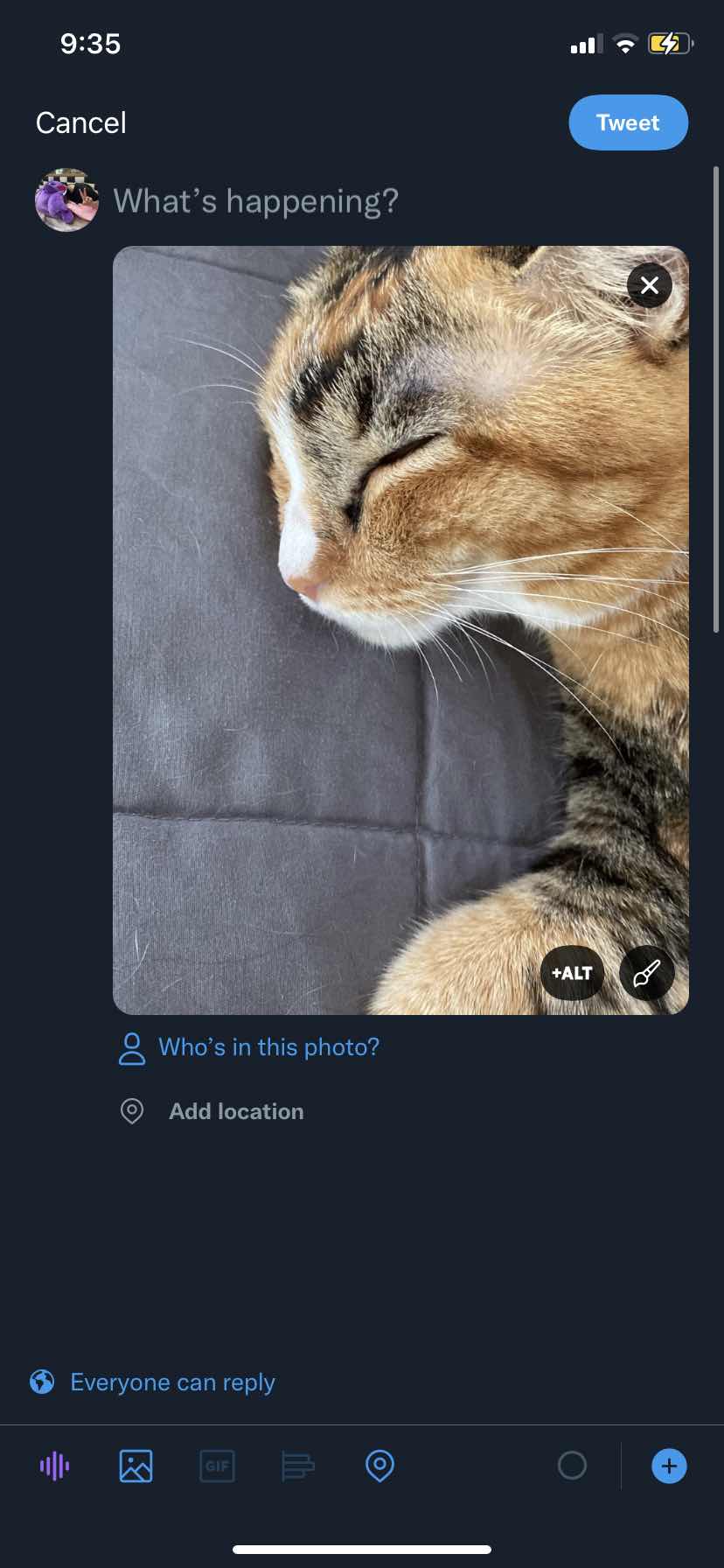

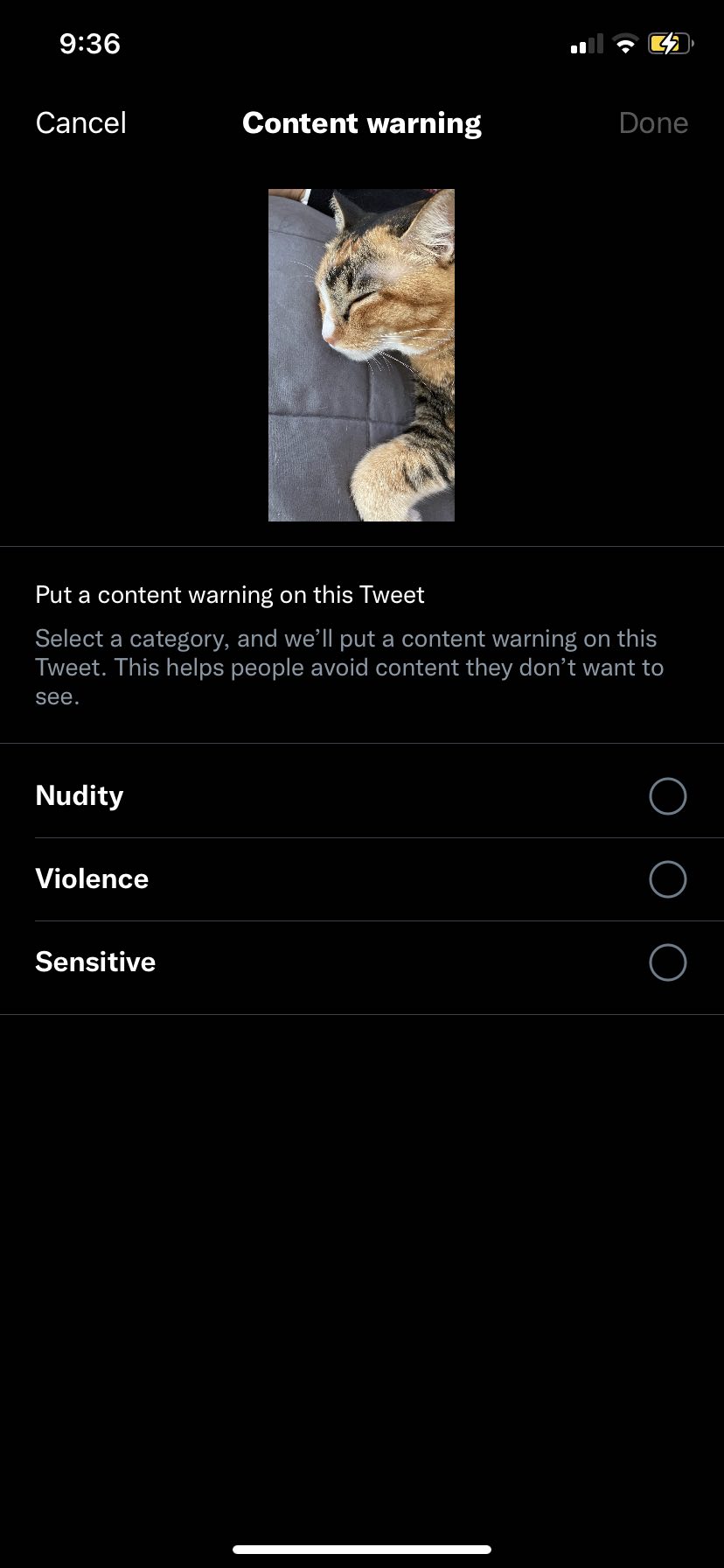
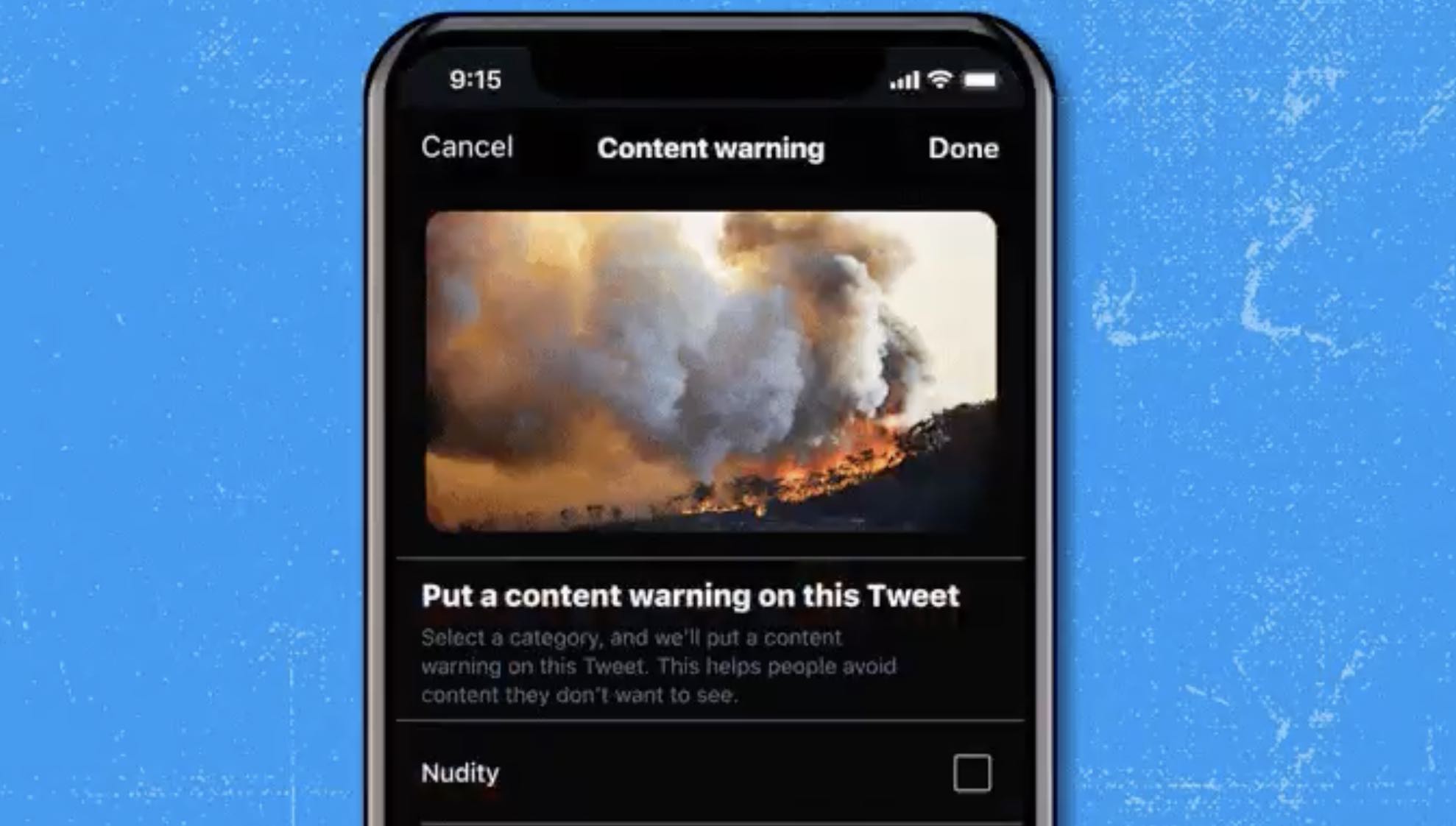
To find the feature, attach an image or a video in a tweet. Press on the paintbrush icon on the bottom right of the image/video to “edit photo”, and then press the flag icon at the bottom right. You’d then be able to see the content warning page, where you can choose to warn other users of “nudity”, “violence”, or “sensitive” content. Do excuse me for using a photo of my cat as an example of an image—I’m only using her as an example, yeah?

You can also tag multiple warnings for each attachment, and Twitter will place a single warning over multiple media in a single post. The feature is meant to give users a way to share content that “may be upsetting or not appropriate for everyone”, and content with warnings will be hidden and blurred unless you click on “Show”.

However, I have already started to notice a problem. Users have been using the content warnings as a way to dramatically show off memes. You’ll see a blurred-out image with content warnings, but once you press “Show”, it will just be a silly little meme. You can see it popping up everywhere on Twitter—including in the reply section of Twitter Support’s tweet.

Still, the feature might be made for the many tweets regarding Ukraine and Russia’s conflict—which might be violent or distressing. So far, the reactions of Twitter users for this feature have mostly been positive, as they hope it would be “widely adopted”. But let me know what you think of the feature.

[ SOURCE ]

Related reading

  • Heads up, some “Ukraine Footage” you see online might actually be footage from a video game
  • Twitter wants you to judge how bad a tweet is as the platform tests the downvote button globally
Tags: Twittertwitter content warningtwitter sensitive content
Dzamira Dzafri

Dzamira Dzafri

POPULAR

Upgraded To a New Phone? Cool. But When Was the Last Time you Upgraded your Shaver?

November 10, 2025

5 Reasons Every Home Should Have a Smart Security System

November 11, 2025

Solar ATAP: The new solar programme for consumers will only start in 2026

December 2, 2025

Here’s how you can share sensitive content on Twitter without getting yourself in too much trouble

February 27, 2022
Perodua QV-E EV

Perodua QV-E is now official: Electric sportback with 201hp, 445km NEDC range, priced at RM80k not inclusive of battery subscription

December 1, 2025

GrabRewards is now GrabCoins: Now with even more ways to earn and save

November 17, 2025

Copyright © 2025 · SoyaCincau.com
Mind Blow Sdn Bhd (1076827-P)

  • ADVERTISE
  • DISCLAIMER

Copyright © 2025 · SoyaCincau.com – Mind Blow Sdn Bhd (1076827-P)

  • ADVERTISE
  • DISCLAIMER