
• 中文版
  • BM
  • News
  • Deals
  • Reviews
    • First Impressions
    • Hands-on
    • Comparisons
  • Tech
    • Mobile
    • Computers
    • Cameras
    • Wearables
    • Audio
    • Drones
  • Telco
    • Celcom
    • Digi
    • Maxis
    • Time
    • Tune Talk
    • U Mobile
    • Unifi
    • Yes
  • Cars
  • Contribute
  • Jobs
Menu
  • 中文版
  • BM
  • News
  • Deals
  • Reviews
    • First Impressions
    • Hands-on
    • Comparisons
  • Tech
    • Mobile
    • Computers
    • Cameras
    • Wearables
    • Audio
    • Drones
  • Telco
    • Celcom
    • Digi
    • Maxis
    • Time
    • Tune Talk
    • U Mobile
    • Unifi
    • Yes
  • Cars
  • Contribute
  • Jobs
Search
  • Tech
    • News
    • Mobile
    • Computers
    • Cameras
    • Wearables
    • Audio
    • Drones
  • Telco
    • Celcom
    • Digi
    • Maxis
    • Time
    • U Mobile
    • Unifi
    • Yes
  • Reviews
    • First Impressions
    • Hands-on
    • Comparisons
  • Buyer’s Guide
  • Opinions
  • Digital Life
  • Video
  • Deals
  • How-To
  • Cars
  • Bahasa Melayu
  • EV
  • Contribute
  • Advertise
Menu
  • Tech
    • News
    • Mobile
    • Computers
    • Cameras
    • Wearables
    • Audio
    • Drones
  • Telco
    • Celcom
    • Digi
    • Maxis
    • Time
    • U Mobile
    • Unifi
    • Yes
  • Reviews
    • First Impressions
    • Hands-on
    • Comparisons
  • Buyer’s Guide
  • Opinions
  • Digital Life
  • Video
  • Deals
  • How-To
  • Cars
  • Bahasa Melayu
  • EV
  • Contribute
  • Advertise
Search
Close
Home News

Google’s free AI tool turns your paintings into “fantastical creatures”

  • BY Nic Ker
  • 23 November 2020
  • 2:54 pm
  • Comment
Share on FacebookShare on Twitter

Artificial intelligence (AI) has the potential for a lot of things. We’re seeing autonomous cars these days, and with 5G expected to enhance AI application in the coming years, the possibilities are literally endless. But sometimes, just sometimes—there are also some fun ways to explore the capabilities of the technology, such as Google‘s new Chimera Painter app.

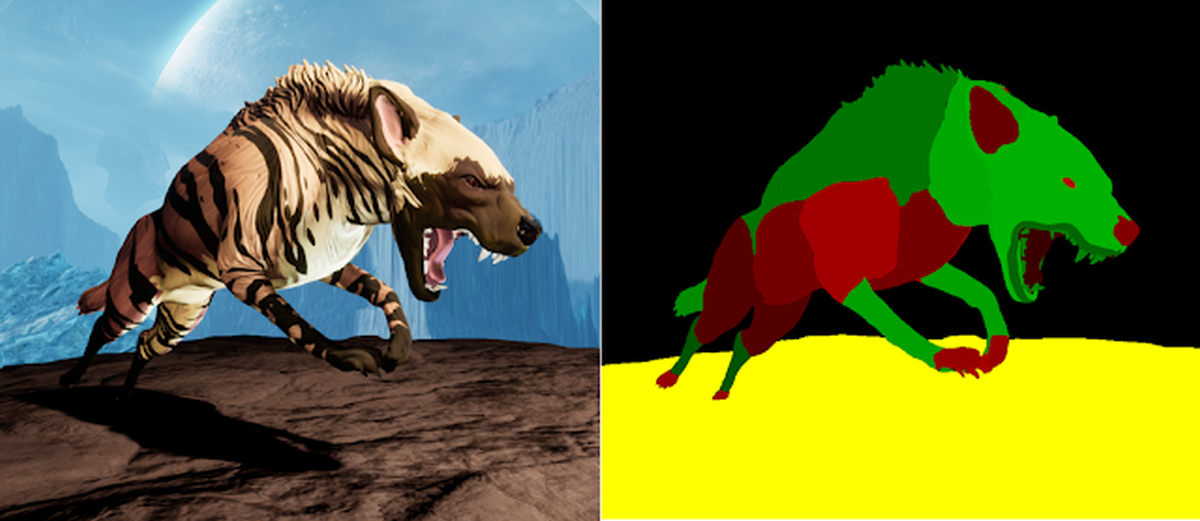
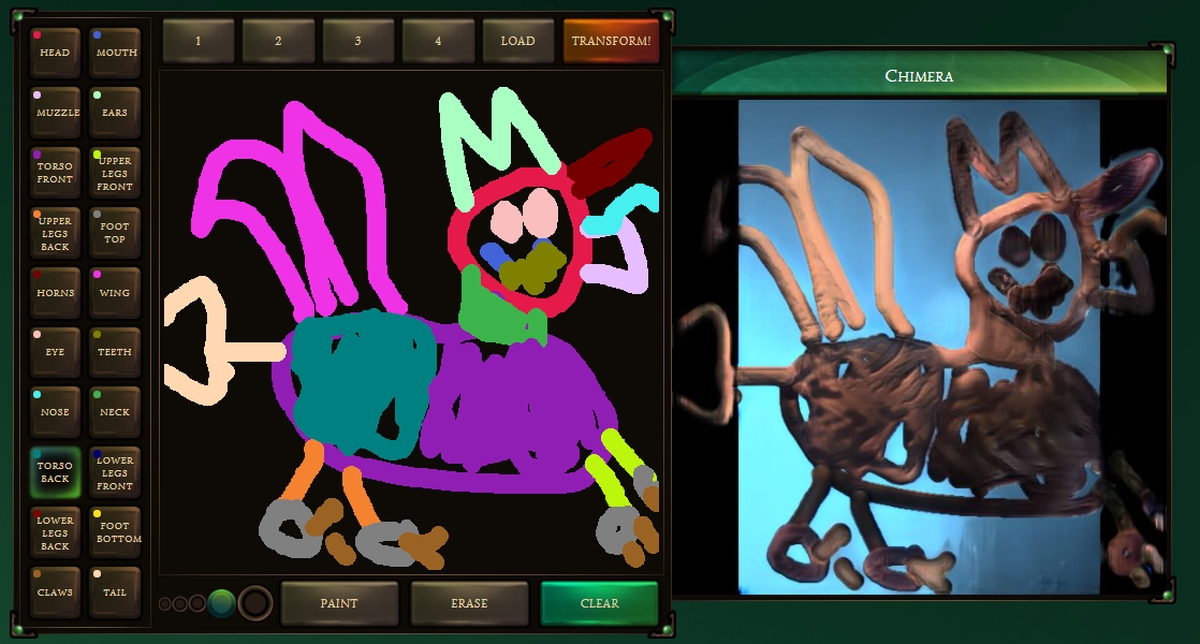
The Chimera Painter is a trained machine learning (ML) model that basically renders fully fleshed out images based on guided, but rough drawings—so rough that they look like MS Paint sketches. The app is available as a free demo application that you can access via the Chrome browser, and it’s pretty simple to understand.

What’s a little more challenging, however, is getting a result that looks… better than my attempt:
How it works

“Creating art for digital video games takes a high degree of artistic creativity and technical knowledge, while also requiring game artists to quickly iterate on ideas and produce a high volume of assets, often in the face of tight deadlines. What if artists had a paintbrush that acted less like a tool and more like an assistant?”

You’ll be required to create outlines on the app to design features and textures—wings, claws, and so on. Once you’ve created your painting, hit “transform”, and your new videogame villain (cause obviously, that’s what I was going for in the painting above) is automatically generated.

Google says that the technology behind the app is based on generative adversarial networks (GANs), along with artist feedback to create the “fantastical creatures”. The ML model was based on over 10,000 sample creatures, and each image is segmented into features such as claws, wings, etc.
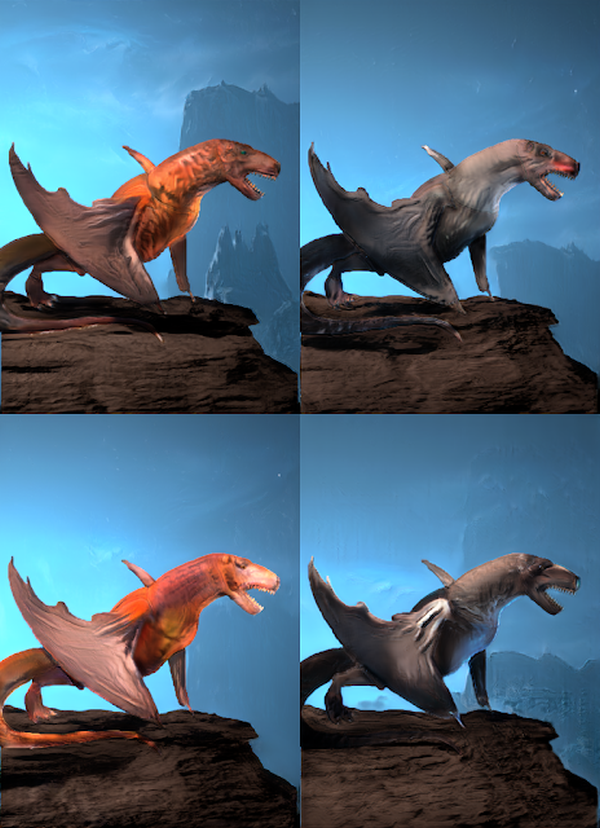
Essentially, the idea is to offer artists a way to design multiple video game creatures without having to draw them from scratch. Google says that an artist can simply make adjustments to the variety of features that are available in the app to create new renders. Once your monster has been created, you can also export the creature outline to Photoshop:

“Simply download one of the preset creature outlines to get the colors needed for each creature part and use this as a template for drawing one outside of Chimera Painter, and then use the “Load’ button on the demo to use this outline to flesh out your creation.”

If you’d like to try the Chimera Painter, click here. Give it a go, and share your results in the comments! I’m pretty sure they’ll look a lot better than my fantastical creature.

[ SOURCE , VIA ]

Tags: Chimera PainterComputersgoogleMobile
Nic Ker

Nic Ker

POPULAR

Nissan Finally Gives the Serena a Real Hybrid Powertrain in Malaysia. Estimated from RM160k to RM180k

January 16, 2026

Neta V now available for only RM40k, but with a limited 6-month warranty

January 31, 2026

Google’s free AI tool turns your paintings into “fantastical creatures”

November 23, 2020

Perodua QV-E only costs RM1.4k to maintain for 5 years, cheaper than Axia

January 30, 2026

Tired of cracked screens or short battery life? The REDMI Note 15 Series take a durability-first approach

January 15, 2026

Is your TNG eWallet suspended? Here’s what you should do

January 27, 2026

Copyright © 2025 · SoyaCincau.com
Mind Blow Sdn Bhd (1076827-P)

  • ADVERTISE
  • DISCLAIMER

Copyright © 2026 · SoyaCincau.com – Mind Blow Sdn Bhd (1076827-P)

  • ADVERTISE
  • DISCLAIMER





