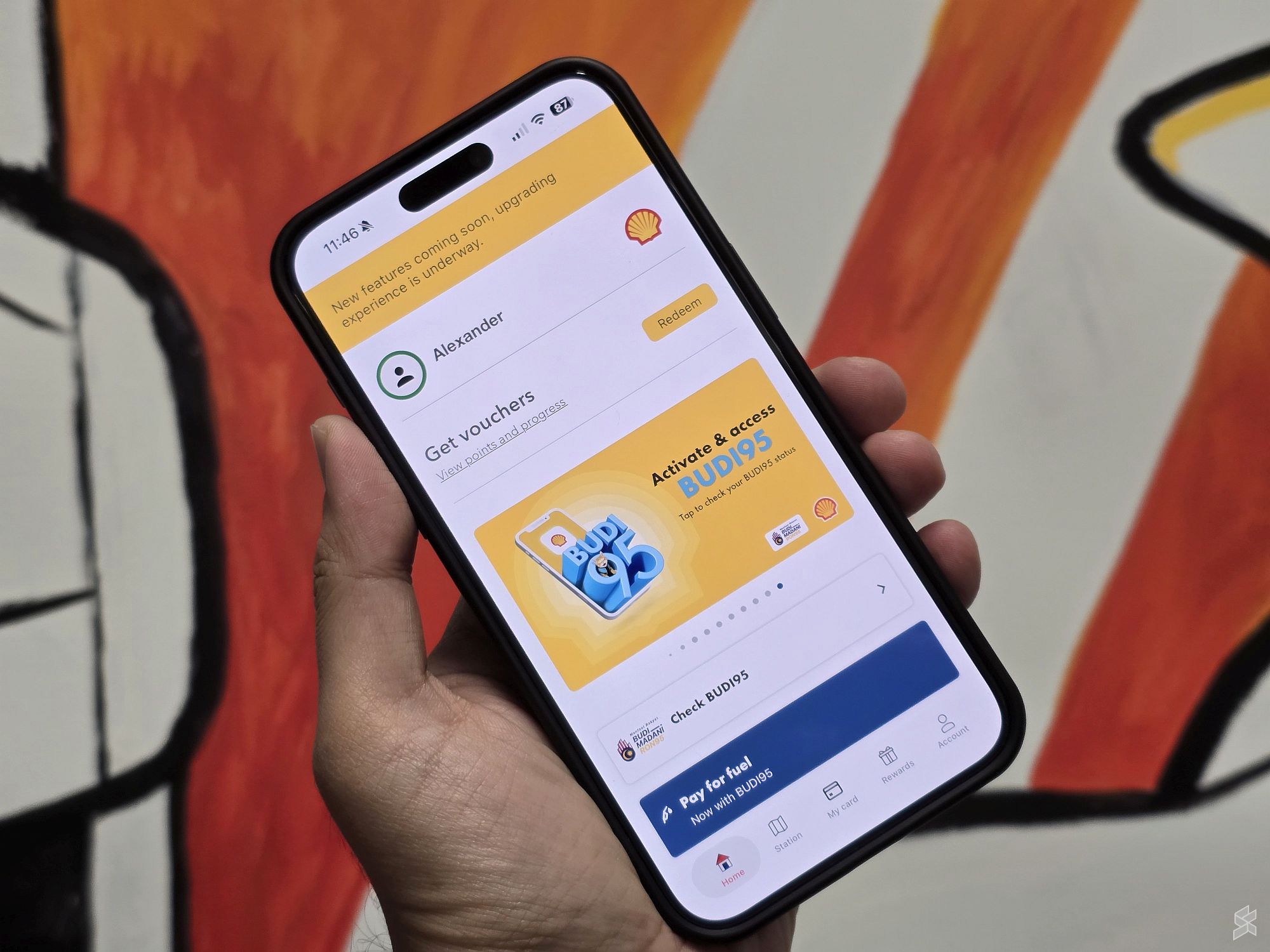
Shell App users can now directly utilise BUDI Madani RON95 (BUDI95) subsidy when they pay for their petrol via the mobile app. The BUDI95 integration went live much earlier than the official launch, which is scheduled to take place later this week on 26 November.
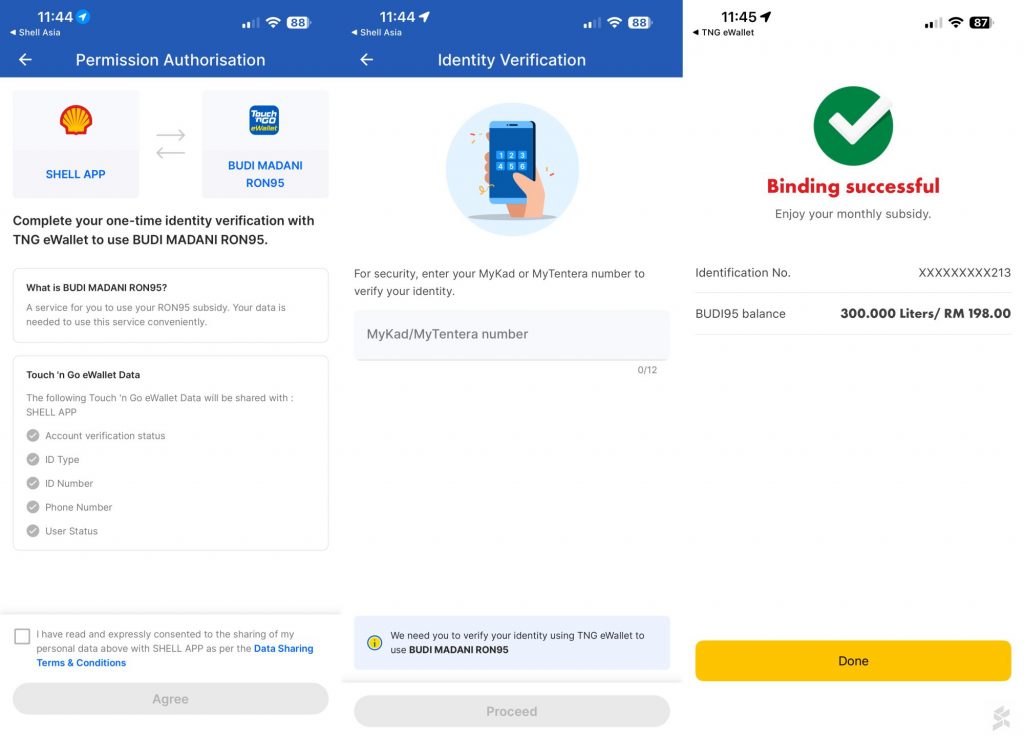
Similar to the CaltexGo app, users have to bind their Touch ‘n Go eWallet app to the Shell App first before they can use RON95. However, do note that this doesn’t mean you can use TNG eWallet to pay for petrol on the Shell App, as the binding process is only meant to verify your identity and BUDI95 eligibility.
How to get BUDI95 on the Shell App
Before you kick-start the binding process, you may want to add a credit or debit card to the Shell App first to streamline the process. At the moment, Shell App only supports credit or debit cards for fuel payments, and while the app does support Shell Card, it is only available to business customers.
Here is how you can enable BUDI95 on the Shell App, provided that you are eligible for it and have completed the eKYC process on the TNG eWallet app:
- On the Home screen, tap the Check BUDI95 button.
- Tap the Continue button on the Access BUDI95 screen to begin the binding process.
- You will be prompted to add a credit or debit card to the Shell App. If you have done it before, the app will then ask to open the TNG eWallet app.
- Once the TNG eWallet app has been opened, it will then show the Permission Authorisation screen. Tap on the tick box and the Agree button to continue.
- Fill in your MyKad number and tap Proceed.
- Input the 6-digit OTP that was sent to your phone.
- Complete the face recognition process
- The Authorisation successful screen will then appear.
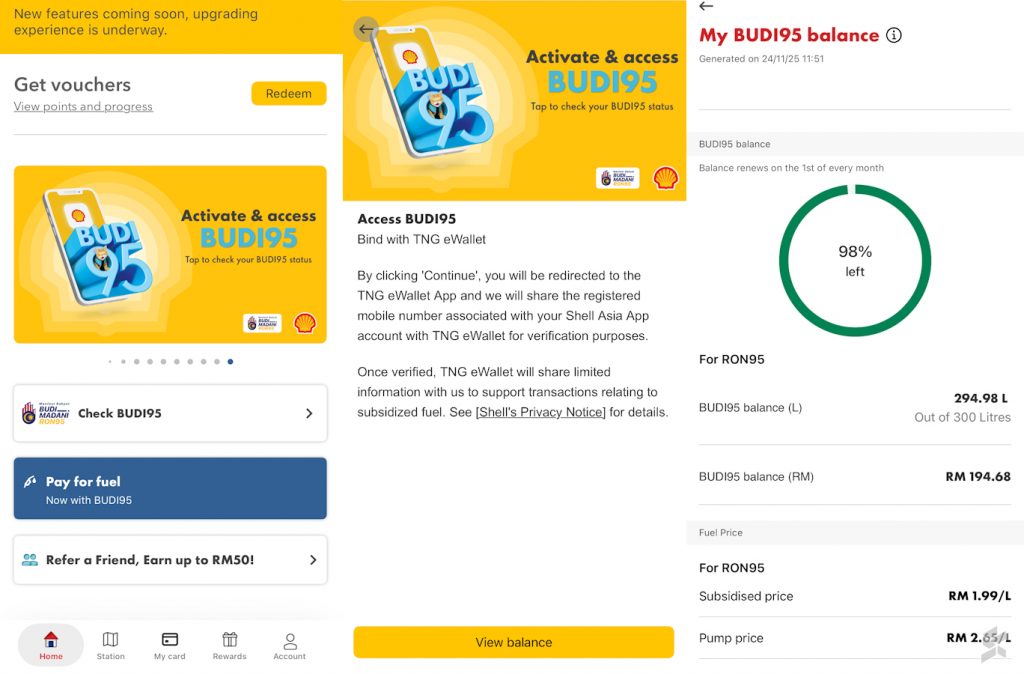
To check whether you really managed to enable BUDI95 quota on your Shell App, tap on the Check BUDI95 button on the app’s Home screen. You will see the Access BUDI95 screen again, but this time, the label on the button will say View balance instead of Continue.
Tap the View balance button, and you will see the My BUDI95 balance screen, which shows how much of your BUDI95 quota is still available.
How to pay for petrol with BUDI95 on the Shell App
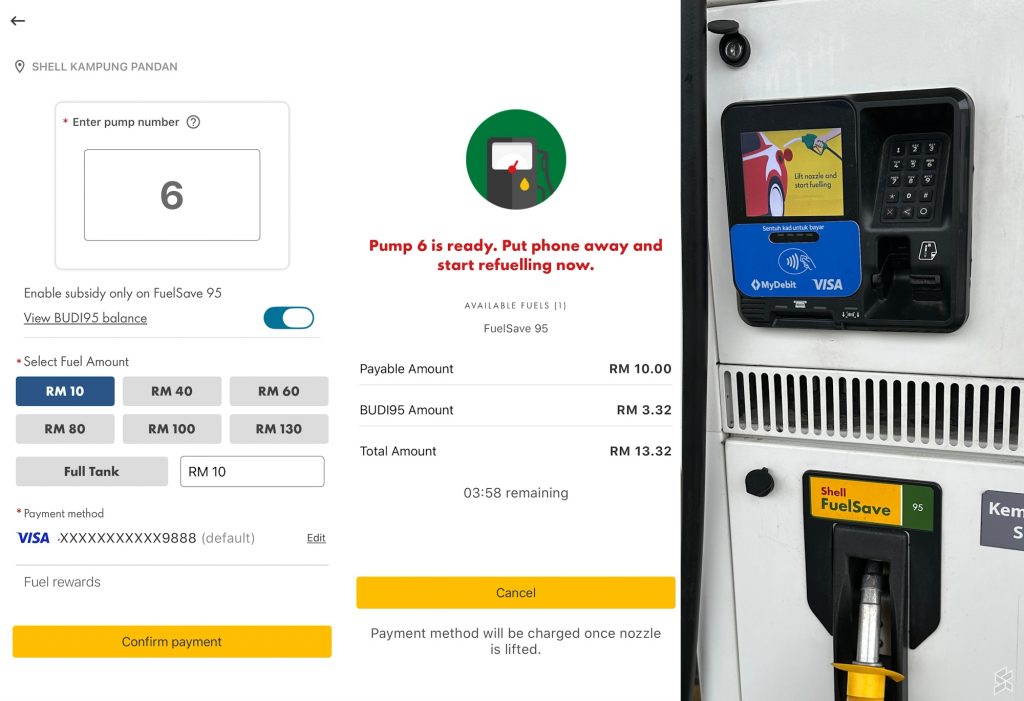
Now that you have already enabled BUDI95 on your Shell App, here’s how to utilise it via the Pay for Fuel feature on the app:
- Tap the Pay for fuel button on the app’s Home screen.
- Tap on Ok, got it on the Safety message screen.
- The app will then auto-detect your location, and if you are at the Shell station, it will then ask you to enter the pump number.
- Select the fuel amount. Make sure that the BUDI95 option has been enabled before tapping on the Confirm payment button.
- The Pump is ready screen will appear.
You will also see the Lift nozzle and start fuelling notice on the screen of the card payment terminal at the pump. From this moment on, you will have around 4 minutes to pump petrol into your vehicle.