
• 中文版
  • BM
  • News
  • Deals
  • Reviews
    • First Impressions
    • Hands-on
    • Comparisons
  • Tech
    • Mobile
    • Computers
    • Cameras
    • Wearables
    • Audio
    • Drones
  • Telco
    • Celcom
    • Digi
    • Maxis
    • Time
    • Tune Talk
    • U Mobile
    • Unifi
    • Yes
  • Cars
  • Contribute
  • Jobs
Menu
  • 中文版
  • BM
  • News
  • Deals
  • Reviews
    • First Impressions
    • Hands-on
    • Comparisons
  • Tech
    • Mobile
    • Computers
    • Cameras
    • Wearables
    • Audio
    • Drones
  • Telco
    • Celcom
    • Digi
    • Maxis
    • Time
    • Tune Talk
    • U Mobile
    • Unifi
    • Yes
  • Cars
  • Contribute
  • Jobs
Search
  • Tech
    • News
    • Mobile
    • Computers
    • Cameras
    • Wearables
    • Audio
    • Drones
  • Telco
    • Celcom
    • Digi
    • Maxis
    • Time
    • U Mobile
    • Unifi
    • Yes
  • Reviews
    • First Impressions
    • Hands-on
    • Comparisons
  • Buyer’s Guide
  • Opinions
  • Digital Life
  • Video
  • Deals
  • How-To
  • Cars
  • Bahasa Melayu
  • EV
  • Contribute
  • Advertise
Menu
  • Tech
    • News
    • Mobile
    • Computers
    • Cameras
    • Wearables
    • Audio
    • Drones
  • Telco
    • Celcom
    • Digi
    • Maxis
    • Time
    • U Mobile
    • Unifi
    • Yes
  • Reviews
    • First Impressions
    • Hands-on
    • Comparisons
  • Buyer’s Guide
  • Opinions
  • Digital Life
  • Video
  • Deals
  • How-To
  • Cars
  • Bahasa Melayu
  • EV
  • Contribute
  • Advertise
Search
Close
Home Digital Life

Astro introduces Kid Friendly profiles, here’s how to set it up

  • BY Alexander Wong
  • 21 August 2023
  • 2:18 pm
  • Comment
Share on FacebookShare on Twitter

Astro says they are the Home of Kids with its variety of content ranging from local titles to international hits. To ensure a safer environment for younger audiences, the pay TV operator has introduced a new Kids Friendly Mode which aims to provide a safe and enjoyable space for children while giving parents peace of mind.
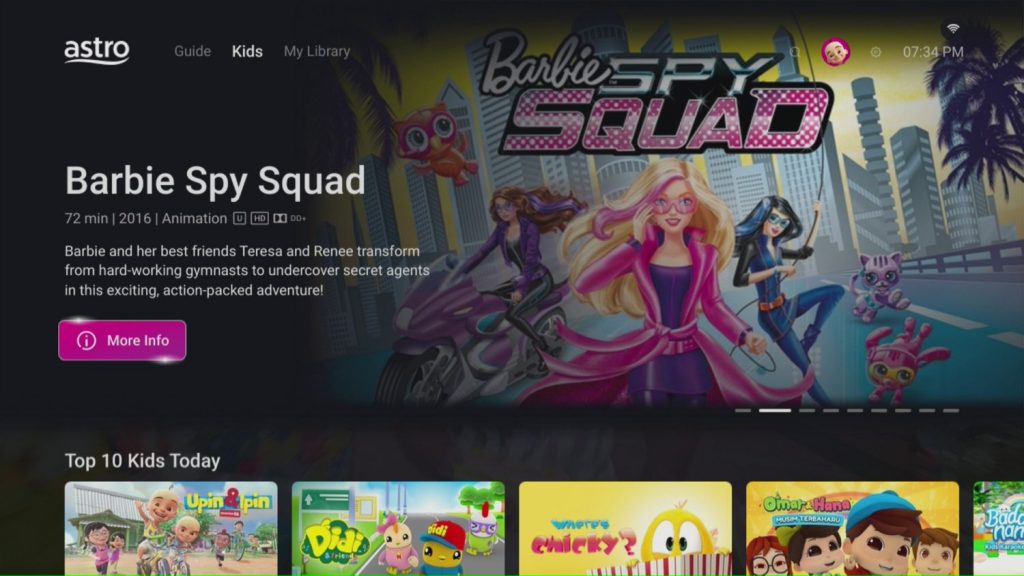
The new Kids Friendly Mode is available on Astro Utlra and Ulti Box, as well as Astro Go and the Multiroom Smart TV app. When enabled, users of the Kids Friendly Profile can only access content that is suitable for children. This includes exclusive On Demand content, linear channels, programme recordings and search results.

How to Set Up Kid-Friendly Profile on Astro
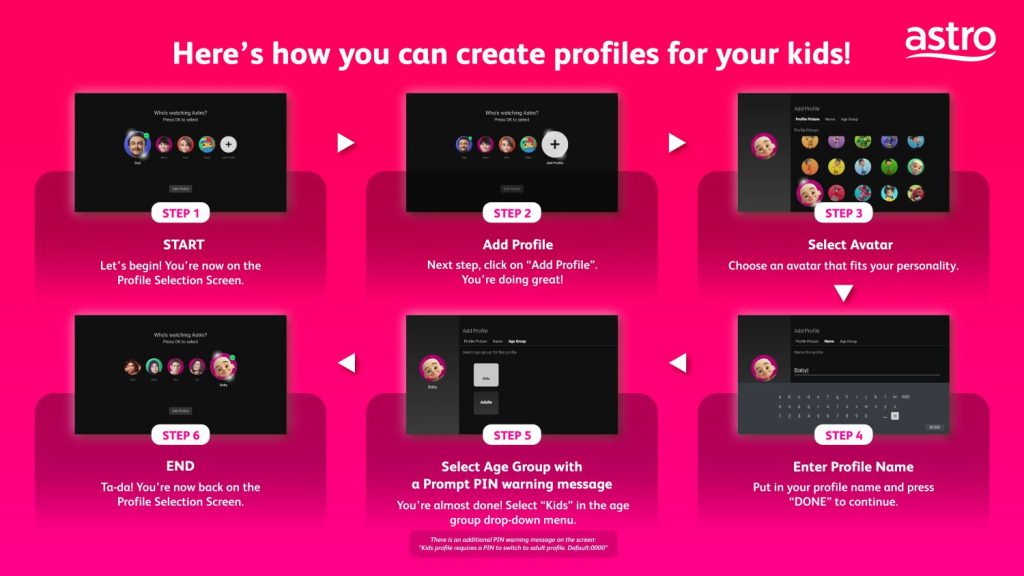
To set up Kid Profile Mode, you’ll need to create a profile first. Just go to the profile selection screen and then click on Add Profile. From here, you can choose an avatar and a name to customise the new Kids’ profile. Next, you can set the age group and here’s where you can select “Kids” from the drop-down menu. Once you’re done, you can select the newly created Kids Profile to enter Kid Friendly Mode.
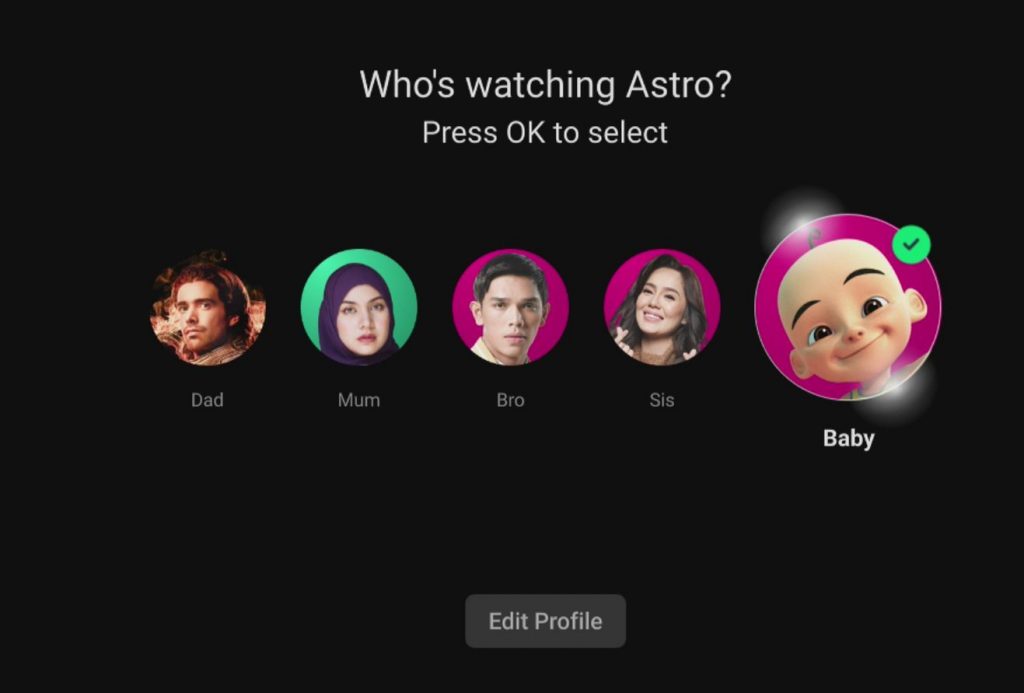
Once Kids Friendly Profile is selected, kids are not able to switch to an Adult Profile as it is protected by a 4-digit PIN. Parents can easily set or modify the PIN which provides greater control and a worry-free experience.
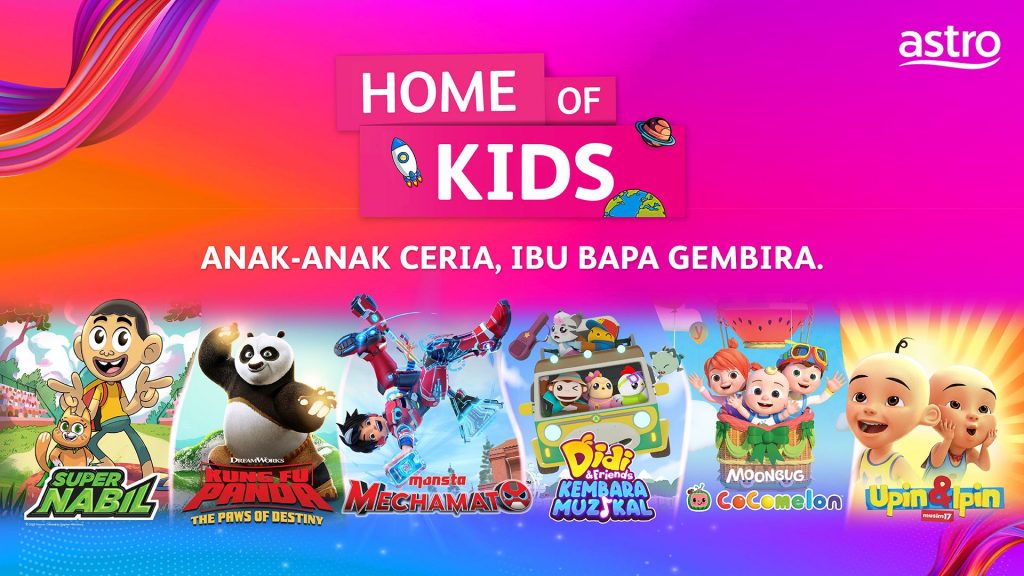
According to Astro, they have a long lineup of wholesome fun on Astro tailored for kids including 10 dedicated channels and an extensive library of over 16,000 on Demand assets to enjoy at anytime. Astro is also introducing a slate of fresh family-friendly content which include talent reality show such as The Chosen One (Co-sponsored by MARIGOLD UHT Milk), superhero series Super Nabil and Roblox game show Kidaverse Roblox Rumble. There’s also Didi & Friends Kembara Muzikal for pre-schoolers on Astro Ceria (Ch 611). Kids can also enjoy educational shows such as ScienceXplosion and Mythbusters Jr on Tutor TV (Ch 603).
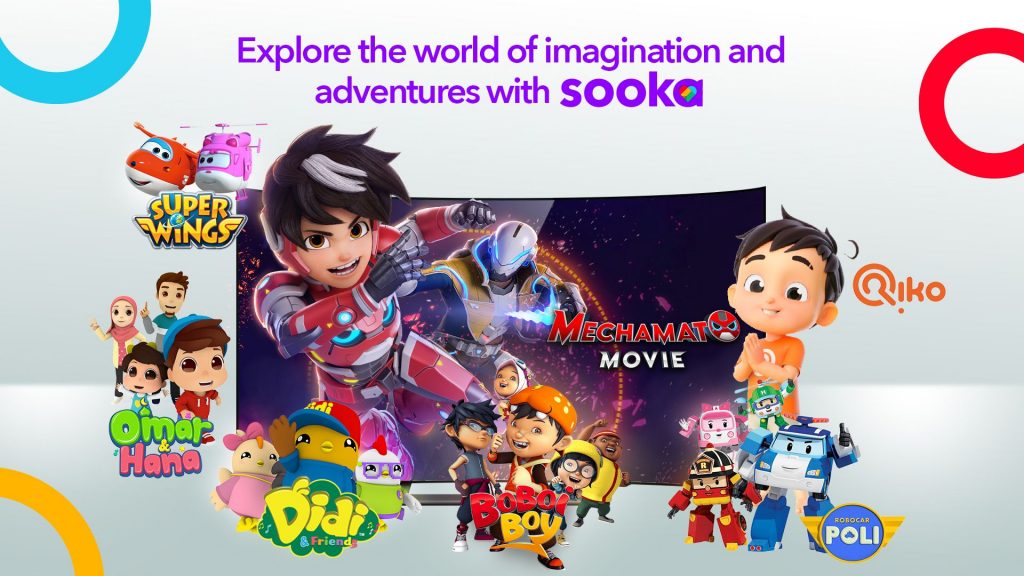
Besides Astro, its video streaming platform Sooka is also expanding its Sooka TV plan to include popular kids’ content with shows such as Didi & Friends, Omar & Hana, Hello Pinkfong and more. This is in addition to TAYO+ FAST channel which features Tayo The Little Bus and Pororo series which are currently available for free to all users.

Tags: AstroAstro Kid Friendly ModeAstro Kid ModeAstro Kid ProfileAstro TVastro Ulti BoxAstro UltraAstro Ultra BoxchildrenKid Friendly ProfilesookaSooka TV
Alexander Wong

Alexander Wong

POPULAR

Astro introduces Kid Friendly profiles, here’s how to set it up

August 21, 2023

HUAWEI MatePad 12 X 2026: The Best Productivity Tablet with PC-Level WPS and the All-New HUAWEI M-Pencil Pro

January 6, 2026

SoyaCincau Awards 2025: The Best Tablets of the Year

January 5, 2026

Max Out Your Samsung Galaxy S25’s Camera Potential with These Must-Try Features

December 23, 2025

SARA: All Malaysian adults to receive RM100 credit from 9 February

January 5, 2026
Maybank Google Pay - May 2024

Maybank on Google Pay: No PIN required for transactions above RM250, transactions limited to RM2,500

January 5, 2026

Copyright © 2025 · SoyaCincau.com
Mind Blow Sdn Bhd (1076827-P)

  • ADVERTISE
  • DISCLAIMER

Copyright © 2026 · SoyaCincau.com – Mind Blow Sdn Bhd (1076827-P)

  • ADVERTISE
  • DISCLAIMER





