• 中文版
  • BM
  • News
  • Deals
  • Reviews
    • First Impressions
    • Hands-on
    • Comparisons
  • Tech
    • Mobile
    • Computers
    • Cameras
    • Wearables
    • Audio
    • Drones
  • Telco
    • Celcom
    • Digi
    • Maxis
    • Time
    • Tune Talk
    • U Mobile
    • Unifi
    • Yes
  • Cars
  • Contribute
  • Jobs
Menu
  • 中文版
  • BM
  • News
  • Deals
  • Reviews
    • First Impressions
    • Hands-on
    • Comparisons
  • Tech
    • Mobile
    • Computers
    • Cameras
    • Wearables
    • Audio
    • Drones
  • Telco
    • Celcom
    • Digi
    • Maxis
    • Time
    • Tune Talk
    • U Mobile
    • Unifi
    • Yes
  • Cars
  • Contribute
  • Jobs
Search
  • Tech
    • News
    • Mobile
    • Computers
    • Cameras
    • Wearables
    • Audio
    • Drones
  • Telco
    • Celcom
    • Digi
    • Maxis
    • Time
    • U Mobile
    • Unifi
    • Yes
  • Reviews
    • First Impressions
    • Hands-on
    • Comparisons
  • Buyer’s Guide
  • Opinions
  • Digital Life
  • Video
  • Deals
  • How-To
  • Cars
  • Bahasa Melayu
  • EV
  • Contribute
  • Advertise
Menu
  • Tech
    • News
    • Mobile
    • Computers
    • Cameras
    • Wearables
    • Audio
    • Drones
  • Telco
    • Celcom
    • Digi
    • Maxis
    • Time
    • U Mobile
    • Unifi
    • Yes
  • Reviews
    • First Impressions
    • Hands-on
    • Comparisons
  • Buyer’s Guide
  • Opinions
  • Digital Life
  • Video
  • Deals
  • How-To
  • Cars
  • Bahasa Melayu
  • EV
  • Contribute
  • Advertise
Search
Close
Home Digital Life Social Media

Finally, an easier way to move WhatsApp chat to your new phone. Here’s how to transfer via QR code

  • BY Alexander Wong
  • 1 July 2023
  • 9:26 pm
  • Comment
Share on FacebookShare on Twitter

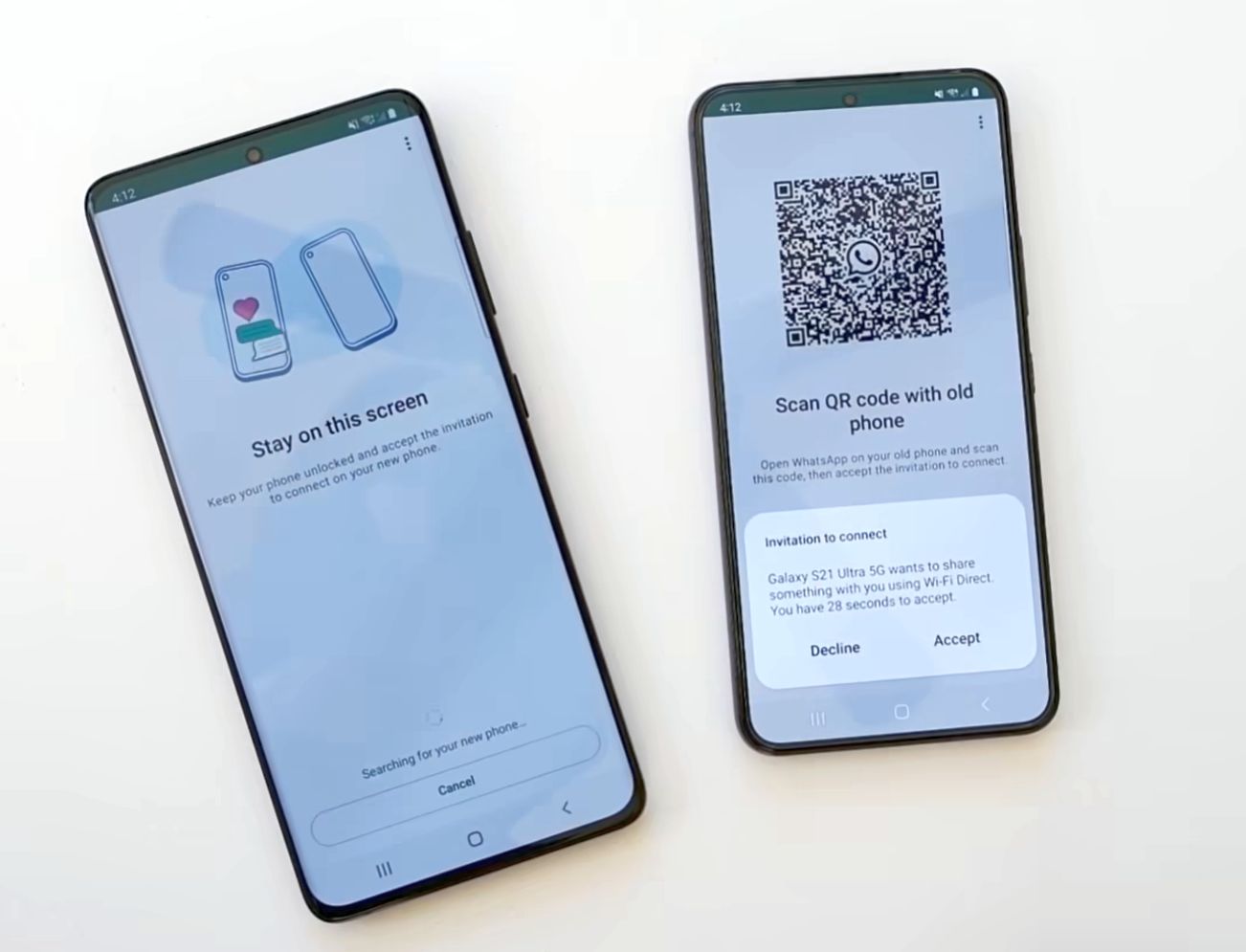
So, you’ve got a new smartphone and you want to transfer your WhatsApp chat history including photos and videos from your old device. WhatsApp is now making the switch easier as they have introduced a new device-to-device transfer which only requires you to scan a QR code.

How to transfer WhatsApp Chat History over WiFi
WhatsApp transfer chat history QR code

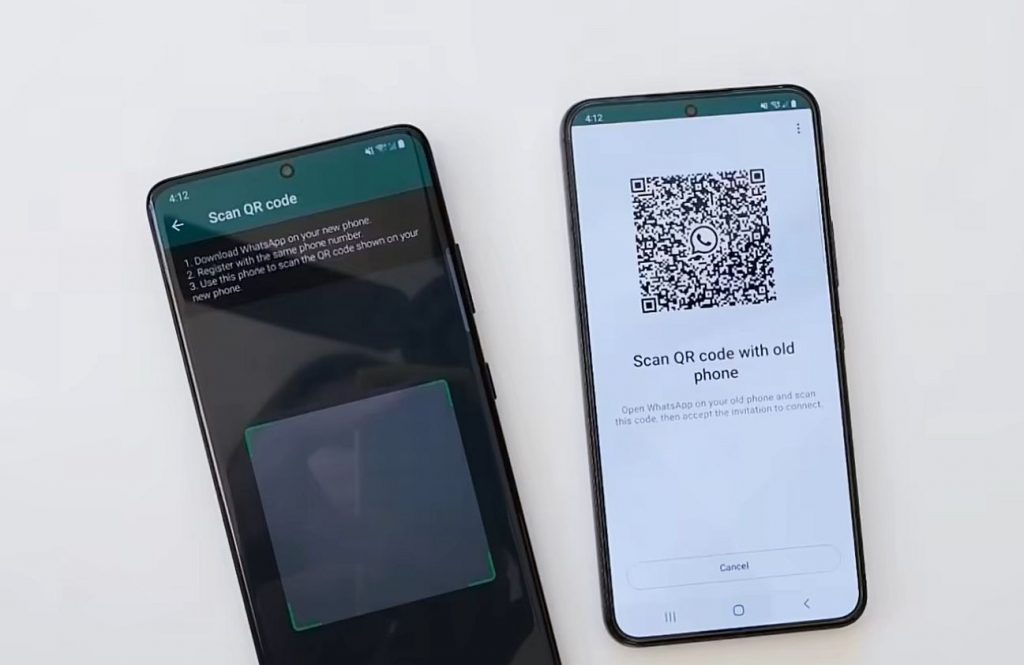
The new private Chat Transfer allows you to move your Whatsapp chats, Videos and even Photos to your new phone over WiFi and it doesn’t rely on cloud storage such as Google Drive or iCloud. Here is the step by step guide for the QR-based WhatsApp trasnfer:

Mark Zuckerberg just announced that you can privately move your WhatsApp chats to a new phone!
This feature was previously announced on WABetaInfo and since this is an official announcement, it means it's finally rolling out to everyone! pic.twitter.com/hYfpx7i57C

— WABetaInfo (@WABetaInfo) June 30, 2023
  1. You’ll need to ensure both devices have the latest WhatsApp version installed and registered with the same number.
  2. Ensure both phones are connected to the same WiFi network.
  3. On your current or “old” device, go to Settings > Chats > Chat Transfer.
  4. Scan the QR code on the new phone
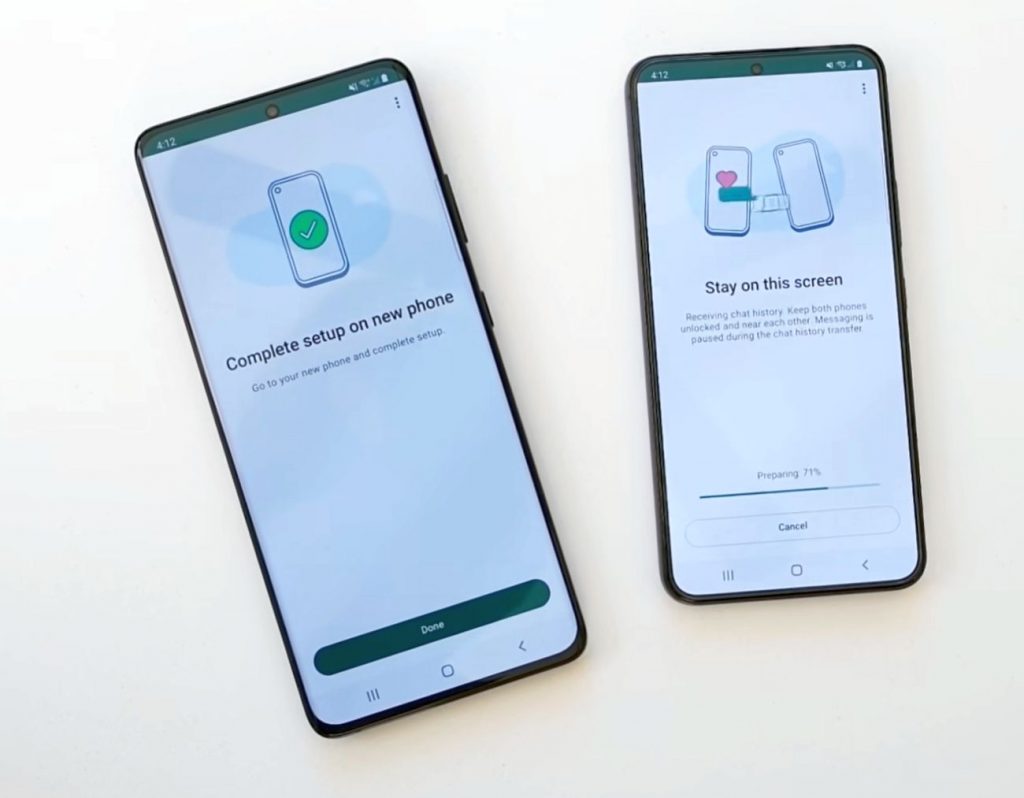
  5. Click accept when you see a prompt on the new phone
  6. During the transfer, make sure both devices are unlocked and are close to each other
  7. Once the transfer is done, you can complete the set-up on your new phone.
Move WhatsApp chat history over WiFi QR code

Take note that the QR-code-based WhatsApp transfer feature only works if both devices are running on the same operating system such as Android to Android or iOS to iOS. If you’re switching from Android to iOS, you’ll have to use the Move to iOS method while iOS to Android transfer is available on devices running at least Android 12. To learn more you can check out the FAQ for Android to iOS and iOS to Android.


[ SOURCE 2 ]

Tags: MetaPrivate Chat TransferTransfer WhatsAppWhatsappWhatsApp Chat HistoryWhatsApp transfer
Alexander Wong

Alexander Wong

POPULAR

Image by Gerd Altmann from Pixabay.

AEON Bank’s Personal Financing-i (PF-i): Flexible Funds to Help Ease Budget Constraints

December 24, 2025
Home Rooftop Solar System with EV Charger

Solar ATAP Guidelines are here: Offset is limited to Energy Charge, no more credit roll over

December 30, 2025

SoyaCincau Awards 2025: Best Telcos of the Year

January 2, 2026

SoyaCincau Awards 2025: The Best Phones of the Year

December 31, 2025

Finally, an easier way to move WhatsApp chat to your new phone. Here’s how to transfer via QR code

July 1, 2023
Tesla Malaysia Delivery - March 2025

Is RM250,000 the new entry price for CBU EVs in Malaysia?

December 31, 2025

Copyright © 2025 · SoyaCincau.com
Mind Blow Sdn Bhd (1076827-P)

  • ADVERTISE
  • DISCLAIMER

Copyright © 2025 · SoyaCincau.com – Mind Blow Sdn Bhd (1076827-P)

  • ADVERTISE
  • DISCLAIMER