• 中文版
  • BM
  • News
  • Deals
  • Reviews
    • First Impressions
    • Hands-on
    • Comparisons
  • Tech
    • Mobile
    • Computers
    • Cameras
    • Wearables
    • Audio
    • Drones
  • Telco
    • Celcom
    • Digi
    • Maxis
    • Time
    • Tune Talk
    • U Mobile
    • Unifi
    • Yes
  • Cars
  • Contribute
  • Jobs
Menu
  • 中文版
  • BM
  • News
  • Deals
  • Reviews
    • First Impressions
    • Hands-on
    • Comparisons
  • Tech
    • Mobile
    • Computers
    • Cameras
    • Wearables
    • Audio
    • Drones
  • Telco
    • Celcom
    • Digi
    • Maxis
    • Time
    • Tune Talk
    • U Mobile
    • Unifi
    • Yes
  • Cars
  • Contribute
  • Jobs
Search
  • Tech
    • News
    • Mobile
    • Computers
    • Cameras
    • Wearables
    • Audio
    • Drones
  • Telco
    • Celcom
    • Digi
    • Maxis
    • Time
    • U Mobile
    • Unifi
    • Yes
  • Reviews
    • First Impressions
    • Hands-on
    • Comparisons
  • Buyer’s Guide
  • Opinions
  • Digital Life
  • Video
  • Deals
  • How-To
  • Cars
  • Bahasa Melayu
  • EV
  • Contribute
  • Advertise
Menu
  • Tech
    • News
    • Mobile
    • Computers
    • Cameras
    • Wearables
    • Audio
    • Drones
  • Telco
    • Celcom
    • Digi
    • Maxis
    • Time
    • U Mobile
    • Unifi
    • Yes
  • Reviews
    • First Impressions
    • Hands-on
    • Comparisons
  • Buyer’s Guide
  • Opinions
  • Digital Life
  • Video
  • Deals
  • How-To
  • Cars
  • Bahasa Melayu
  • EV
  • Contribute
  • Advertise
Search
Close
Home Digital Life Apps

Microsoft Edge gets a bunch of new features to boost your productivity

  • BY Raymond Saw
  • 8 April 2023
  • 1:53 pm
  • Comment
Share on FacebookShare on Twitter

Google Chrome might still be the number one choice for most when it comes to internet browsers, but in the last couple of years, Microsoft Edge has slowly picked up in both its number of users and features it offers. The Redmond giant has now also introduced a number of new tools designed to improve user productivity and help you stay organised.

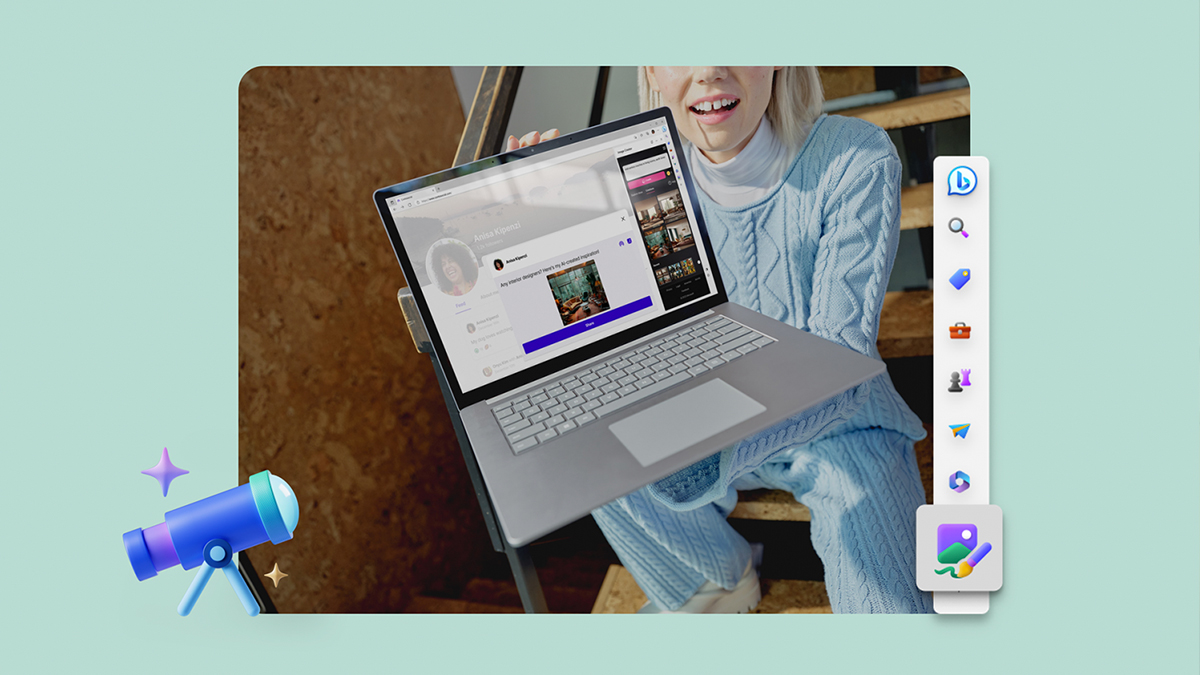
Perhaps the first most notable new feature is an Image Creator tool for Microsoft Edge desktop. Powered by the latest DALL-E models from OpenAI, Image Creator will allow you to create images that don’t yet exist which should be helpful when you’re looking for a specific visual for a post or a PowerPoint presentation.

To use it, simply head over to the sidebar on the right of the browser and select the Image Creator option. There, you’ll get to enter in your prompt and you’ll receive four different image results that you can pick from. If one or more of them fits your needs, simply download the image to use it in your documents or upload it to the internet. You should note though that when using it for the first time, you will need to enable it as an option in the Edge sidebar first.

On top of that, Microsoft Edge is introducing Drop, a one space drag and drop tool that lets you access all your content you want to share with yourself across all of your devices. Microsoft claims that this feature will not only let you share photos with yourself from one device to another, but also other file types such as your notes. This lets you drop in your files from your work computer for instance, then easily access it from your phone later in the day.

If you want to use Drop on your desktop, you’ll find it again in the sidebar tool. Mobile users meanwhile can access it by clicking on the overflow menu to access Drop. You’ll want to ensure you’re signed into your Microsoft account on Edge for all your devices though to sync it all up.

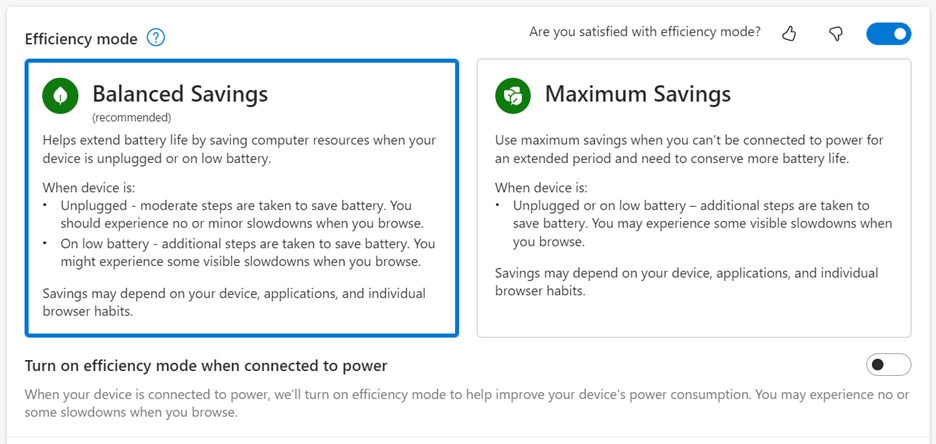
Other new features include the ability to now edit and save web images directly on the Edge browser on your desktop, making the need for other tools like Photoshop redundant for simple edits. An update to efficiency mode also gives users better battery performance. If you’re on a laptop, Edge will now automatically enter efficiency mode when you’re low on battery with additional power saving when you’re not actively using the browser.


Tags: microsoftMicrosoft Edge
Raymond Saw

Raymond Saw

POPULAR

Upgraded To a New Phone? Cool. But When Was the Last Time you Upgraded your Shaver?

November 10, 2025

5 Reasons Every Home Should Have a Smart Security System

November 11, 2025

Solar ATAP: The new solar programme for consumers will only start in 2026

December 2, 2025

Microsoft Edge gets a bunch of new features to boost your productivity

April 8, 2023
Perodua QV-E EV

Perodua QV-E is now official: Electric sportback with 201hp, 445km NEDC range, priced at RM80k not inclusive of battery subscription

December 1, 2025

GrabRewards is now GrabCoins: Now with even more ways to earn and save

November 17, 2025

Copyright © 2025 · SoyaCincau.com
Mind Blow Sdn Bhd (1076827-P)

  • ADVERTISE
  • DISCLAIMER

Copyright © 2025 · SoyaCincau.com – Mind Blow Sdn Bhd (1076827-P)

  • ADVERTISE
  • DISCLAIMER