• 中文版
  • BM
  • News
  • Deals
  • Reviews
    • First Impressions
    • Hands-on
    • Comparisons
  • Tech
    • Mobile
    • Computers
    • Cameras
    • Wearables
    • Audio
    • Drones
  • Telco
    • Celcom
    • Digi
    • Maxis
    • Time
    • Tune Talk
    • U Mobile
    • Unifi
    • Yes
  • Cars
  • Contribute
  • Jobs
Menu
  • 中文版
  • BM
  • News
  • Deals
  • Reviews
    • First Impressions
    • Hands-on
    • Comparisons
  • Tech
    • Mobile
    • Computers
    • Cameras
    • Wearables
    • Audio
    • Drones
  • Telco
    • Celcom
    • Digi
    • Maxis
    • Time
    • Tune Talk
    • U Mobile
    • Unifi
    • Yes
  • Cars
  • Contribute
  • Jobs
Search
  • Tech
    • News
    • Mobile
    • Computers
    • Cameras
    • Wearables
    • Audio
    • Drones
  • Telco
    • Celcom
    • Digi
    • Maxis
    • Time
    • U Mobile
    • Unifi
    • Yes
  • Reviews
    • First Impressions
    • Hands-on
    • Comparisons
  • Buyer’s Guide
  • Opinions
  • Digital Life
  • Video
  • Deals
  • How-To
  • Cars
  • Bahasa Melayu
  • EV
  • Contribute
  • Advertise
Menu
  • Tech
    • News
    • Mobile
    • Computers
    • Cameras
    • Wearables
    • Audio
    • Drones
  • Telco
    • Celcom
    • Digi
    • Maxis
    • Time
    • U Mobile
    • Unifi
    • Yes
  • Reviews
    • First Impressions
    • Hands-on
    • Comparisons
  • Buyer’s Guide
  • Opinions
  • Digital Life
  • Video
  • Deals
  • How-To
  • Cars
  • Bahasa Melayu
  • EV
  • Contribute
  • Advertise
Search
Close
Home Digital Life

Newest WhatsApp update lets you move your chats from Android to iPhone. Here’s how

  • BY Dzamira Dzafri
  • 26 August 2022
  • 11:27 am
  • Comment
Share on FacebookShare on Twitter

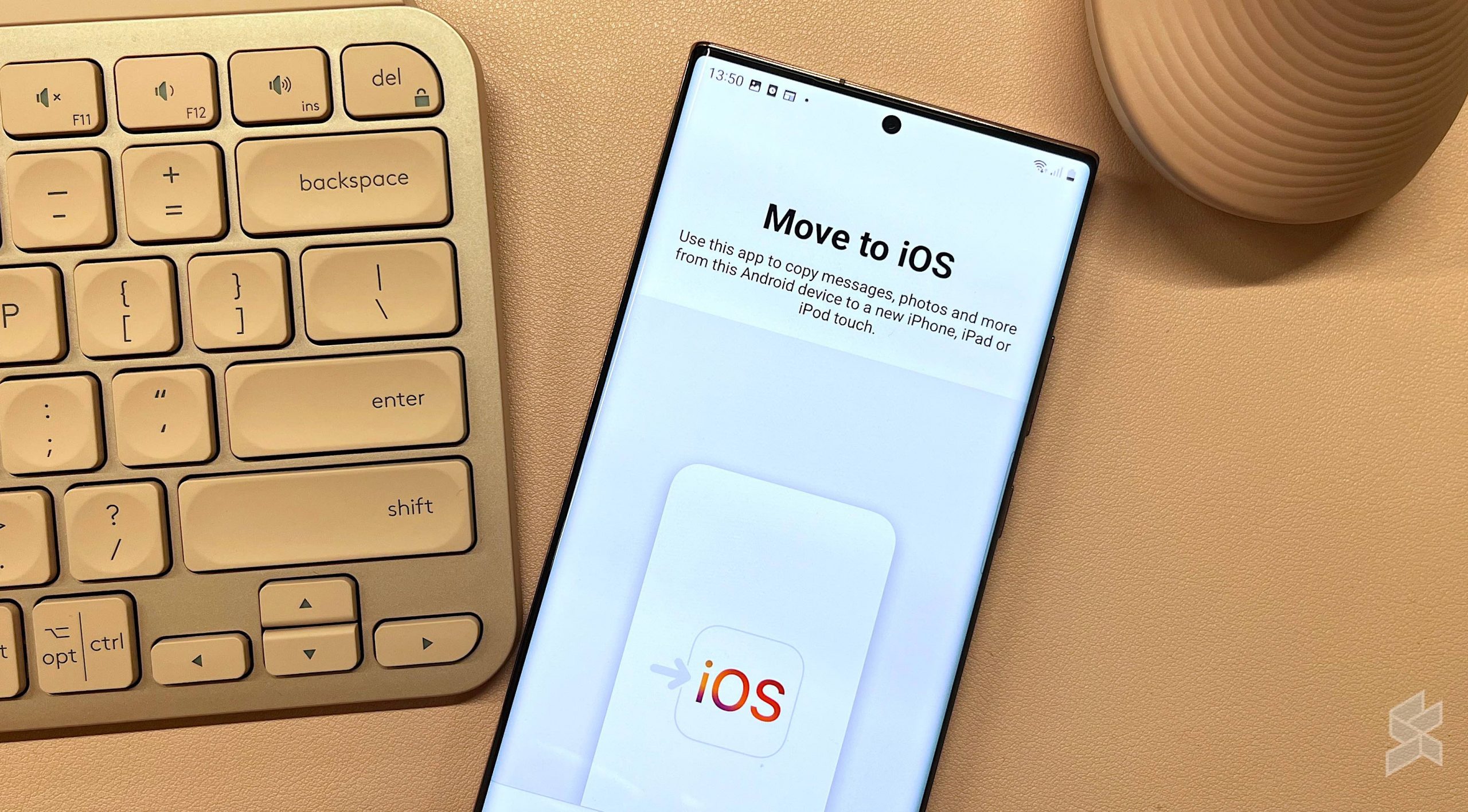
WhatsApp has updated its iOS app so that users can now move their chat history from Android to iPhone. However, you’d need to download a separate app on Android to do so.

“You can now securely move your chat history from Android to iPhone. Get started by getting the Move to iOS app on your Android phone and follow the on-screen instructions,” wrote WhatsApp in its iOS update page.

Previously, we’ve already reported that WhatsApp had announced the ability—back in June. But they added that the ability would be rolling it out “slowly”.

The ability, although an official one, still requires you to download Apple’s Move to iOS app on Android. But it’s about time that new iPhone users would have the ability to transfer WhatsApp chats from their Android phones. It’s usually a really difficult process if you’ve tried switching before.

Here’s how to move your chats from Android to iPhone

  • Open the Move to iOS app on your Android phone and follow the on-screen prompts
  • A code will be displayed on your iPhone. When prompted, enter the code on your Android phone
  • Tap Continue and follow the on-screen prompts
  • Select WhatsApp on the Transfer Data screen
  • Tap Start on your Android phone, and wait for WhatsApp to prepare the data for export. You’ll be signed out from your Android phone once the data is prepared
  • Tap Next to return to the Move to iOS app
  • Tap Continue to transfer the data from your Android phone to your iPhone and wait for Move to iOS to confirm the transfer is complete
  • Install the latest version of WhatsApp from the App Store
  • Open WhatsApp and log in using the same phone number used on your old device
  • Tap Start when prompted, and allow the process to complete
  • Finish activating your new device and you’ll see your chats waiting for you

According to WhatsApp, you would be able to transfer your account information, profile photo, individual chats, group chats, chat history, media, and settings with the app. You can’t, however, transfer your call history or display name. 

Make sure that your Android device has Android OS Lollipop, SDK 21 or above, or Android 5 or above installed, and iOS 15.5 or above installed on your iPhone. Other information is included here in our older post, as well as on WhatsApp’s official FAQ page.

You can also move your chats from iOS to Android, which you can do so through the iOS WhatsApp app right now. Go to Settings, then Chats, and then press Move Chats to Android.


Related reading

  • Move to iOS: Apple now officially supports WhatsApp chat history transfer from Android
Tags: AndroidiPhoneWhatsappWhatsapp AndroidWhatsApp iPhoneWhatsApp Web
Dzamira Dzafri

Dzamira Dzafri

POPULAR

Upgraded To a New Phone? Cool. But When Was the Last Time you Upgraded your Shaver?

November 10, 2025

5 Reasons Every Home Should Have a Smart Security System

November 11, 2025

Solar ATAP: The new solar programme for consumers will only start in 2026

December 2, 2025

Newest WhatsApp update lets you move your chats from Android to iPhone. Here’s how

August 26, 2022
Perodua QV-E EV

Perodua QV-E is now official: Electric sportback with 201hp, 445km NEDC range, priced at RM80k not inclusive of battery subscription

December 1, 2025

GrabRewards is now GrabCoins: Now with even more ways to earn and save

November 17, 2025

Copyright © 2025 · SoyaCincau.com
Mind Blow Sdn Bhd (1076827-P)

  • ADVERTISE
  • DISCLAIMER

Copyright © 2025 · SoyaCincau.com – Mind Blow Sdn Bhd (1076827-P)

  • ADVERTISE
  • DISCLAIMER