
• 中文版
  • BM
  • News
  • Deals
  • Reviews
    • First Impressions
    • Hands-on
    • Comparisons
  • Tech
    • Mobile
    • Computers
    • Cameras
    • Wearables
    • Audio
    • Drones
  • Telco
    • Celcom
    • Digi
    • Maxis
    • Time
    • Tune Talk
    • U Mobile
    • Unifi
    • Yes
  • Cars
  • Contribute
  • Jobs
Menu
  • 中文版
  • BM
  • News
  • Deals
  • Reviews
    • First Impressions
    • Hands-on
    • Comparisons
  • Tech
    • Mobile
    • Computers
    • Cameras
    • Wearables
    • Audio
    • Drones
  • Telco
    • Celcom
    • Digi
    • Maxis
    • Time
    • Tune Talk
    • U Mobile
    • Unifi
    • Yes
  • Cars
  • Contribute
  • Jobs
Search
  • Tech
    • News
    • Mobile
    • Computers
    • Cameras
    • Wearables
    • Audio
    • Drones
  • Telco
    • Celcom
    • Digi
    • Maxis
    • Time
    • U Mobile
    • Unifi
    • Yes
  • Reviews
    • First Impressions
    • Hands-on
    • Comparisons
  • Buyer’s Guide
  • Opinions
  • Digital Life
  • Video
  • Deals
  • How-To
  • Cars
  • Bahasa Melayu
  • EV
  • Contribute
  • Advertise
Menu
  • Tech
    • News
    • Mobile
    • Computers
    • Cameras
    • Wearables
    • Audio
    • Drones
  • Telco
    • Celcom
    • Digi
    • Maxis
    • Time
    • U Mobile
    • Unifi
    • Yes
  • Reviews
    • First Impressions
    • Hands-on
    • Comparisons
  • Buyer’s Guide
  • Opinions
  • Digital Life
  • Video
  • Deals
  • How-To
  • Cars
  • Bahasa Melayu
  • EV
  • Contribute
  • Advertise
Search
Close
Home Digital Life Apps

Uninstalled TNG eWallet? Here’s how to get it back on your iPhone

  • BY Alexander Wong
  • 10 May 2022
  • 2:24 pm
  • Comment
Share on FacebookShare on Twitter

[ UPDATE 11/05/2022 10:00 ] The TNG eWallet app is back on the App Store.

===

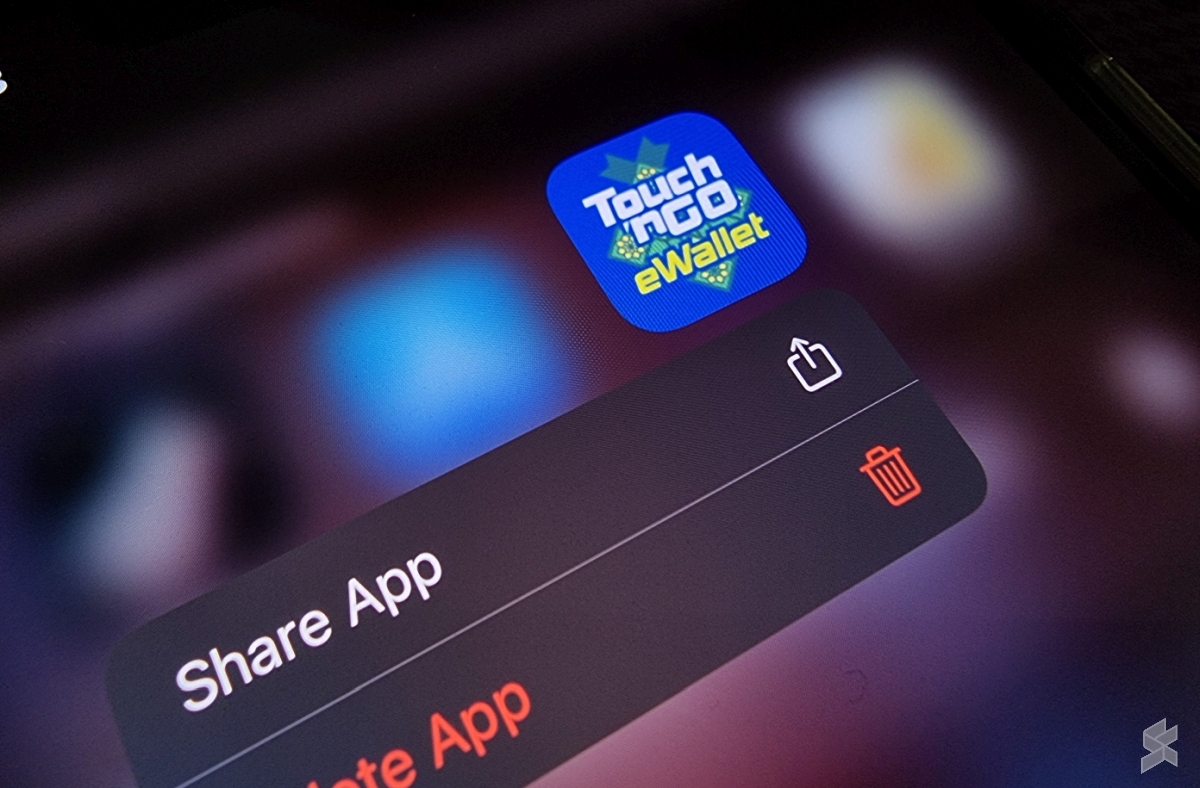
As reported last Saturday, the Touch ‘n Go eWallet app was mysteriously removed from the Apple App Store. Existing users who have the app installed should have nothing to worry about as they can still continue to use the app normally. But what about iOS users who have accidentally uninstalled the app? Can they still get it back? The short answer is yes and here’s a guide to restoring the TNG eWallet app even when it is no longer available on the Apple App Store.

How to reinstall TNG eWallet from App Store purchase history
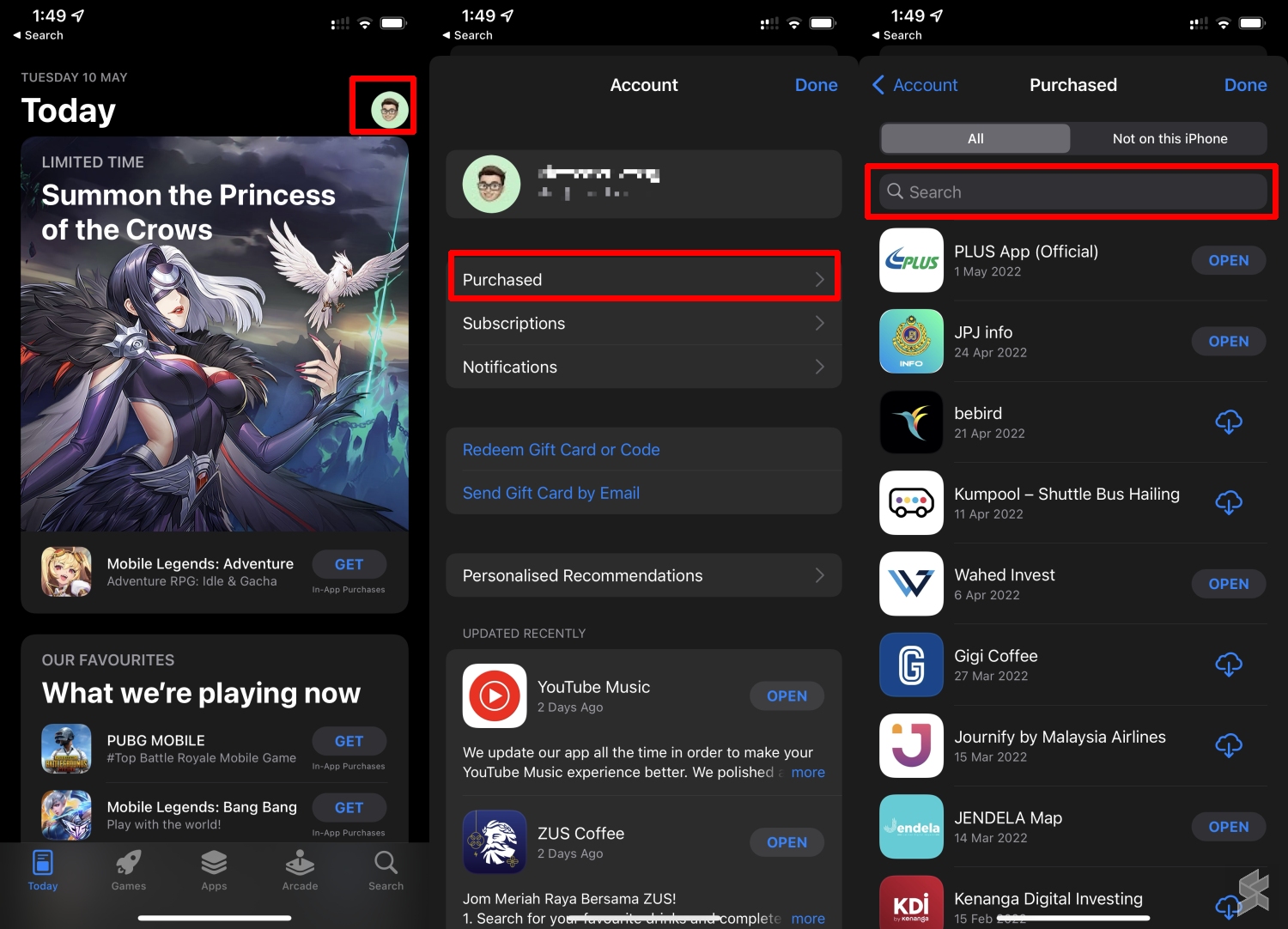
If you’ve downloaded the TNG eWallet app on your iPhone before, there’s a way to restore the app back on your device. Despite being a free app, you can retrieve it from the App Store’s Purchased history. To do so, just launch the App Store, tap on your profile on the top right of the screen, and then tap on Purchased.
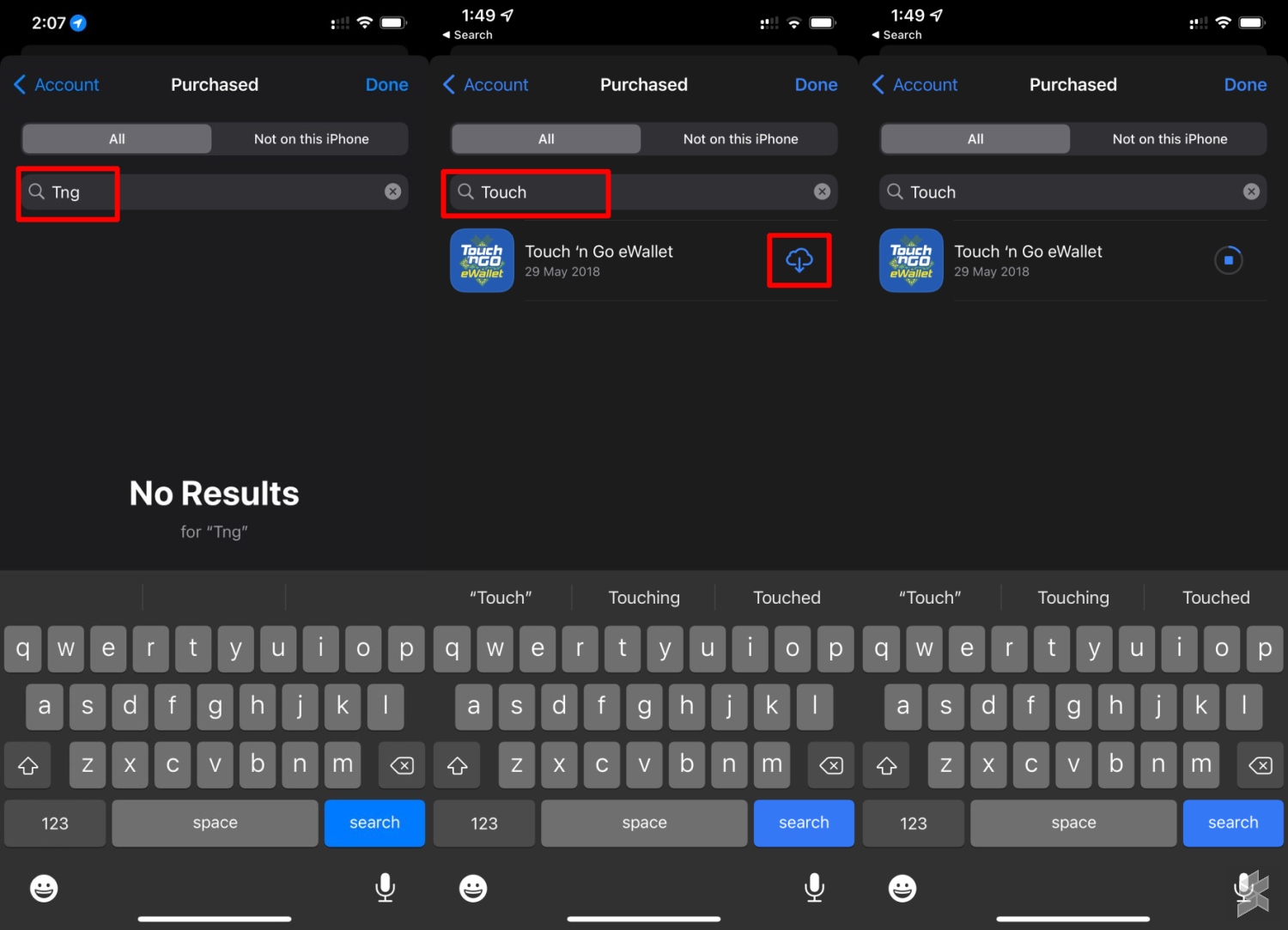
From here, you can search for your previously downloaded app. Take note that you’ll have to search for “Touch” as “TNG” yields no results. Once the TNG eWallet app appears, just click on the “cloud download icon” to start downloading.
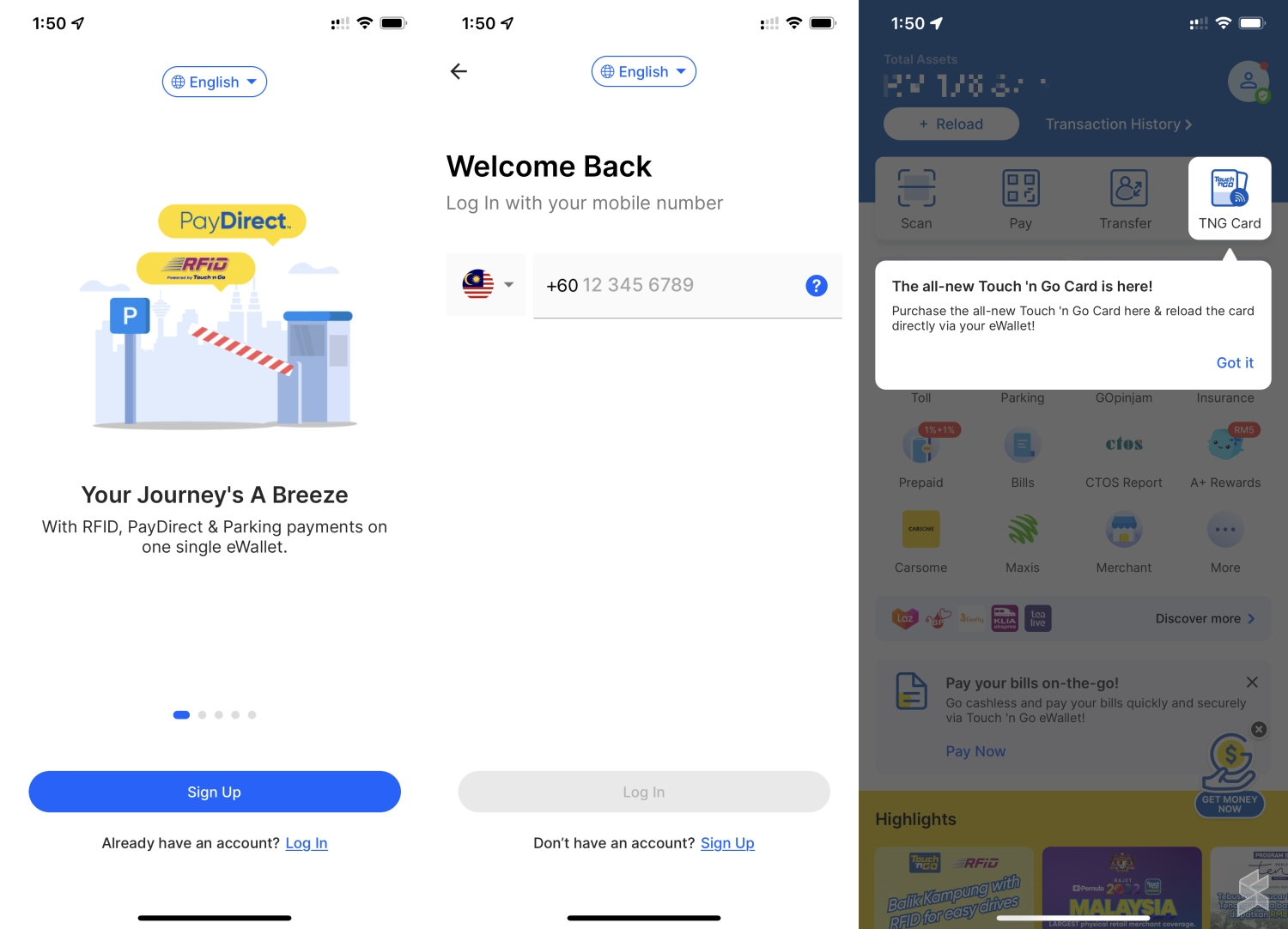
Once the download is completed, just login with your mobile number registered for your TNG eWallet account. After signing in, you should be able to gain access to your eWallet account like normal. Since the app is no longer available on the App Store, this means first-time users will not be able to download TNG eWallet, while existing users can’t update the app for the time being.

More than 72 hours after our initial report, Touch ‘n Go has still not issued a statement on the app’s removal from the App Store. It isn’t clear when the app will return back to the App Store. The TNG eWallet app is still available on the Google Play Store and Huawei AppGallery.

Some have speculated that the TNG eWallet was removed due to its new NFC Card reload feature but this is unlikely the case as other eWallets in other countries including HK Octopus are also offering the same NFC top up feature. Usually, an app is removed if it is found violating Apple App Store guidelines, and some have speculated that the app removal could be linked to their recent GoPinjam loan feature that’s offered via CIMB EZI-Tunai.

Related reading

  • Touch ‘n Go eWallet has been removed from the Apple App Store
  • Was TNG eWallet removed from the App Store because of TNG NFC card reload feature?
  • Got the new Touch ‘n Go NFC Card? Here’s how to request a refund for your old TNG card online
  • Finally, Touch ‘n Go enables TNG NFC card reload via smartphone
Tags: Apple App StoreTNG eWalletTouch n GoTouch n go eWallet
Alexander Wong

Alexander Wong

POPULAR

Upgraded To a New Phone? Cool. But When Was the Last Time you Upgraded your Shaver?

November 10, 2025

5 Reasons Every Home Should Have a Smart Security System

November 11, 2025

Solar ATAP: The new solar programme for consumers will only start in 2026

December 2, 2025

Uninstalled TNG eWallet? Here’s how to get it back on your iPhone

May 10, 2022
Perodua QV-E EV

Perodua QV-E is now official: Electric sportback with 201hp, 445km NEDC range, priced at RM80k not inclusive of battery subscription

December 1, 2025

GrabRewards is now GrabCoins: Now with even more ways to earn and save

November 17, 2025

Copyright © 2025 · SoyaCincau.com
Mind Blow Sdn Bhd (1076827-P)

  • ADVERTISE
  • DISCLAIMER

Copyright © 2025 · SoyaCincau.com – Mind Blow Sdn Bhd (1076827-P)

  • ADVERTISE
  • DISCLAIMER




