• 中文版
  • BM
  • News
  • Deals
  • Reviews
    • First Impressions
    • Hands-on
    • Comparisons
  • Tech
    • Mobile
    • Computers
    • Cameras
    • Wearables
    • Audio
    • Drones
  • Telco
    • Celcom
    • Digi
    • Maxis
    • Time
    • Tune Talk
    • U Mobile
    • Unifi
    • Yes
  • Cars
  • Contribute
  • Jobs
Menu
  • 中文版
  • BM
  • News
  • Deals
  • Reviews
    • First Impressions
    • Hands-on
    • Comparisons
  • Tech
    • Mobile
    • Computers
    • Cameras
    • Wearables
    • Audio
    • Drones
  • Telco
    • Celcom
    • Digi
    • Maxis
    • Time
    • Tune Talk
    • U Mobile
    • Unifi
    • Yes
  • Cars
  • Contribute
  • Jobs
Search
  • Tech
    • News
    • Mobile
    • Computers
    • Cameras
    • Wearables
    • Audio
    • Drones
  • Telco
    • Celcom
    • Digi
    • Maxis
    • Time
    • U Mobile
    • Unifi
    • Yes
  • Reviews
    • First Impressions
    • Hands-on
    • Comparisons
  • Buyer’s Guide
  • Opinions
  • Digital Life
  • Video
  • Deals
  • How-To
  • Cars
  • Bahasa Melayu
  • EV
  • Contribute
  • Advertise
Menu
  • Tech
    • News
    • Mobile
    • Computers
    • Cameras
    • Wearables
    • Audio
    • Drones
  • Telco
    • Celcom
    • Digi
    • Maxis
    • Time
    • U Mobile
    • Unifi
    • Yes
  • Reviews
    • First Impressions
    • Hands-on
    • Comparisons
  • Buyer’s Guide
  • Opinions
  • Digital Life
  • Video
  • Deals
  • How-To
  • Cars
  • Bahasa Melayu
  • EV
  • Contribute
  • Advertise
Search
Close
Home News

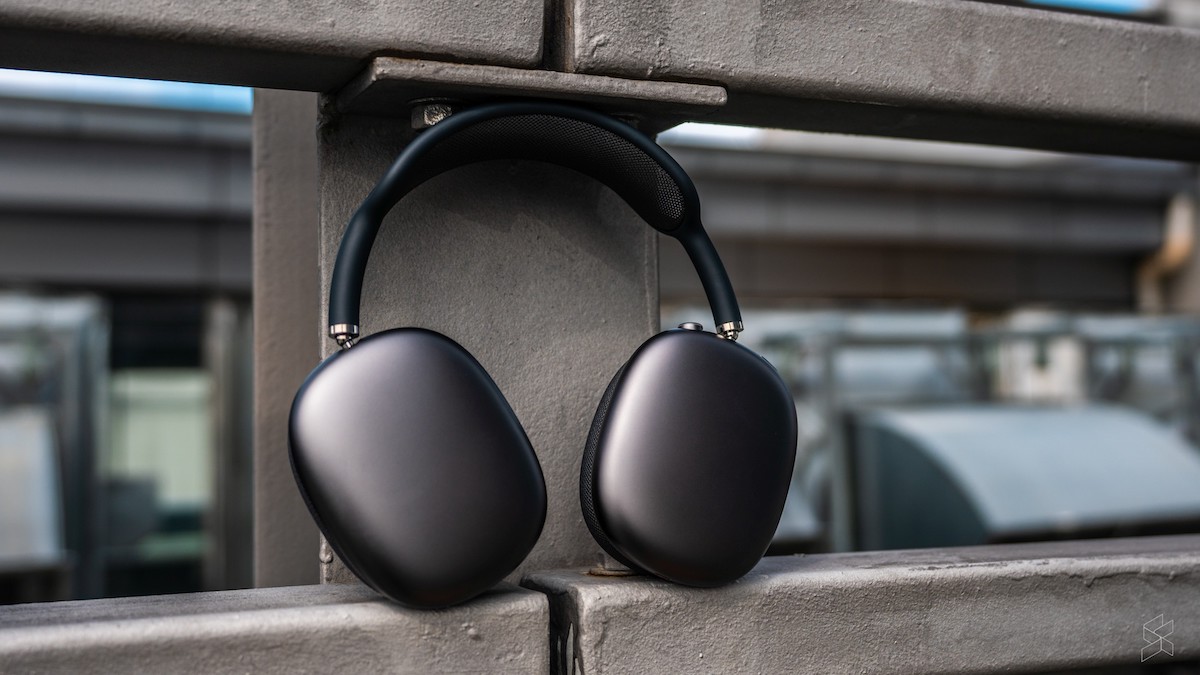
Apple finally rolls out more Find My functionality for AirPods Pro and AirPods Max

  • BY Redza Dzafri
  • 6 October 2021
  • 4:53 pm
  • Comment
Share on FacebookShare on Twitter

Apple is currently rolling out new firmware updates for their headphones powered by the W1 or H1 chip. This includes version 4A400 for the AirPods Pro and AirPods Max. With this update, users can use Find My to locate their lost AirPods Pro or Max, with functionality similar to AirTags. Note that it will not work with regular AirPods.

Before this, users could only view the last connected location of these AirPods, but now you can view the precise location, find nearby, play a sound, mark it as lost, notify when found, and notify when left behind. This was confirmed by Apple when they added the functionality list to this support page.

This also means that the AirPods Pro and AirPods Max models are now added into the Find My network and will be reporting the location of other Apple devices nearby in the network.
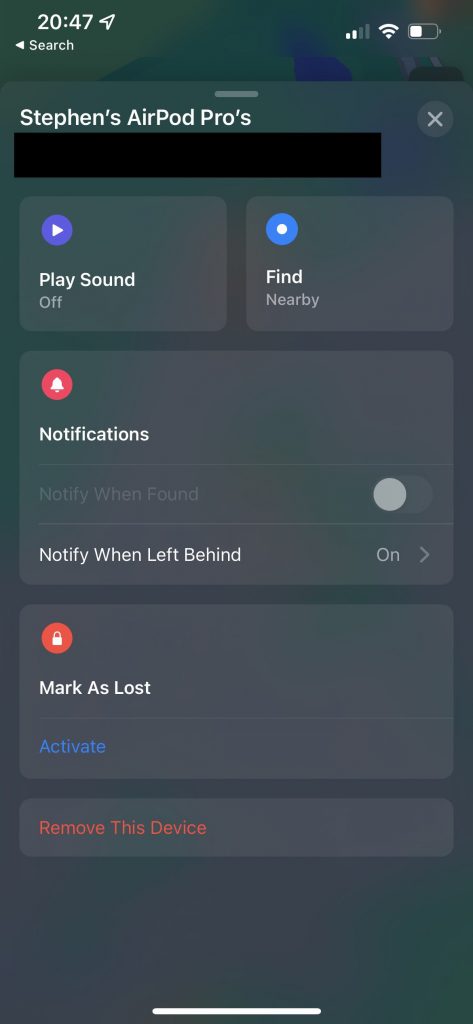
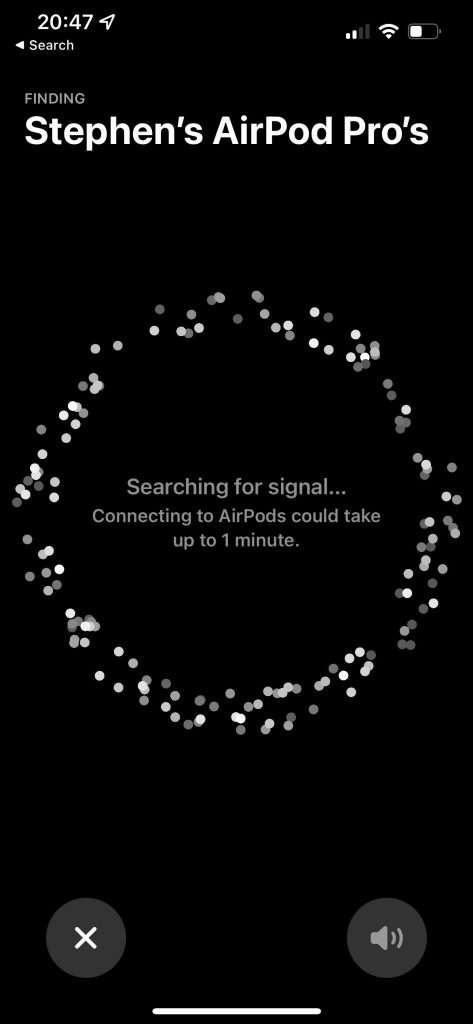
Source: @Ste_Moseley on Twitter

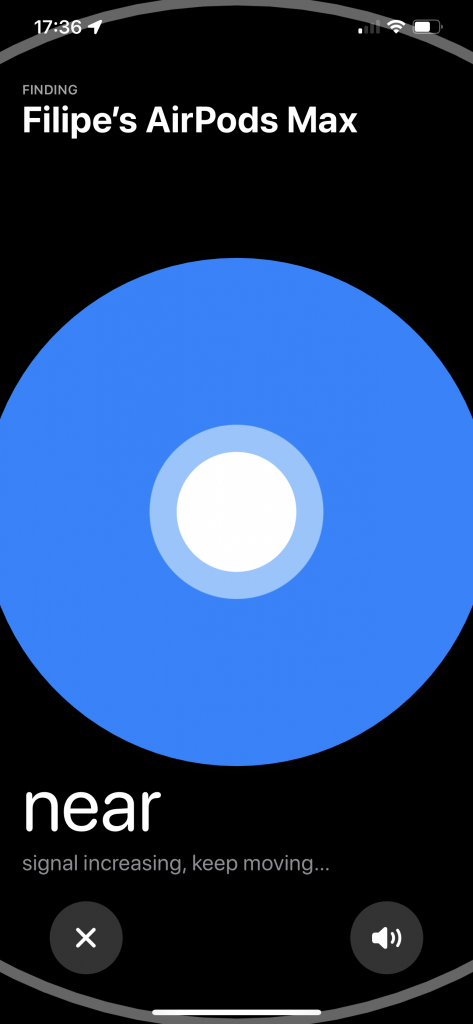
The Find Nearby feature functions similarly to AirTags, but is not exactly the same. First of all, the UI colour is blue instead of the AirTags’ green UI colour, but most importantly, the directional arrow feature is not there. When you use the Find Nearby feature with the AirPods Pro or Max, it will only tell you if you are far or near. This is because the AirPods are not equipped with the U1 chip included in the AirTags and therefore cannot provide such precise information.
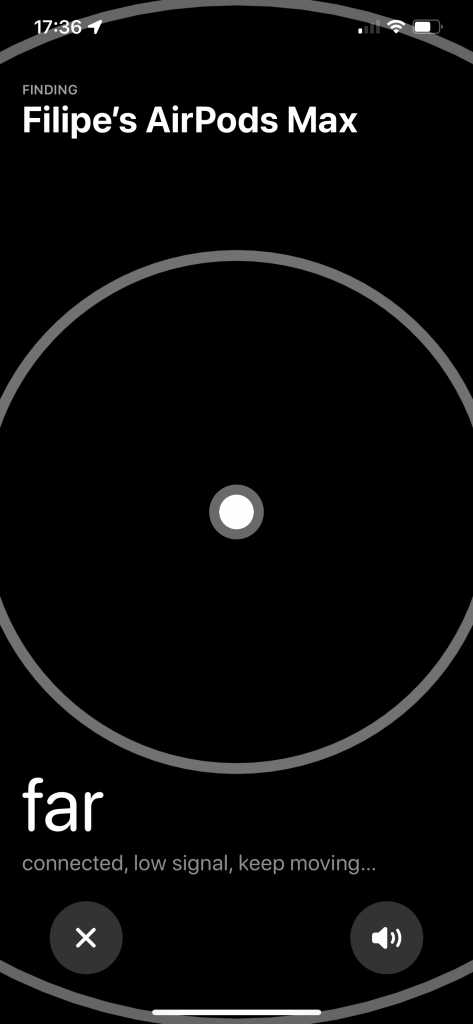
Source: 9to5mac.com

Lost Mode works similarly with other devices, allowing customers to leave a message and contact number for people to return the lost AirPods to you.

If you want to have this functionality now, you have to update your AirPods Pro or Max. There is no direct way to update currently, but you can try to put your charged AirPods in a case next a connected phone, and hope to get the firmware transferred. It is also unclear if the Beats headphones have this feature or not.

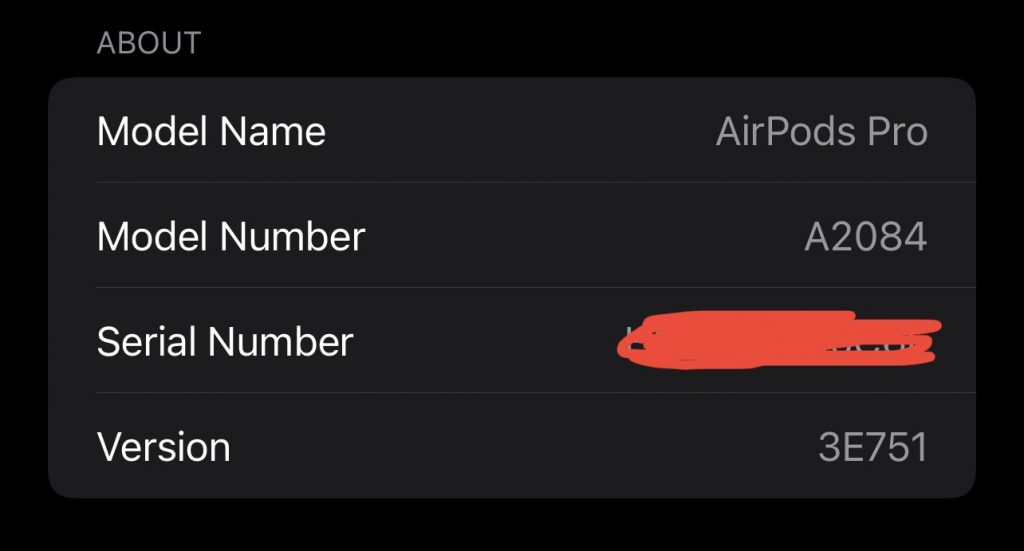
To check your firmware version number, just go to Settings, then Bluetooth, My Devices, and click on the ‘i’ next to your device. You will see the version number and you can tap on it to cycle to the case version number as well.
Source: @Sirthizzalot on Twitter

[ SOURCE ]

Tags: AirPods MaxAirPods ProAppleFind My
Redza Dzafri

Redza Dzafri

POPULAR

Apple finally rolls out more Find My functionality for AirPods Pro and AirPods Max

October 6, 2021

HUAWEI MatePad 12 X 2026: The Best Productivity Tablet with PC-Level WPS and the All-New HUAWEI M-Pencil Pro

January 6, 2026

SoyaCincau Awards 2025: The Best Tablets of the Year

January 5, 2026

Max Out Your Samsung Galaxy S25’s Camera Potential with These Must-Try Features

December 23, 2025

SARA: All Malaysian adults to receive RM100 credit from 9 February

January 5, 2026
Maybank Google Pay - May 2024

Maybank on Google Pay: No PIN required for transactions above RM250, transactions limited to RM2,500

January 5, 2026

Copyright © 2025 · SoyaCincau.com
Mind Blow Sdn Bhd (1076827-P)

  • ADVERTISE
  • DISCLAIMER

Copyright © 2026 · SoyaCincau.com – Mind Blow Sdn Bhd (1076827-P)

  • ADVERTISE
  • DISCLAIMER