
• 中文版
  • BM
  • News
  • Deals
  • Reviews
    • First Impressions
    • Hands-on
    • Comparisons
  • Tech
    • Mobile
    • Computers
    • Cameras
    • Wearables
    • Audio
    • Drones
  • Telco
    • Celcom
    • Digi
    • Maxis
    • Time
    • Tune Talk
    • U Mobile
    • Unifi
    • Yes
  • Cars
  • Contribute
  • Jobs
Menu
  • 中文版
  • BM
  • News
  • Deals
  • Reviews
    • First Impressions
    • Hands-on
    • Comparisons
  • Tech
    • Mobile
    • Computers
    • Cameras
    • Wearables
    • Audio
    • Drones
  • Telco
    • Celcom
    • Digi
    • Maxis
    • Time
    • Tune Talk
    • U Mobile
    • Unifi
    • Yes
  • Cars
  • Contribute
  • Jobs
Search
  • Tech
    • News
    • Mobile
    • Computers
    • Cameras
    • Wearables
    • Audio
    • Drones
  • Telco
    • Celcom
    • Digi
    • Maxis
    • Time
    • U Mobile
    • Unifi
    • Yes
  • Reviews
    • First Impressions
    • Hands-on
    • Comparisons
  • Buyer’s Guide
  • Opinions
  • Digital Life
  • Video
  • Deals
  • How-To
  • Cars
  • Bahasa Melayu
  • EV
  • Contribute
  • Advertise
Menu
  • Tech
    • News
    • Mobile
    • Computers
    • Cameras
    • Wearables
    • Audio
    • Drones
  • Telco
    • Celcom
    • Digi
    • Maxis
    • Time
    • U Mobile
    • Unifi
    • Yes
  • Reviews
    • First Impressions
    • Hands-on
    • Comparisons
  • Buyer’s Guide
  • Opinions
  • Digital Life
  • Video
  • Deals
  • How-To
  • Cars
  • Bahasa Melayu
  • EV
  • Contribute
  • Advertise
Search
Close
Home How-To

EPF i-Sinar: How to check your application status online

  • BY Alexander Wong
  • 6 January 2021
  • 5:12 pm
  • Comment
Share on FacebookShare on Twitter

The Employees Provident Fund (EPF) is allowing eligible members that are affected by the COVID-19 pandemic to withdraw up to RM60,000 from Account 1 under the i-Sinar program. If you’ve submitted your withdrawal application recently, you can now check your status online.

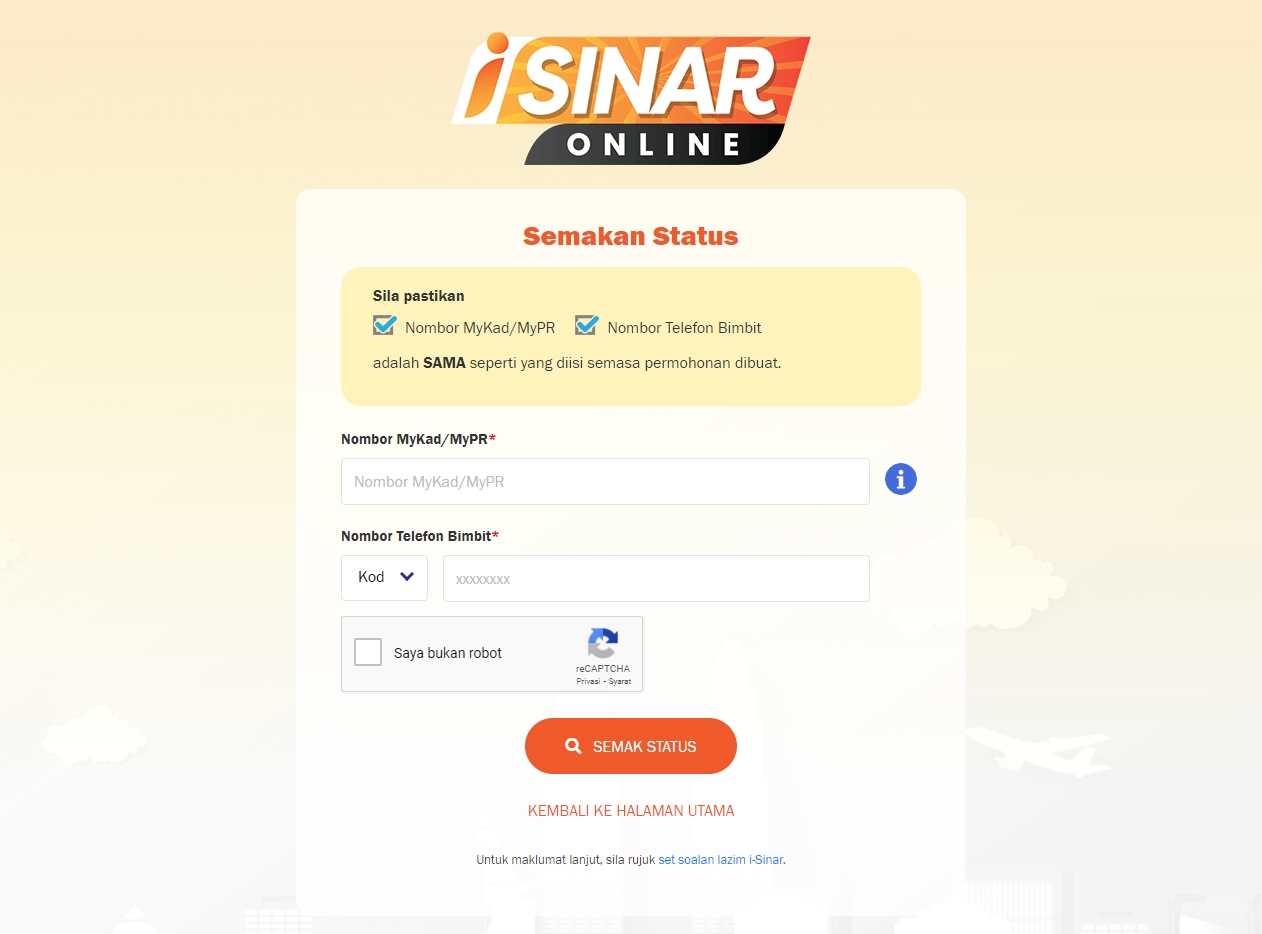
To check on your i-Sinar application, just go to the Check Status page and login with your IC and mobile number. You must enter the same details used during the application process.
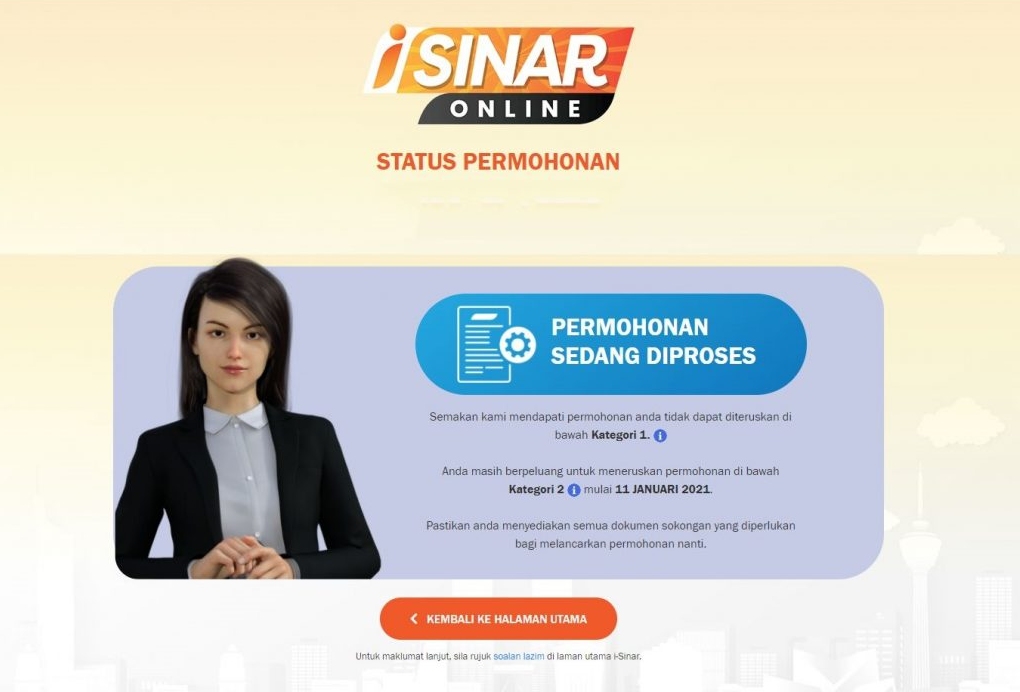
Once you’re in, you’ll see your application status right away. If it isn’t approved, it will display “Permohonan sedang diproses” (Your application is still in process) and you can’t proceed under Category 1. However, you can continue to apply manually under Category 2 starting from 11th January 2021.
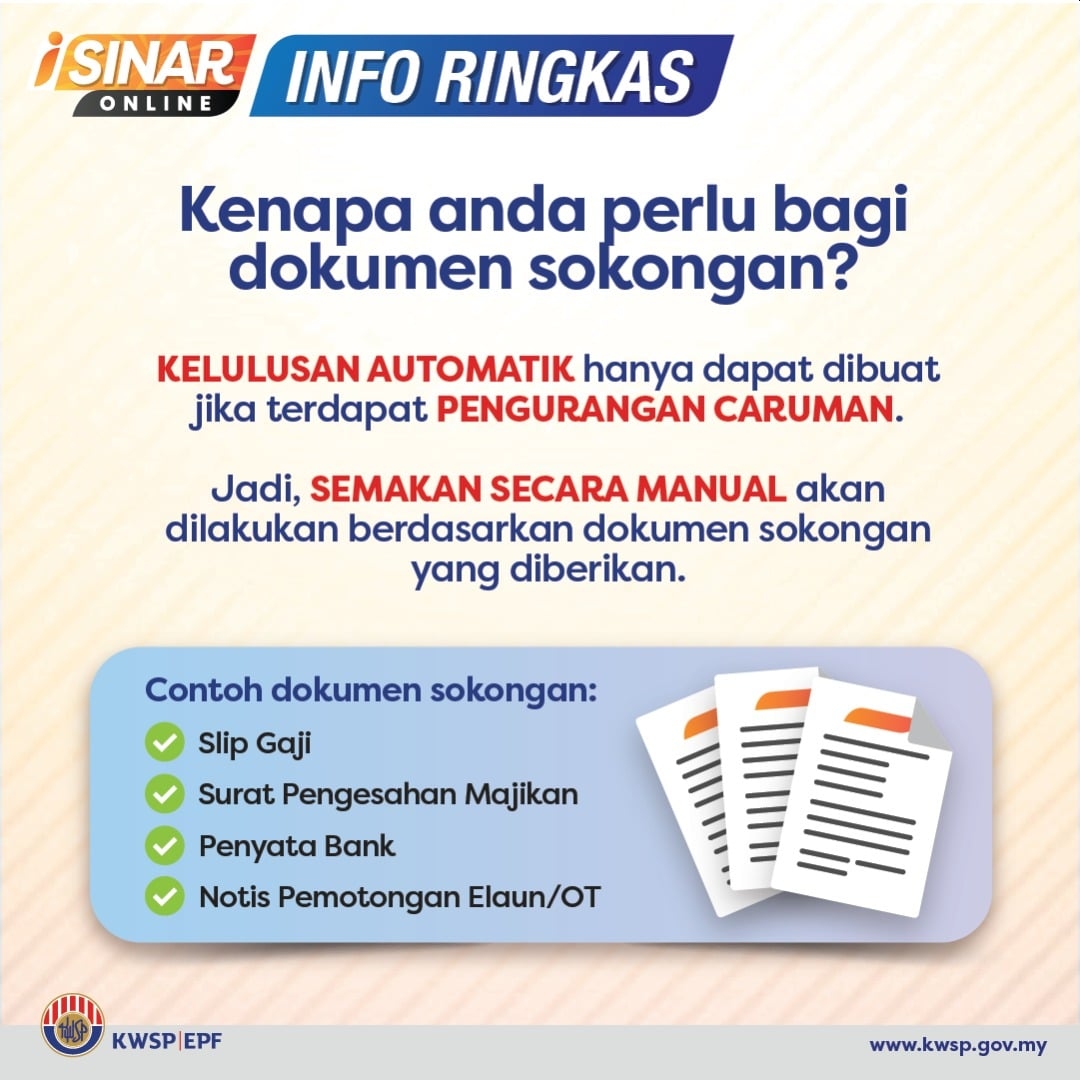
Under the manual application method, you’ll need to submit your salary slip, employment letter, bank statement and notice of salary or overtime reduction. We expect EPF to provide more details on the next steps by next week.
To recap, automatic applications without requiring additional documents are categorised under Category 1 and EPF will evaluate your eligibility with their existing records. For members that require to prove their reduction of salary with additional supporting documents may do so under Category 2. For those who wish to withdraw but didn’t suffer a 30% cut, EPF still encourages you to apply under Category 2.
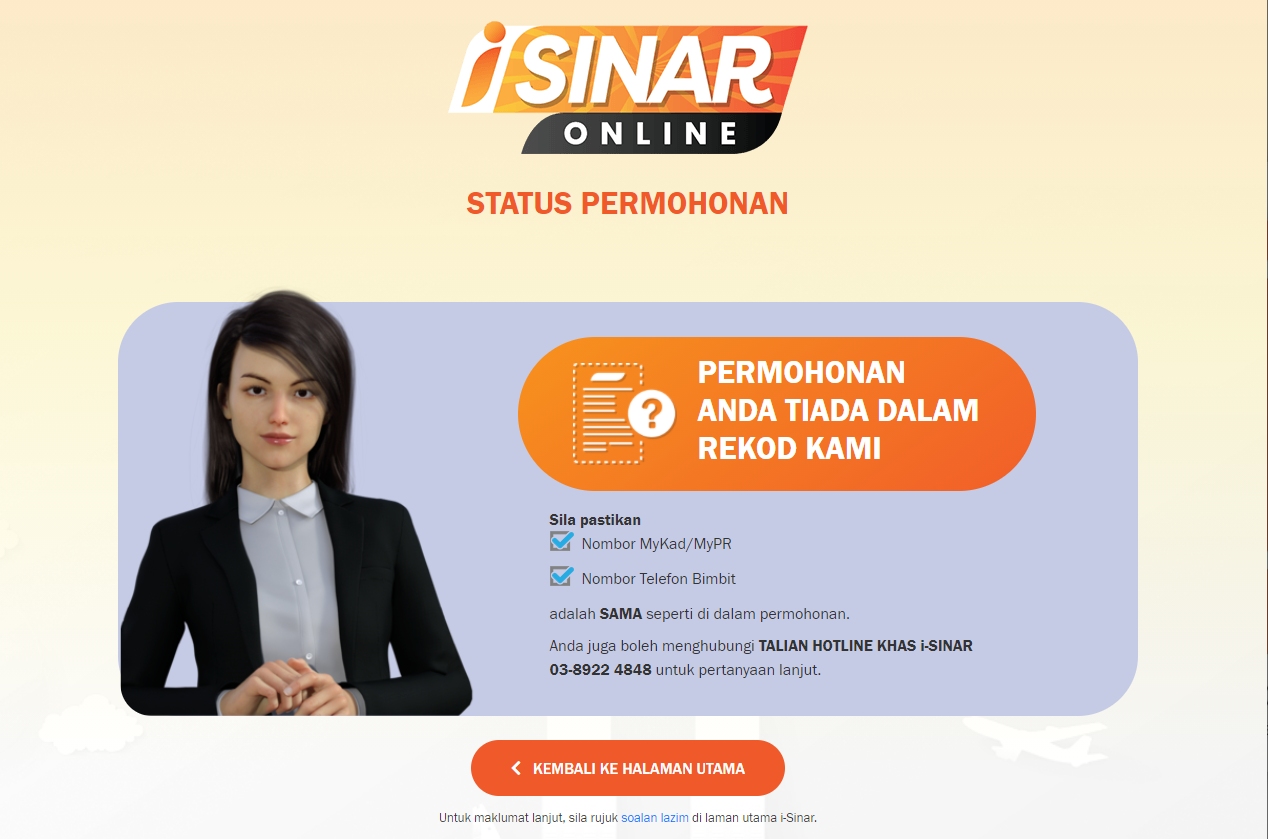
If you haven’t submitted an application, you’ll receive a message that your application isn’t found in their records as shown above.

EPF will accept new applications until the 30th of June 2021. The i-Sinar program is offered to members that have lost their jobs or suffered a salary cut of 30% and above.


Members with less than RM100,000 savings in Account 1 can withdraw up to RM10,000, while members with more than RM100,000 in Account 1 may withdraw up to 10% of their account balance, with a maximum cap of RM60,000. You can learn how to apply with our how-to guide.

According to Kosmo, EPF has begun disbursing the first payout to successful applicants. When the withdrawal facility was initially announced, it was mentioned that successful applications that are approved in December will receive their first payout in January 2021.
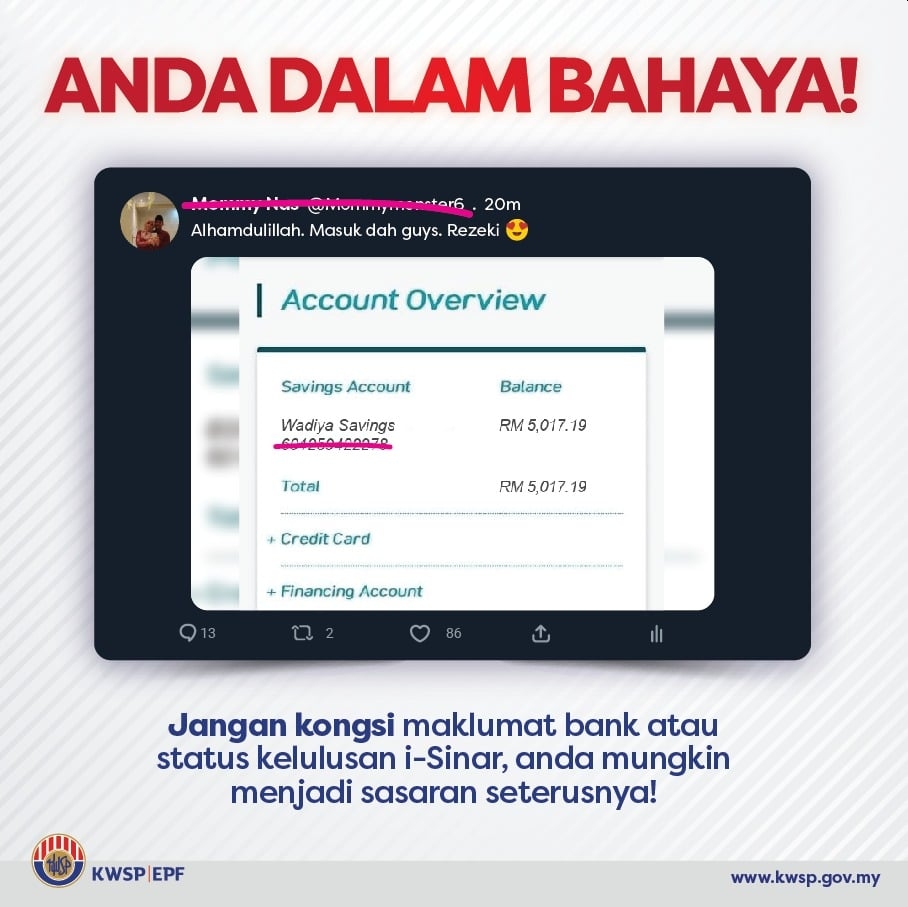
EPF has also warned members not to share their EPF withdrawal status and bank statements online. Exposing your details in public may put your personal data at risk and it could be misused for potential scams.

Related reading

EPF i-Sinar applications are now open, here’s how to apply
EPF i-Sinar: Members who didn’t suffer 30% pay cut but need cash are encouraged to apply
EPF: Beware of fake i-Sinar apps
Tags: EPFi-SinarKWSP
Alexander Wong

Alexander Wong

POPULAR

SoyaCincau Awards 2025: The Best Tablets of the Year

January 5, 2026

EPF i-Sinar: How to check your application status online

January 6, 2021

HUAWEI MatePad 12 X 2026: The Best Productivity Tablet with PC-Level WPS and the All-New HUAWEI M-Pencil Pro

January 6, 2026

SARA: All Malaysian adults to receive RM100 credit from 9 February

January 5, 2026

SoyaCincau Awards 2025: Best Telcos of the Year

January 2, 2026
Maybank Google Pay - May 2024

Maybank on Google Pay: No PIN required for transactions above RM250, transactions limited to RM2,500

January 5, 2026

Copyright © 2025 · SoyaCincau.com
Mind Blow Sdn Bhd (1076827-P)

  • ADVERTISE
  • DISCLAIMER

Copyright © 2026 · SoyaCincau.com – Mind Blow Sdn Bhd (1076827-P)

  • ADVERTISE
  • DISCLAIMER




