• 中文版
  • BM
  • News
  • Deals
  • Reviews
    • First Impressions
    • Hands-on
    • Comparisons
  • Tech
    • Mobile
    • Computers
    • Cameras
    • Wearables
    • Audio
    • Drones
  • Telco
    • Celcom
    • Digi
    • Maxis
    • Time
    • Tune Talk
    • U Mobile
    • Unifi
    • Yes
  • Cars
  • Contribute
  • Jobs
Menu
  • 中文版
  • BM
  • News
  • Deals
  • Reviews
    • First Impressions
    • Hands-on
    • Comparisons
  • Tech
    • Mobile
    • Computers
    • Cameras
    • Wearables
    • Audio
    • Drones
  • Telco
    • Celcom
    • Digi
    • Maxis
    • Time
    • Tune Talk
    • U Mobile
    • Unifi
    • Yes
  • Cars
  • Contribute
  • Jobs
Search
  • Tech
    • News
    • Mobile
    • Computers
    • Cameras
    • Wearables
    • Audio
    • Drones
  • Telco
    • Celcom
    • Digi
    • Maxis
    • Time
    • U Mobile
    • Unifi
    • Yes
  • Reviews
    • First Impressions
    • Hands-on
    • Comparisons
  • Buyer’s Guide
  • Opinions
  • Digital Life
  • Video
  • Deals
  • How-To
  • Cars
  • Bahasa Melayu
  • EV
  • Contribute
  • Advertise
Menu
  • Tech
    • News
    • Mobile
    • Computers
    • Cameras
    • Wearables
    • Audio
    • Drones
  • Telco
    • Celcom
    • Digi
    • Maxis
    • Time
    • U Mobile
    • Unifi
    • Yes
  • Reviews
    • First Impressions
    • Hands-on
    • Comparisons
  • Buyer’s Guide
  • Opinions
  • Digital Life
  • Video
  • Deals
  • How-To
  • Cars
  • Bahasa Melayu
  • EV
  • Contribute
  • Advertise
Search
Close
Home News

Does your smartphone kill important apps? Here are the top offenders and how to solve them

  • BY Alexander Wong
  • 14 January 2019
  • 11:16 am
  • Comment
Share on FacebookShare on Twitter
Don't Kill my App

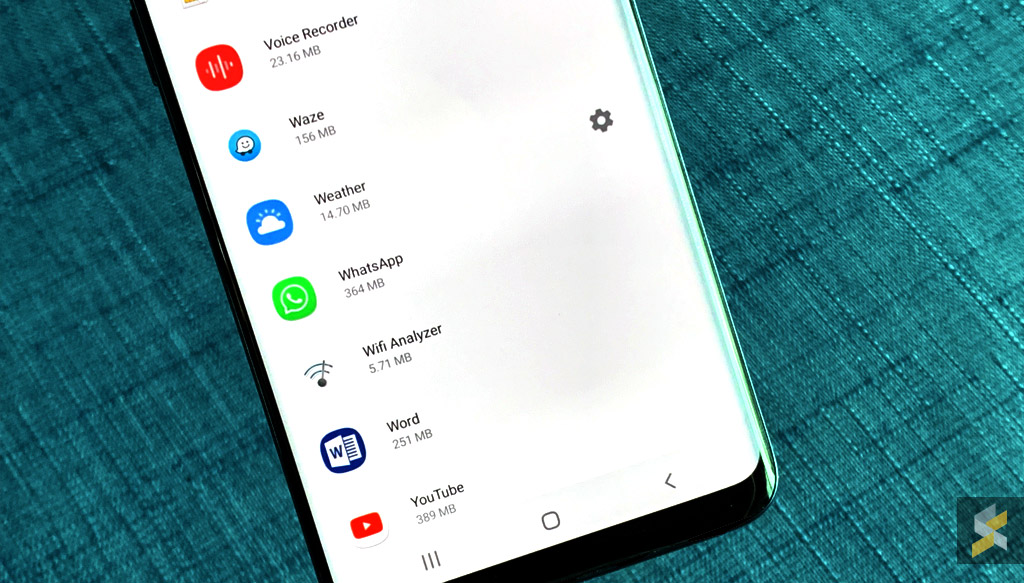
There are a couple of ways smartphone makers can increase battery life on a smartphone. Either it gets a bigger battery or it uses software optimisation to cut down on unwated usage. Sometimes, such optimisations can get overly aggressive to a point that your important apps suddenly stops running. Imagine not being able to receive crucial notifications until your screen is switched on or when you relaunch the app.

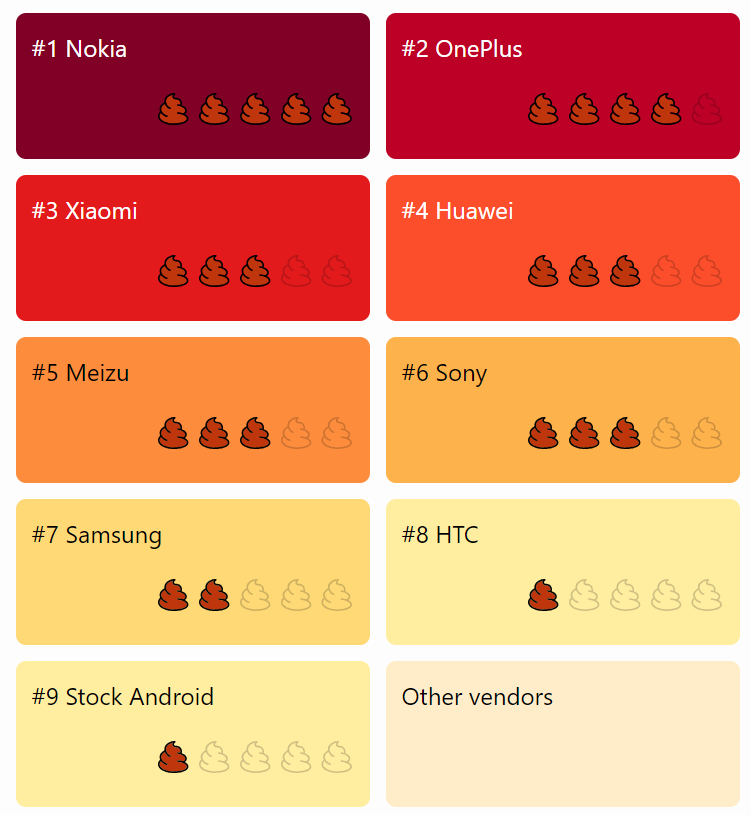
To pressure manufacturers to stop doing this unnecessary app killing, there’s now a site called “Don’t Kill My App” that highlights the top offenders. According to them, these manufacturers are actually turning their smartphones into dumbphones.

Natively, Android has implemented a couple of battery saving features such as Doze and Adaptive Battery. However, some manufacturers took the extra step by implementing their own “battery saver” feature which could cause a lot of frustration for most users.

According to the site, Nokia is the top offender followed by OnePlus and Xiaomi. For Nokia, their battery protection on Android O and Android P will automatically kill any background processes including sleep tracking and alarm after 20 minutes when the screen is off. That’s quite surprising considering it is an Android One device.

The better experiences are from Samsung, HTC and obviously stock Android.
Don't Kill my App

If you have issues with unwanted app-killing, DontKillMyApp.com also provides solutions for each manufacturer which include Nokia, OnePlus, Xiaomi, Huawei, Meizu, Sony, Samsung and HTC. Obviously, doing this might potentially shorten your current battery life but this will ensure that your important apps are running the way it should.
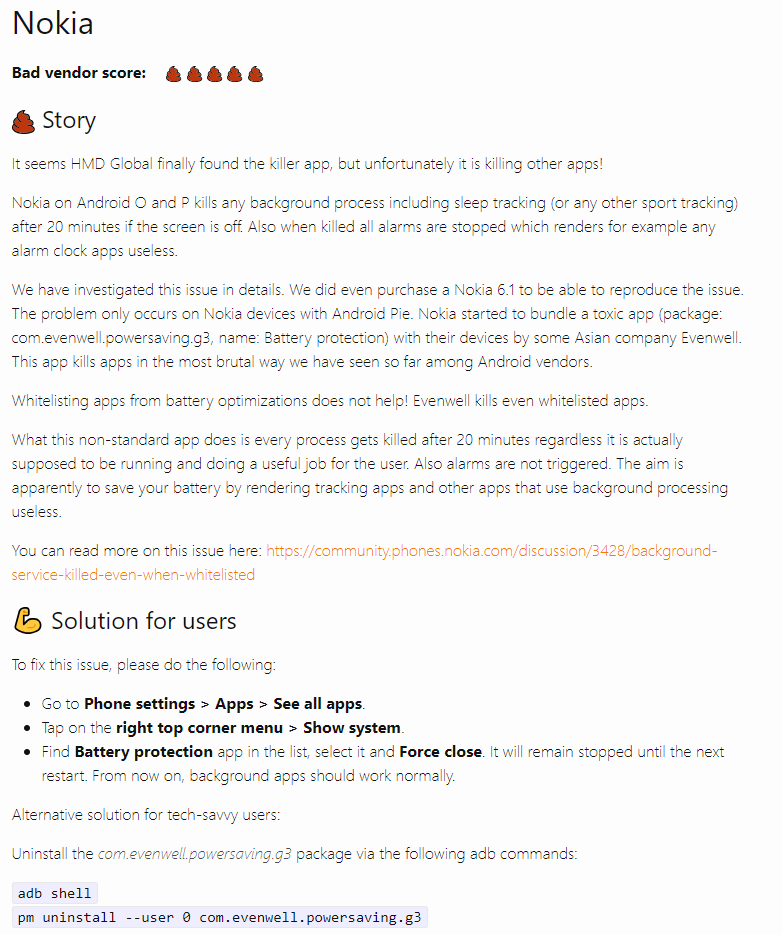
For more info, you can check out DontKillMyApp.

[ SOURCE ]

Tags: AndroidappsHuaweiMeizuNokiaOnePlusSamsungXiaomi
Alexander Wong

Alexander Wong

POPULAR

Does your smartphone kill important apps? Here are the top offenders and how to solve them

January 14, 2019

HUAWEI MatePad 12 X 2026: The Best Productivity Tablet with PC-Level WPS and the All-New HUAWEI M-Pencil Pro

January 6, 2026

SoyaCincau Awards 2025: The Best Tablets of the Year

January 5, 2026

SARA: All Malaysian adults to receive RM100 credit from 9 February

January 5, 2026

Max Out Your Samsung Galaxy S25’s Camera Potential with These Must-Try Features

December 23, 2025
Maybank Google Pay - May 2024

Maybank on Google Pay: No PIN required for transactions above RM250, transactions limited to RM2,500

January 5, 2026

Copyright © 2025 · SoyaCincau.com
Mind Blow Sdn Bhd (1076827-P)

  • ADVERTISE
  • DISCLAIMER

Copyright © 2026 · SoyaCincau.com – Mind Blow Sdn Bhd (1076827-P)

  • ADVERTISE
  • DISCLAIMER