
• 中文版
  • BM
  • News
  • Deals
  • Reviews
    • First Impressions
    • Hands-on
    • Comparisons
  • Tech
    • Mobile
    • Computers
    • Cameras
    • Wearables
    • Audio
    • Drones
  • Telco
    • Celcom
    • Digi
    • Maxis
    • Time
    • Tune Talk
    • U Mobile
    • Unifi
    • Yes
  • Cars
  • Contribute
  • Jobs
Menu
  • 中文版
  • BM
  • News
  • Deals
  • Reviews
    • First Impressions
    • Hands-on
    • Comparisons
  • Tech
    • Mobile
    • Computers
    • Cameras
    • Wearables
    • Audio
    • Drones
  • Telco
    • Celcom
    • Digi
    • Maxis
    • Time
    • Tune Talk
    • U Mobile
    • Unifi
    • Yes
  • Cars
  • Contribute
  • Jobs
Search
  • Tech
    • News
    • Mobile
    • Computers
    • Cameras
    • Wearables
    • Audio
    • Drones
  • Telco
    • Celcom
    • Digi
    • Maxis
    • Time
    • U Mobile
    • Unifi
    • Yes
  • Reviews
    • First Impressions
    • Hands-on
    • Comparisons
  • Buyer’s Guide
  • Opinions
  • Digital Life
  • Video
  • Deals
  • How-To
  • Cars
  • Bahasa Melayu
  • EV
  • Contribute
  • Advertise
Menu
  • Tech
    • News
    • Mobile
    • Computers
    • Cameras
    • Wearables
    • Audio
    • Drones
  • Telco
    • Celcom
    • Digi
    • Maxis
    • Time
    • U Mobile
    • Unifi
    • Yes
  • Reviews
    • First Impressions
    • Hands-on
    • Comparisons
  • Buyer’s Guide
  • Opinions
  • Digital Life
  • Video
  • Deals
  • How-To
  • Cars
  • Bahasa Melayu
  • EV
  • Contribute
  • Advertise
Search
Close
Home Digital Life

Maxis and Hotlink lets you pay for iOS Apps, content and services without a credit/debit card

  • BY Alexander Wong
  • 4 December 2017
  • 10:10 am
  • Comment
Share on FacebookShare on Twitter

Maxis Apple Mobile PHone Billing

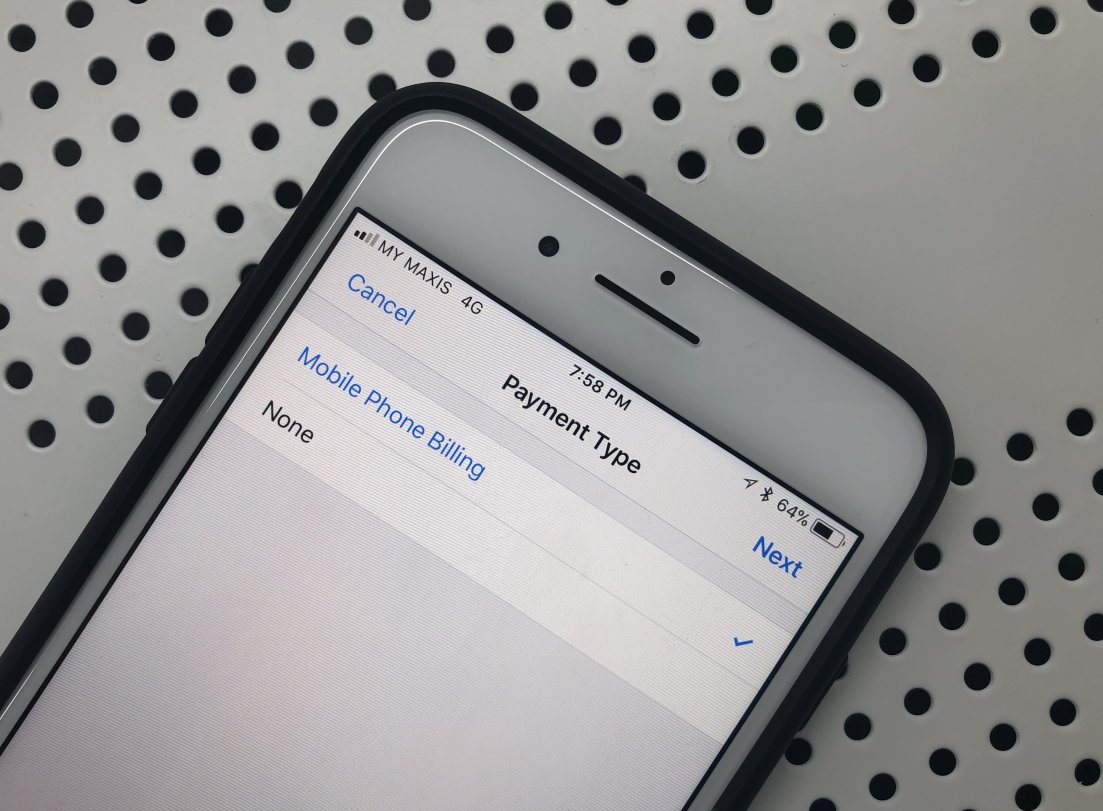
Maxis and its prepaid brand, Hotlink, have finally introduced carrier billing which lets you buy apps, subscribe to Apple Music and iCloud storage without having to use a payment card. Similar to Celcom, U Mobile and Digi, you can charge your purchases to your postpaid bill or by deducting your existing prepaid credit.

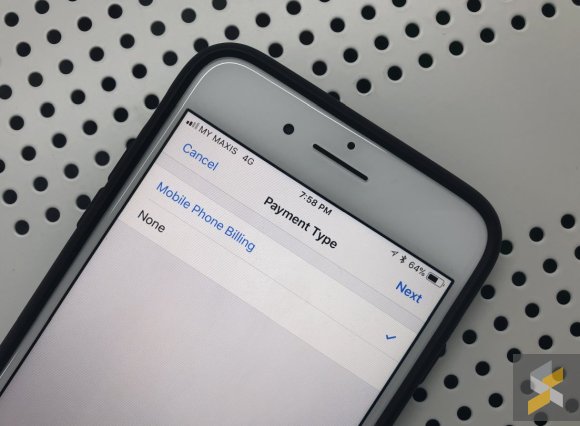
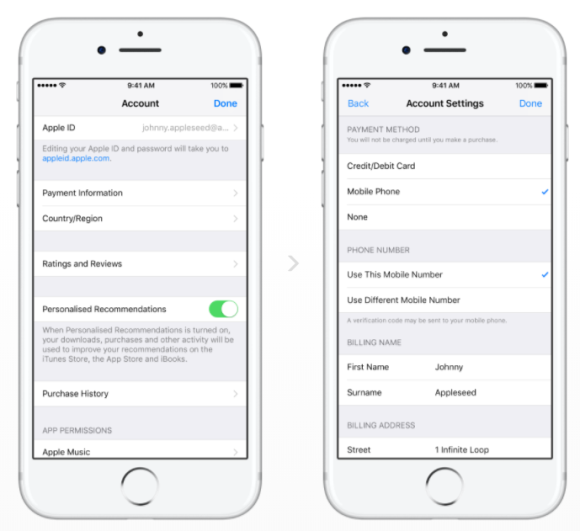
To setup, just go to your Apple ID settings and change your payment type to Mobile Phone Billing. An SMS might be sent to you for verification.

Once that’s done, you can use this method to pay on the App Store, Apple Music and iTunes from your linked Apple devices including the iPad, iPod Touch, Mac, Apple TV and Apple Watch.
For more info, you can visit this page.

Tags: AppleApple MusicAppStoreCarrier BillingHotlink carrier billingiCloudiOSiPadiPhoneiTunesMaxis carrier billingMobile BillingMobile Phone Billingoperator billing
Alexander Wong

Alexander Wong

POPULAR

Maxis and Hotlink lets you pay for iOS Apps, content and services without a credit/debit card

December 4, 2017

Is Your Current Phone Generations Behind? Here’s a Simpler Way to Close the Gap

March 13, 2026
Image source: Jakub Zerdzicki on Pexels

AEON Bank’s Personal Financing-i (PF-i): Flexible Funds to Help Ease Budget Constraints

December 24, 2025

The Xiaomi 17 Proves You Don’t Need a Giant Phone for Pro-Level Photos

February 28, 2026

U Mobile’s new ULTRA Prepaid now offers no speed cap for 5G. RM50 prepaid offers 500GB data and 2x ULTRA5G Priority pass

April 7, 2026

Maybank MAE users: Update your app by 11 April or risk losing access

April 4, 2026

Copyright © 2025 · SoyaCincau.com
Mind Blow Sdn Bhd (1076827-P)

  • ADVERTISE
  • DISCLAIMER

Copyright © 2026 · SoyaCincau.com – Mind Blow Sdn Bhd (1076827-P)

  • ADVERTISE
  • DISCLAIMER





