• 中文版
  • BM
  • News
  • Deals
  • Reviews
    • First Impressions
    • Hands-on
    • Comparisons
  • Tech
    • Mobile
    • Computers
    • Cameras
    • Wearables
    • Audio
    • Drones
  • Telco
    • Celcom
    • Digi
    • Maxis
    • Time
    • Tune Talk
    • U Mobile
    • Unifi
    • Yes
  • Cars
  • Contribute
  • Jobs
Menu
  • 中文版
  • BM
  • News
  • Deals
  • Reviews
    • First Impressions
    • Hands-on
    • Comparisons
  • Tech
    • Mobile
    • Computers
    • Cameras
    • Wearables
    • Audio
    • Drones
  • Telco
    • Celcom
    • Digi
    • Maxis
    • Time
    • Tune Talk
    • U Mobile
    • Unifi
    • Yes
  • Cars
  • Contribute
  • Jobs
Search
  • Tech
    • News
    • Mobile
    • Computers
    • Cameras
    • Wearables
    • Audio
    • Drones
  • Telco
    • Celcom
    • Digi
    • Maxis
    • Time
    • U Mobile
    • Unifi
    • Yes
  • Reviews
    • First Impressions
    • Hands-on
    • Comparisons
  • Buyer’s Guide
  • Opinions
  • Digital Life
  • Video
  • Deals
  • How-To
  • Cars
  • Bahasa Melayu
  • EV
  • Contribute
  • Advertise
Menu
  • Tech
    • News
    • Mobile
    • Computers
    • Cameras
    • Wearables
    • Audio
    • Drones
  • Telco
    • Celcom
    • Digi
    • Maxis
    • Time
    • U Mobile
    • Unifi
    • Yes
  • Reviews
    • First Impressions
    • Hands-on
    • Comparisons
  • Buyer’s Guide
  • Opinions
  • Digital Life
  • Video
  • Deals
  • How-To
  • Cars
  • Bahasa Melayu
  • EV
  • Contribute
  • Advertise
Search
Close
Home News

If you don’t like Bixby, Samsung finally has a fix for you

  • BY Alexander Wong
  • 19 September 2017
  • 10:39 am
  • Comment
Share on FacebookShare on Twitter

Disable Bixby Button by Samsung

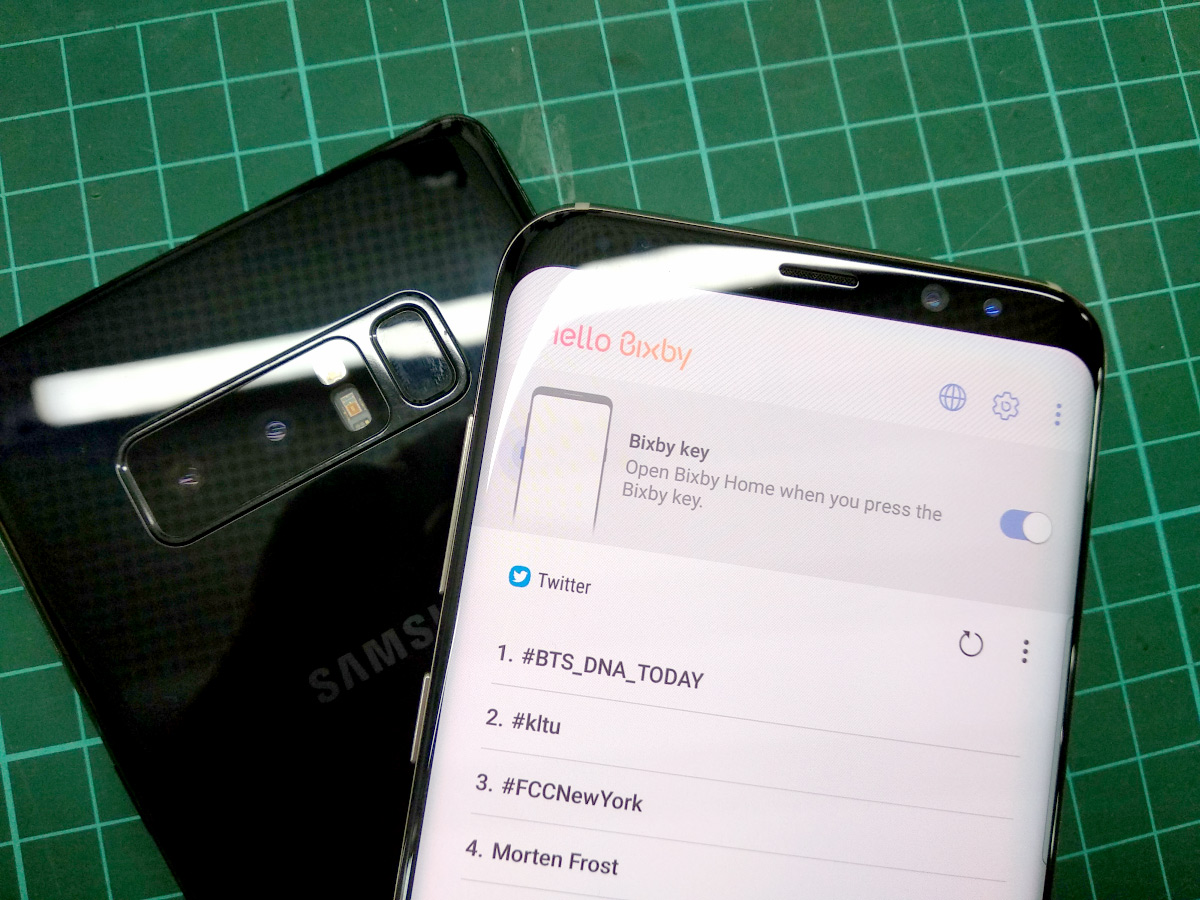
Love it or hate it, Samsung’s Bixby assistant is still here to stay. The extra button found on the Galaxy S8, S8+ and Note8 makes it easier to trigger Bixby but there are those who find it annoying as it is often mistaken for the volume down button.

For those who don’t want to use this feature, Samsung has finally released an official solution. You can finally disable the one press Bixby key after receiving a software update.
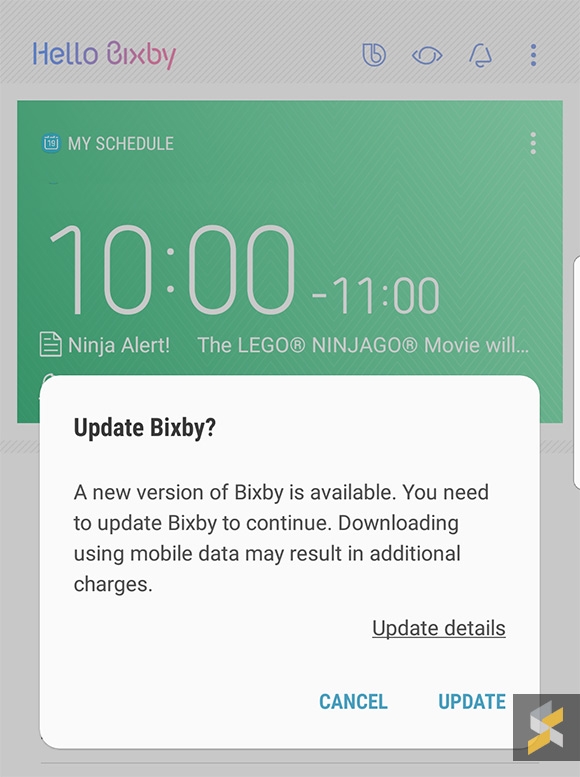
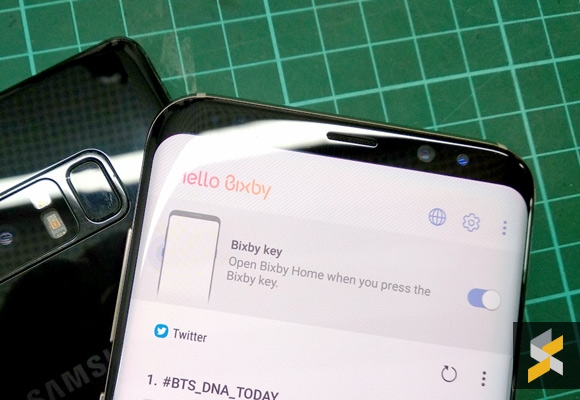
To get this feature, just launch Bixby (single press on the Bixby key) and check if you have received any software update notification on the top right of the screen. Once you’ve updated to the latest version, you should see there’s a new gear icon on the top right of the screen.
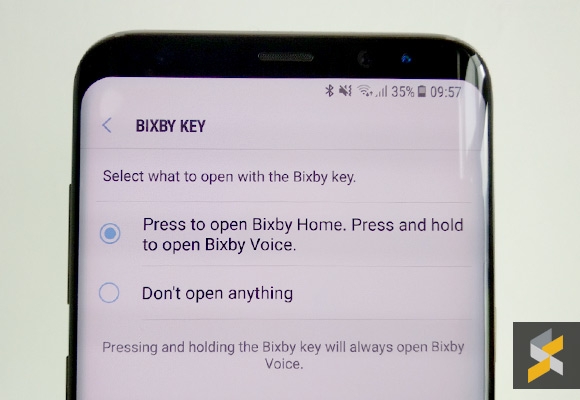
This will let you disable/enable launching Bixby when you press its dedicated button. Alternatively, you can find this setting under Bixby Settings > Bixby key.

Do note that long pressing the Bixby button will still summon the Bixby voice assistant. At least, that’s harder to trigger compared to a single press.

[ SOURCE ]

Tags: BixbyBixby buttonBixby MalaysiaDisable BixbyDisable Bixby buttonSamsungSamsung BixbySamsung Galaxy Note8 MalaysiaSamsung Galaxy S8Samsung Galaxy S8 MalaysiaSamsung Galaxy S8 Plus
Alexander Wong

Alexander Wong

POPULAR

SoyaCincau Awards 2025: The Best Tablets of the Year

January 5, 2026

HUAWEI MatePad 12 X 2026: The Best Productivity Tablet with PC-Level WPS and the All-New HUAWEI M-Pencil Pro

January 6, 2026

If you don’t like Bixby, Samsung finally has a fix for you

September 19, 2017

SARA: All Malaysian adults to receive RM100 credit from 9 February

January 5, 2026
Maybank Google Pay - May 2024

Maybank on Google Pay: No PIN required for transactions above RM250, transactions limited to RM2,500

January 5, 2026

Time offers true ‘No Contract’ fibre broadband plans with zero upfront cost for limited time

January 8, 2026

Copyright © 2025 · SoyaCincau.com
Mind Blow Sdn Bhd (1076827-P)

  • ADVERTISE
  • DISCLAIMER

Copyright © 2026 · SoyaCincau.com – Mind Blow Sdn Bhd (1076827-P)

  • ADVERTISE
  • DISCLAIMER