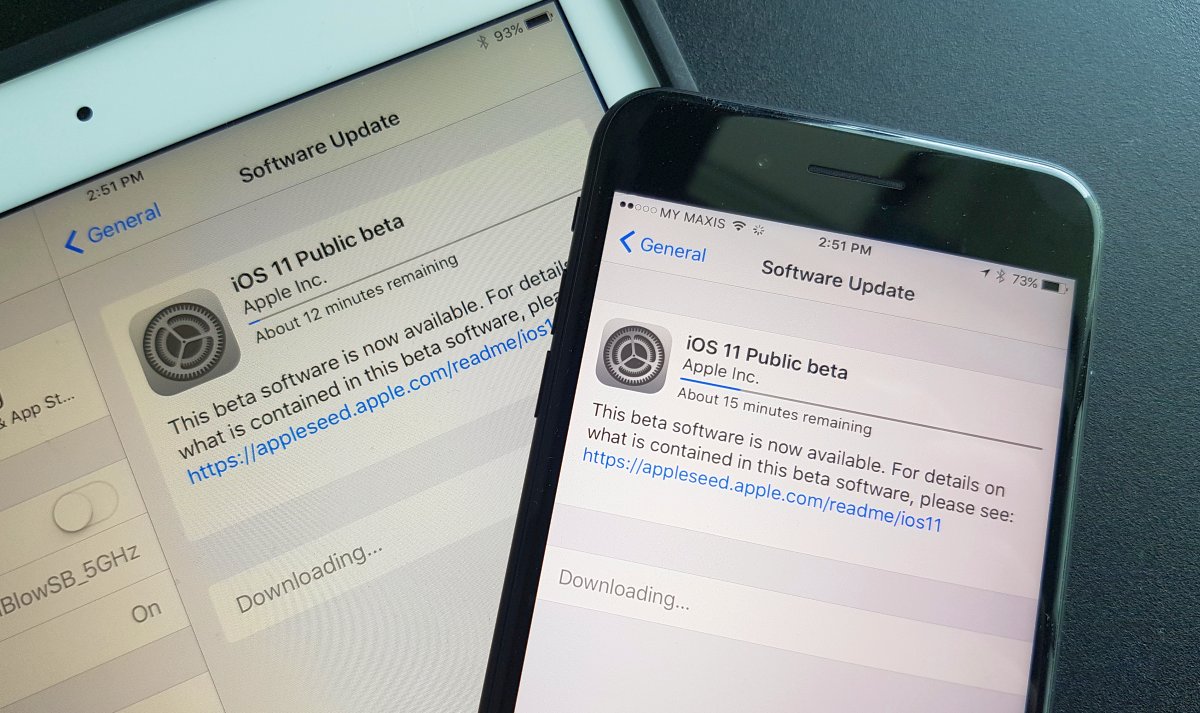
The new iOS 11 will be rolling out officially later this year. If you can’t wait to try it out, Apple has finally released the first Public Beta version. Since it isn’t final, expect some bugs and instability as iOS 11 isn’t ready for prime time just yet. If you’re feeling adventurous and are fully aware of the risks, here’s how to get iOS 11 on your iPhone and iPad right now.
Getting iOS 11 Public Beta
Step one, ensure that you’ve performed a full backup of your iPhone and iPad. This is to ensure that you could roll back to the previous version if anything goes wrong with iOS 11 Public Beta. According to Apple, you could only roll back with an iTunes backup, so your usual iCloud backup isn’t enough.
To do this, you’ll need to install the latest version of iTunes on your computer and connect your iPhone/iPad via USB. To keep your Health and Activity data, you’ll need to encrypt your backup by selecting “Encrypt [device] backup” and enter a password. Remember to keep your password safe as you can’t recover it if you lose your password. You can learn more about backing up your iPhone/iPad over here.
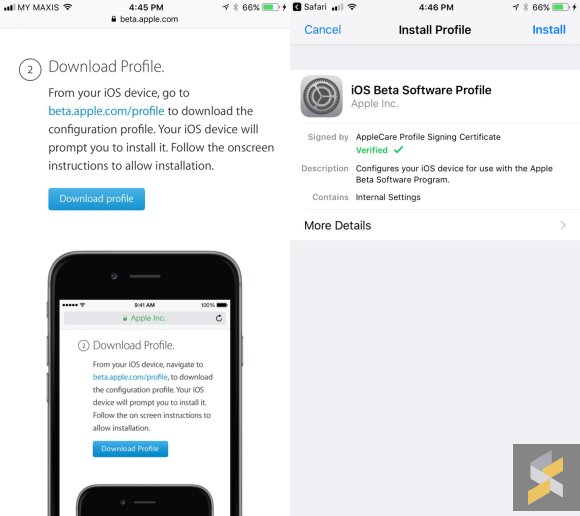
Once you’re done with the backup, it’s time to enroll your device for the iOS beta program. On your iPhone/iPad, open https://beta.apple.com/profile with the Safari browser and login using your Apple ID. If this is your first time, you’ll need to accept the usual terms and conditions. Once you’re in, click on “Download Profile”. You’ll be prompted to install an “iOS Beta Software Profile” and click “Install” to proceed. After that’s done, you’ll need to restart your device.
After your iPhone/iPad has restarted, it’s time to download iOS 11 Public Beta. Just go to Settings > General > Software Update. On our iPhone 7 Plus, it is about 2GB to download while on our iPad Pro, it weighs 1.7GB in file size.
What’s new with iOS 11?
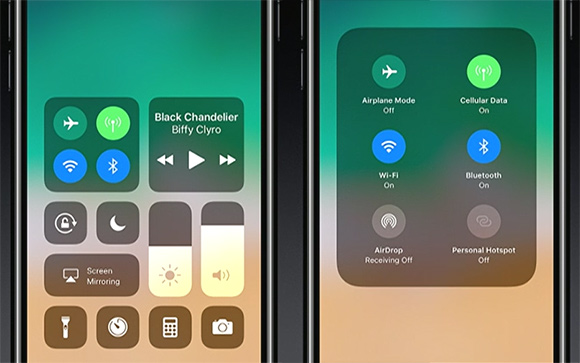
Apart from the usual design tweaks and a redesigned AppStore, the new iOS 11 brings a couple of new notable features. The control centre has been revamped and iPhone users can now toggle mobile data and you can add a button to start a screen video recording from it.
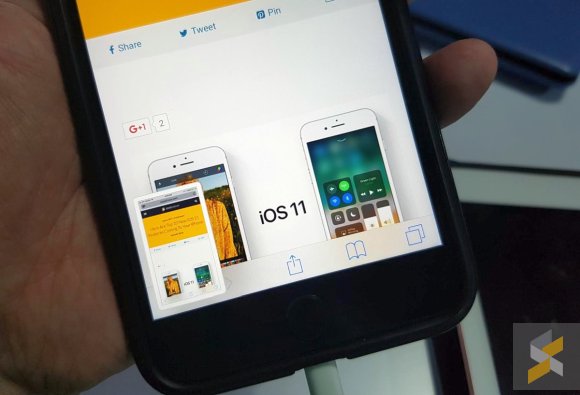
Screenshots are now handled like Xiaomi’s MIUI where it appears as a thumbnail after the shot has been taken. From there, you can crop or add doodles before you share it to your favourite apps. For a quick rundown, here’s our list of top 10 iOS 11 features that are coming to the iPhone.
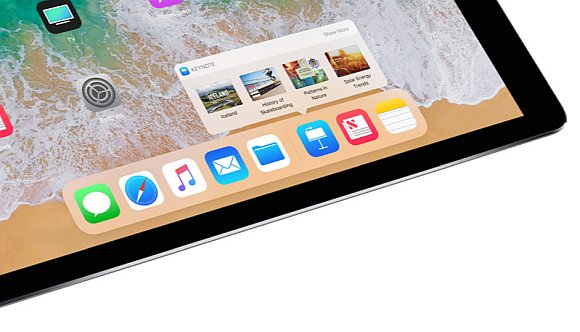
The iPad gets the most new features with the latest update. With iOS 11, the iPad is made more productive with better multitasking and it comes with a Dock for a “Desktop-like” experience. You also get an App Switcher that remembers your Multi-Window combination and a new keyboard which has better shortcut keys for numbers and symbols. On top of that, iOS 11 also allows you to drag and drop text, images and URLs easily from one app to another. You can learn more from our list of iOS 11 iPad features.
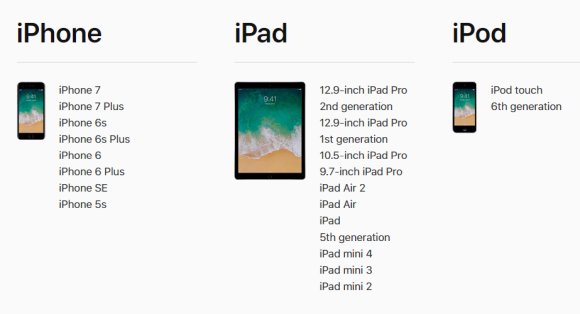
iOS 11 is compatible for the iPhone 5S and above as well as the 6th gen iPod Touch. It’s also compatible for the iPad mini 2/3/4, iPad Air/Air 2, 5th gen iPad and all iPad Pro models.
From our brief usage, iOS 11 Public Beta 1 is slightly unstable. We got a couple of crashes on our 9.7″ iPad Pro while playing around with multi-windows and our iPhone 7 Plus tends to warm up unexpectedly. Since it’s Public Beta 1, Apple would definitely fix these early issues in the next update. If you need your main iPhone and iPad to be stable, it is best to stick to the latest version of iOS 10.
Have you tried iOS 11 yet? Let us know how’s your experience so far.