
• 中文版
  • BM
  • News
  • Deals
  • Reviews
    • First Impressions
    • Hands-on
    • Comparisons
  • Tech
    • Mobile
    • Computers
    • Cameras
    • Wearables
    • Audio
    • Drones
  • Telco
    • Celcom
    • Digi
    • Maxis
    • Time
    • Tune Talk
    • U Mobile
    • Unifi
    • Yes
  • Cars
  • Contribute
  • Jobs
Menu
  • 中文版
  • BM
  • News
  • Deals
  • Reviews
    • First Impressions
    • Hands-on
    • Comparisons
  • Tech
    • Mobile
    • Computers
    • Cameras
    • Wearables
    • Audio
    • Drones
  • Telco
    • Celcom
    • Digi
    • Maxis
    • Time
    • Tune Talk
    • U Mobile
    • Unifi
    • Yes
  • Cars
  • Contribute
  • Jobs
Search
  • Tech
    • News
    • Mobile
    • Computers
    • Cameras
    • Wearables
    • Audio
    • Drones
  • Telco
    • Celcom
    • Digi
    • Maxis
    • Time
    • U Mobile
    • Unifi
    • Yes
  • Reviews
    • First Impressions
    • Hands-on
    • Comparisons
  • Buyer’s Guide
  • Opinions
  • Digital Life
  • Video
  • Deals
  • How-To
  • Cars
  • Bahasa Melayu
  • EV
  • Contribute
  • Advertise
Menu
  • Tech
    • News
    • Mobile
    • Computers
    • Cameras
    • Wearables
    • Audio
    • Drones
  • Telco
    • Celcom
    • Digi
    • Maxis
    • Time
    • U Mobile
    • Unifi
    • Yes
  • Reviews
    • First Impressions
    • Hands-on
    • Comparisons
  • Buyer’s Guide
  • Opinions
  • Digital Life
  • Video
  • Deals
  • How-To
  • Cars
  • Bahasa Melayu
  • EV
  • Contribute
  • Advertise
Search
Close
Home Digital Life

Create Adobe PDFs with your phone’s camera using Scan

  • BY Rory Lee
  • 7 June 2017
  • 4:46 pm
  • Comment
Share on FacebookShare on Twitter

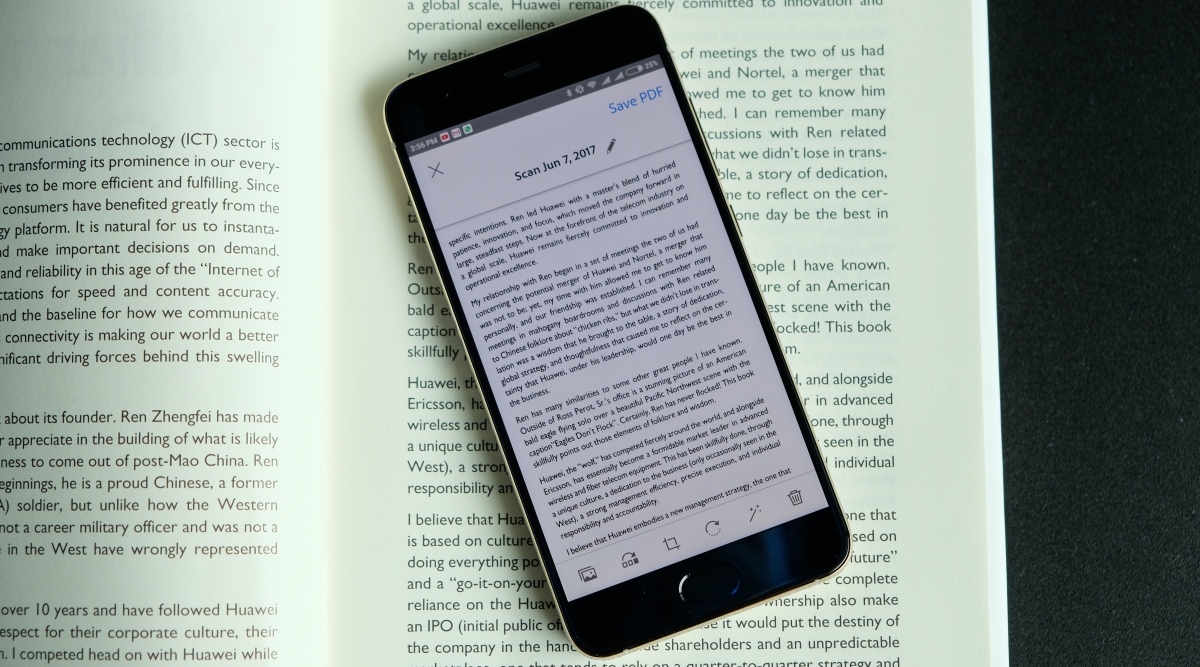
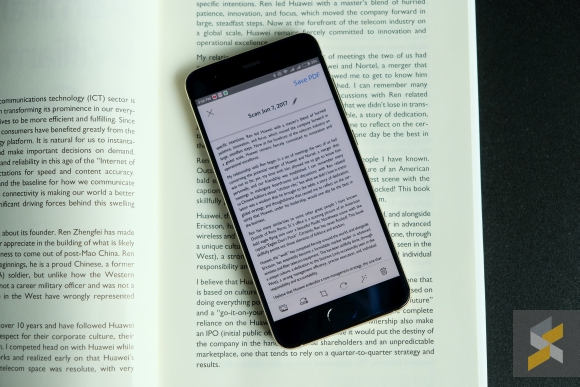
Adobe‘s making it easier to create Adobe PDFs with their new Adobe Scan mobile app. This application integrates with various Adobe applications to give you seamless PDF creation, editing, and sharing across your devices.

Adobe Scan is a free application that you can download from the Apple App Store and Google Play Store. With this application, you can use your smartphone camera to scan, capture and convert physical documents into Adobe PDFs which you can edit and share.

Scan uses Adobe’s optical character recognition (OCR) software to identify text in an image and detect whether it’s a document or not. When you launch Scan, all you need to do is hold it over a document and the app will automatically detect potential documents and captures them so you don’t even have to hit the shutter.

After that, you can edit the scans and save them as a PDF. Scan can integrate with Adobe Document Cloud so each saved PDF is automatically saved to your Document Cloud. It also works with Adobe Sign.

Of course, scanning documents and converting them to PDFs is not particularly new. You’ve got applications like CamScanner, for example, which also give you about the same amount of functionality as this.

Tags: adobeAdobe PDFAdobe PDF scannerAdobe ScanAdobe Scan appCamScannerMobileScanscannersmartphone PDF scanner
Rory Lee

Rory Lee

POPULAR

Upgraded To a New Phone? Cool. But When Was the Last Time you Upgraded your Shaver?

November 10, 2025

5 Reasons Every Home Should Have a Smart Security System

November 11, 2025

Solar ATAP: The new solar programme for consumers will only start in 2026

December 2, 2025

Create Adobe PDFs with your phone’s camera using Scan

June 7, 2017
Perodua QV-E EV

Perodua QV-E is now official: Electric sportback with 201hp, 445km NEDC range, priced at RM80k not inclusive of battery subscription

December 1, 2025

GrabRewards is now GrabCoins: Now with even more ways to earn and save

November 17, 2025

Copyright © 2025 · SoyaCincau.com
Mind Blow Sdn Bhd (1076827-P)

  • ADVERTISE
  • DISCLAIMER

Copyright © 2025 · SoyaCincau.com – Mind Blow Sdn Bhd (1076827-P)

  • ADVERTISE
  • DISCLAIMER





