
• 中文版
  • BM
  • News
  • Deals
  • Reviews
    • First Impressions
    • Hands-on
    • Comparisons
  • Tech
    • Mobile
    • Computers
    • Cameras
    • Wearables
    • Audio
    • Drones
  • Telco
    • Celcom
    • Digi
    • Maxis
    • Time
    • Tune Talk
    • U Mobile
    • Unifi
    • Yes
  • Cars
  • Contribute
  • Jobs
Menu
  • 中文版
  • BM
  • News
  • Deals
  • Reviews
    • First Impressions
    • Hands-on
    • Comparisons
  • Tech
    • Mobile
    • Computers
    • Cameras
    • Wearables
    • Audio
    • Drones
  • Telco
    • Celcom
    • Digi
    • Maxis
    • Time
    • Tune Talk
    • U Mobile
    • Unifi
    • Yes
  • Cars
  • Contribute
  • Jobs
Search
  • Tech
    • News
    • Mobile
    • Computers
    • Cameras
    • Wearables
    • Audio
    • Drones
  • Telco
    • Celcom
    • Digi
    • Maxis
    • Time
    • U Mobile
    • Unifi
    • Yes
  • Reviews
    • First Impressions
    • Hands-on
    • Comparisons
  • Buyer’s Guide
  • Opinions
  • Digital Life
  • Video
  • Deals
  • How-To
  • Cars
  • Bahasa Melayu
  • EV
  • Contribute
  • Advertise
Menu
  • Tech
    • News
    • Mobile
    • Computers
    • Cameras
    • Wearables
    • Audio
    • Drones
  • Telco
    • Celcom
    • Digi
    • Maxis
    • Time
    • U Mobile
    • Unifi
    • Yes
  • Reviews
    • First Impressions
    • Hands-on
    • Comparisons
  • Buyer’s Guide
  • Opinions
  • Digital Life
  • Video
  • Deals
  • How-To
  • Cars
  • Bahasa Melayu
  • EV
  • Contribute
  • Advertise
Search
Close
Home News

Samsung Galaxy Tab S3: Making the tablet more productive than ever

  • BY Alexander Wong
  • 27 February 2017
  • 1:59 am
  • Comment
Share on FacebookShare on Twitter

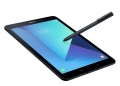
It is almost two years since Samsung had introduced a new flagship Android tablet. Despite the declining tablet market, Samsung is still persistent by announcing the Galaxy Tab S3 and its geared up for productivity in mind.
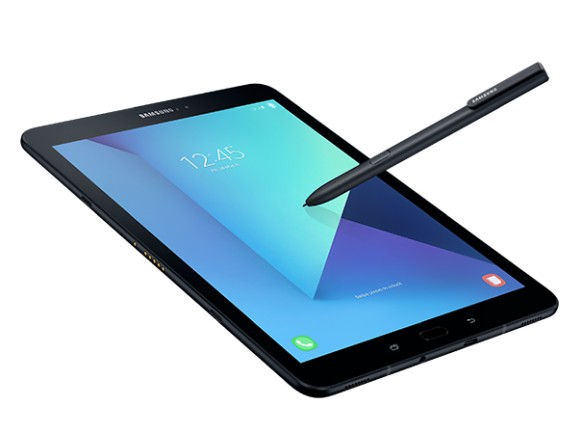
The new Tab S3 tablet comes in just one size with a 9.7″ display that pushes 2048 x 1536 pixels on a Super AMOLED panel. On top that that, the display also supports HDR 10 for true to life colours as good as watching on HDR TV. It also gets four speakers tuned by AKG by HARMAN for a richer audio experience. As expected for a flagship device, it runs on a Snapdragon 820 processor with 4GB of RAM and 32GB of storage. If you need more, storage is also expandable via microSD up to 256GB.
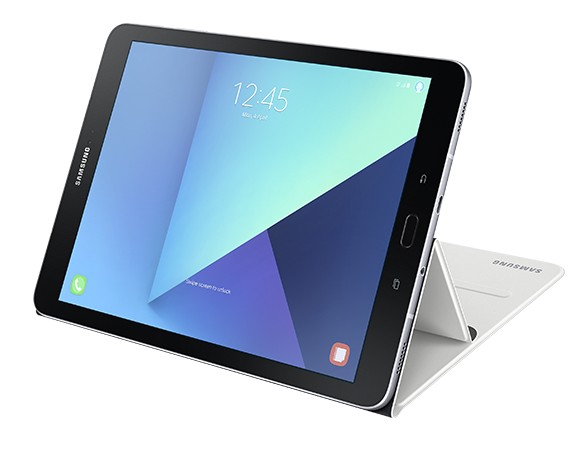
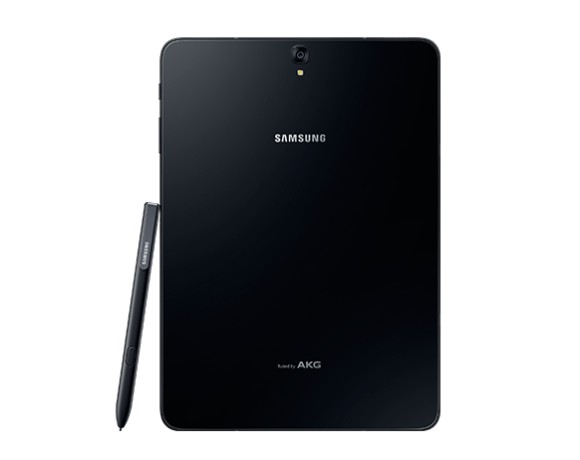
The Galaxy Tab S3 is still quite thin at only 6.0mm yet it packs a 6,000mAh battery. It gets a premium metal frame and a glossy glass for both front and back. For imaging, it gets a 13MP main camera while the front gets a 5MP unit for selfies and video conferencing. Out of the box, it runs on Android 7.0 Nougat with their latest version of TouchWiz UI. Charging is done via USB Type-C which also supports Fast Charging.
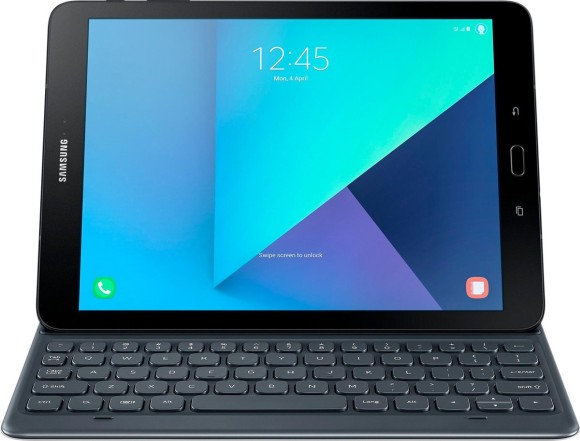
To turn the Galaxy Tab S3 into a productivity tool, it comes with an S-Pen and there’s also an optional keyboard. The included S-Pen is their most advanced yet developed by Wacom and it has a 0.7m tip along with new Note features including screen off memo and PDF annotation. Meanwhile, the new optional Pogo keyboards lets you snap the tablet seamlessly with no pairing and charging required.

For seamless productivity, the Galaxy Tab S3 supports Samsung Flow that uses biometric authentication to wirelessly tether devices to transfer documents between different devices. This also allows you to sync notifications so that you won’t miss any alerts whether you’re on the phone or a tablet. As usual, the Galaxy Tab S3 comes in both WiFi and 4G LTE version, but we are likely to get the 4G LTE variant for our local market.

Looking at the Galaxy Tab S3, Samsung is targeting those who use their tablets at home or at work, instead of those on the go. With the addition of the S Pen and the Keyboard, it is obvious that they are aiming towards those in the market for the iPad Pro. Like the iPad Pro, it is aimed towards those who are seeking for an alternative computer replacement. So far, no pricing and availability details have been revealed during the press conference.

If all you do with your home PC is web browsing and email, would you replace it with a Galaxy Tab S3? Let us know in the comments below.

Tags: AndroidMWCS PenSamsungSamsung Galaxy Tab S3Samsung Galaxy Tab S3 MalaysiaTablet
Alexander Wong

Alexander Wong

POPULAR

Samsung Galaxy Tab S3: Making the tablet more productive than ever

February 27, 2017

HUAWEI MatePad 12 X 2026: The Best Productivity Tablet with PC-Level WPS and the All-New HUAWEI M-Pencil Pro

January 6, 2026

SoyaCincau Awards 2025: The Best Tablets of the Year

January 5, 2026

Max Out Your Samsung Galaxy S25’s Camera Potential with These Must-Try Features

December 23, 2025

Samsung Galaxy A26 5G for Just RM1,099: The Most A-mazing Deal in Town?

December 22, 2025

Time offers true ‘No Contract’ fibre broadband plans with zero upfront cost for limited time

January 8, 2026

Copyright © 2025 · SoyaCincau.com
Mind Blow Sdn Bhd (1076827-P)

  • ADVERTISE
  • DISCLAIMER

Copyright © 2026 · SoyaCincau.com – Mind Blow Sdn Bhd (1076827-P)

  • ADVERTISE
  • DISCLAIMER





