
• 中文版
  • BM
  • News
  • Deals
  • Reviews
    • First Impressions
    • Hands-on
    • Comparisons
  • Tech
    • Mobile
    • Computers
    • Cameras
    • Wearables
    • Audio
    • Drones
  • Telco
    • Celcom
    • Digi
    • Maxis
    • Time
    • Tune Talk
    • U Mobile
    • Unifi
    • Yes
  • Cars
  • Contribute
  • Jobs
Menu
  • 中文版
  • BM
  • News
  • Deals
  • Reviews
    • First Impressions
    • Hands-on
    • Comparisons
  • Tech
    • Mobile
    • Computers
    • Cameras
    • Wearables
    • Audio
    • Drones
  • Telco
    • Celcom
    • Digi
    • Maxis
    • Time
    • Tune Talk
    • U Mobile
    • Unifi
    • Yes
  • Cars
  • Contribute
  • Jobs
Search
  • Tech
    • News
    • Mobile
    • Computers
    • Cameras
    • Wearables
    • Audio
    • Drones
  • Telco
    • Celcom
    • Digi
    • Maxis
    • Time
    • U Mobile
    • Unifi
    • Yes
  • Reviews
    • First Impressions
    • Hands-on
    • Comparisons
  • Buyer’s Guide
  • Opinions
  • Digital Life
  • Video
  • Deals
  • How-To
  • Cars
  • Bahasa Melayu
  • EV
  • Contribute
  • Advertise
Menu
  • Tech
    • News
    • Mobile
    • Computers
    • Cameras
    • Wearables
    • Audio
    • Drones
  • Telco
    • Celcom
    • Digi
    • Maxis
    • Time
    • U Mobile
    • Unifi
    • Yes
  • Reviews
    • First Impressions
    • Hands-on
    • Comparisons
  • Buyer’s Guide
  • Opinions
  • Digital Life
  • Video
  • Deals
  • How-To
  • Cars
  • Bahasa Melayu
  • EV
  • Contribute
  • Advertise
Search
Close
Home News

iOS 8.0.1 messed up your iPhone 6? Here’s how to fix it

  • BY soyacincau
  • 25 September 2014
  • 11:18 pm
  • Comment
Share on FacebookShare on Twitter

140925-ios-8.0.1-iphone-6-problems-fix

UPDATE: Apple has just released iOS 8.0.2 to fix the problem affecting iPhone 6 and iPhone 6 Plus users. To update, go to Settings > General > Software Updates.

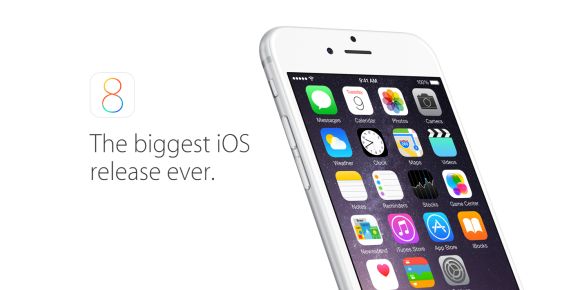
Shortly after the release of the iPhone 6 and iPhone 6 Plus, Apple has rolled out a new iOS 8.0.1 software update that was supposed to iron out some minor kinks. Unfortunately the little update was reported to be creating more problems, affecting its cellular service and TouchID Fingerprint scanner. It seems that it only affects iPhone 6 and iPhone 6 Plus that were updated to iOS 8.0.1.

Apple has responded that a fix is on its way in yet another update (iOS 8.0.2) but it would take a couple of days to release it. So for those who are affected, you can restore your iPhone 6 to proper working order by downgrading to iOS 8.0. Head after the break for the official instructions.

1. Make sure that you’re using the latest version of iTunes.

2. Connect your iPhone to iTunes.

3. Back up your iPhone in iTunes on your Mac or PC.
iCloud backups won’t restore to earlier versions, including iOS 8.0.

4. Download the file below that corresponds to your device:
– iPhone 6
– iPhone 6 Plus

5. Select the file you just downloaded by doing one of these in iTunes:
Mac: Press the Option key and click Check for Update.
Windows: Press the Shift key and click Check for Update.

6. Press Update to install iOS 8 on your iPhone.

Take note that after reverting back to iOS 8.0, the health app will not work until its newer iOS 8.0.2 is released. These steps aim to bring your iPhone 6 back to acceptable working condition, especially vital cellular service.


[ SOURCE, VIA ]

Tags: AppleiOS 8iOS 8.0.1iOS 8.0.1 IssueiOS 8.0.2iPhone 6iPhone 6 Plus
soyacincau

soyacincau

POPULAR

Upgraded To a New Phone? Cool. But When Was the Last Time you Upgraded your Shaver?

November 10, 2025

5 Reasons Every Home Should Have a Smart Security System

November 11, 2025

Solar ATAP: The new solar programme for consumers will only start in 2026

December 2, 2025

iOS 8.0.1 messed up your iPhone 6? Here’s how to fix it

September 25, 2014
Perodua QV-E EV

Perodua QV-E is now official: Electric sportback with 201hp, 445km NEDC range, priced at RM80k not inclusive of battery subscription

December 1, 2025

GrabRewards is now GrabCoins: Now with even more ways to earn and save

November 17, 2025

Copyright © 2025 · SoyaCincau.com
Mind Blow Sdn Bhd (1076827-P)

  • ADVERTISE
  • DISCLAIMER

Copyright © 2025 · SoyaCincau.com – Mind Blow Sdn Bhd (1076827-P)

  • ADVERTISE
  • DISCLAIMER




