
• 中文版
  • BM
  • News
  • Deals
  • Reviews
    • First Impressions
    • Hands-on
    • Comparisons
  • Tech
    • Mobile
    • Computers
    • Cameras
    • Wearables
    • Audio
    • Drones
  • Telco
    • Celcom
    • Digi
    • Maxis
    • Time
    • Tune Talk
    • U Mobile
    • Unifi
    • Yes
  • Cars
  • Contribute
  • Jobs
Menu
  • 中文版
  • BM
  • News
  • Deals
  • Reviews
    • First Impressions
    • Hands-on
    • Comparisons
  • Tech
    • Mobile
    • Computers
    • Cameras
    • Wearables
    • Audio
    • Drones
  • Telco
    • Celcom
    • Digi
    • Maxis
    • Time
    • Tune Talk
    • U Mobile
    • Unifi
    • Yes
  • Cars
  • Contribute
  • Jobs
Search
  • Tech
    • News
    • Mobile
    • Computers
    • Cameras
    • Wearables
    • Audio
    • Drones
  • Telco
    • Celcom
    • Digi
    • Maxis
    • Time
    • U Mobile
    • Unifi
    • Yes
  • Reviews
    • First Impressions
    • Hands-on
    • Comparisons
  • Buyer’s Guide
  • Opinions
  • Digital Life
  • Video
  • Deals
  • How-To
  • Cars
  • Bahasa Melayu
  • EV
  • Contribute
  • Advertise
Menu
  • Tech
    • News
    • Mobile
    • Computers
    • Cameras
    • Wearables
    • Audio
    • Drones
  • Telco
    • Celcom
    • Digi
    • Maxis
    • Time
    • U Mobile
    • Unifi
    • Yes
  • Reviews
    • First Impressions
    • Hands-on
    • Comparisons
  • Buyer’s Guide
  • Opinions
  • Digital Life
  • Video
  • Deals
  • How-To
  • Cars
  • Bahasa Melayu
  • EV
  • Contribute
  • Advertise
Search
Close
Home Digital Life

Google Docs app for Android

  • BY soyacincau
  • 1 May 2011
  • 11:43 am
  • Comment
Share on FacebookShare on Twitter

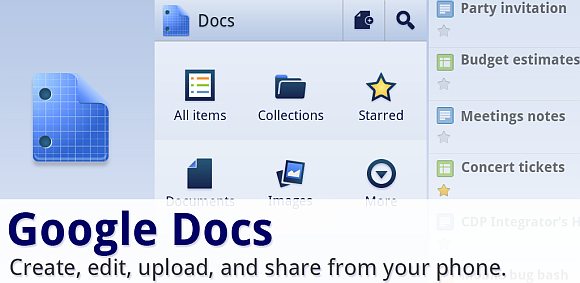
Google has just released Google Docs app for Android platform which makes it easy to manage your docs stored online. The app however still relies heavily on data as the editing and viewing is still done on the net. Each time you open or edit a document or spreadsheet, it launches the online editor which runs on its built-in browser.

Some of the key features is having the ability to upload most office documents directly from your phone and it even lets you create documents with your camera or a taken image. According to Google, there’s an optical character recognition (OCR) feature which converts photos taken of documents into text format. When we tried, we couldn’t get it to work and according to Google it only works for certain fonts. This OCR feature is expected to improve further over time and we think this will be a convenient way to copy text from printed materials.

To make things easier, the app also comes with widgets which lets you view your latest document listings or take a photo document from your Android home screen. Google Docs for Android is currently available for Android 2.1 and above.

You can download it directly from the market here.

[ SOURCE ]

Tags: AndroidgoogleGoogle Docsgoogle docs app
soyacincau

soyacincau

POPULAR

Upgraded To a New Phone? Cool. But When Was the Last Time you Upgraded your Shaver?

November 10, 2025

Solar ATAP: The new solar programme for consumers will only start in 2026

December 2, 2025

5 Reasons Every Home Should Have a Smart Security System

November 11, 2025

Google Docs app for Android

May 1, 2011
Perodua QV-E EV

Perodua QV-E is now official: Electric sportback with 201hp, 445km NEDC range, priced at RM80k not inclusive of battery subscription

December 1, 2025

GrabRewards is now GrabCoins: Now with even more ways to earn and save

November 17, 2025

Copyright © 2025 · SoyaCincau.com
Mind Blow Sdn Bhd (1076827-P)

  • ADVERTISE
  • DISCLAIMER

Copyright © 2025 · SoyaCincau.com – Mind Blow Sdn Bhd (1076827-P)

  • ADVERTISE
  • DISCLAIMER





